MSB780(X) - User’s Guide
• State - connected or not connected
• SN - serial number of connected external probe
• RH - measured value of relative humidity
• T - measured value of temperature
• DP - calculated value of dew point
7.8 System menu (Date/Time, diagnostics, serial/version numbers)
In system menu you can set date/time and browse diagnostic information, firmware version and
barometer serial number.
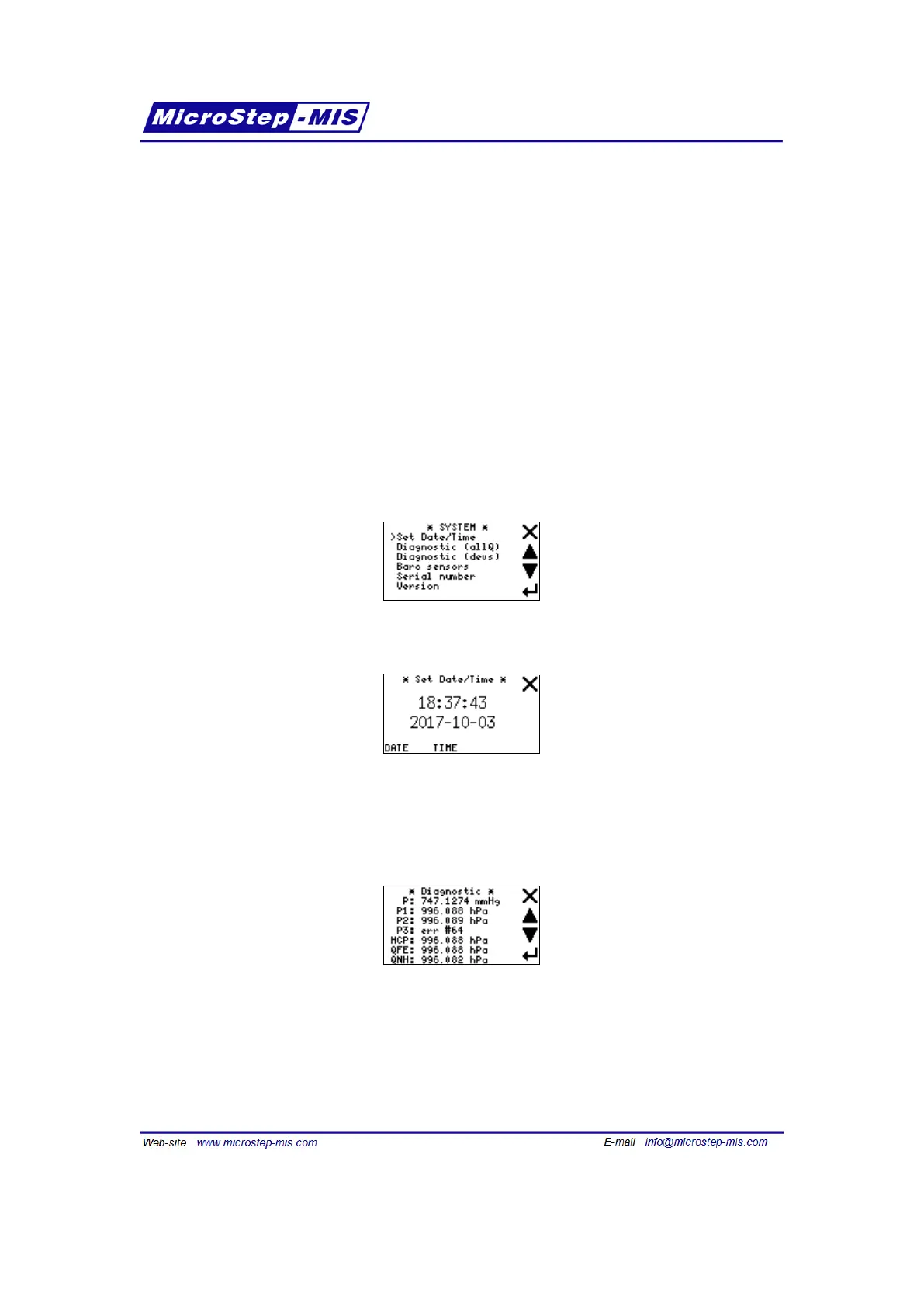
Screen of System menu is in the following picture:
Set Date/Time:
Tap on DATE or TIME button to set date or time. Then the number which you can modify is
blinking. Set correct value using arrows and then tap NEXT button for going to the next number.
Diagnostic (allQ): On this screen you can see values or states of all quantities:
If some quantity is not available then only the state of the sensor measuring the quantity is
shown. For example, if you have a barometer in version with 2 transducers, the third pressure
P3 will not be available and there will be reading "P3: err #64" which means third transducer
was not found.
Diagnostic (devs): This screen shows states of internal devices.
69



 To Next Page