MSB780(X) - User’s Guide
Entered value is accepted only if it is in allowed ragne of the parameter:
• Range for HQFE: see Table 14 on page 52
• Range for HQNH: see Table 15 on page 54
• Range for HHCP: see Table 16 on page 55
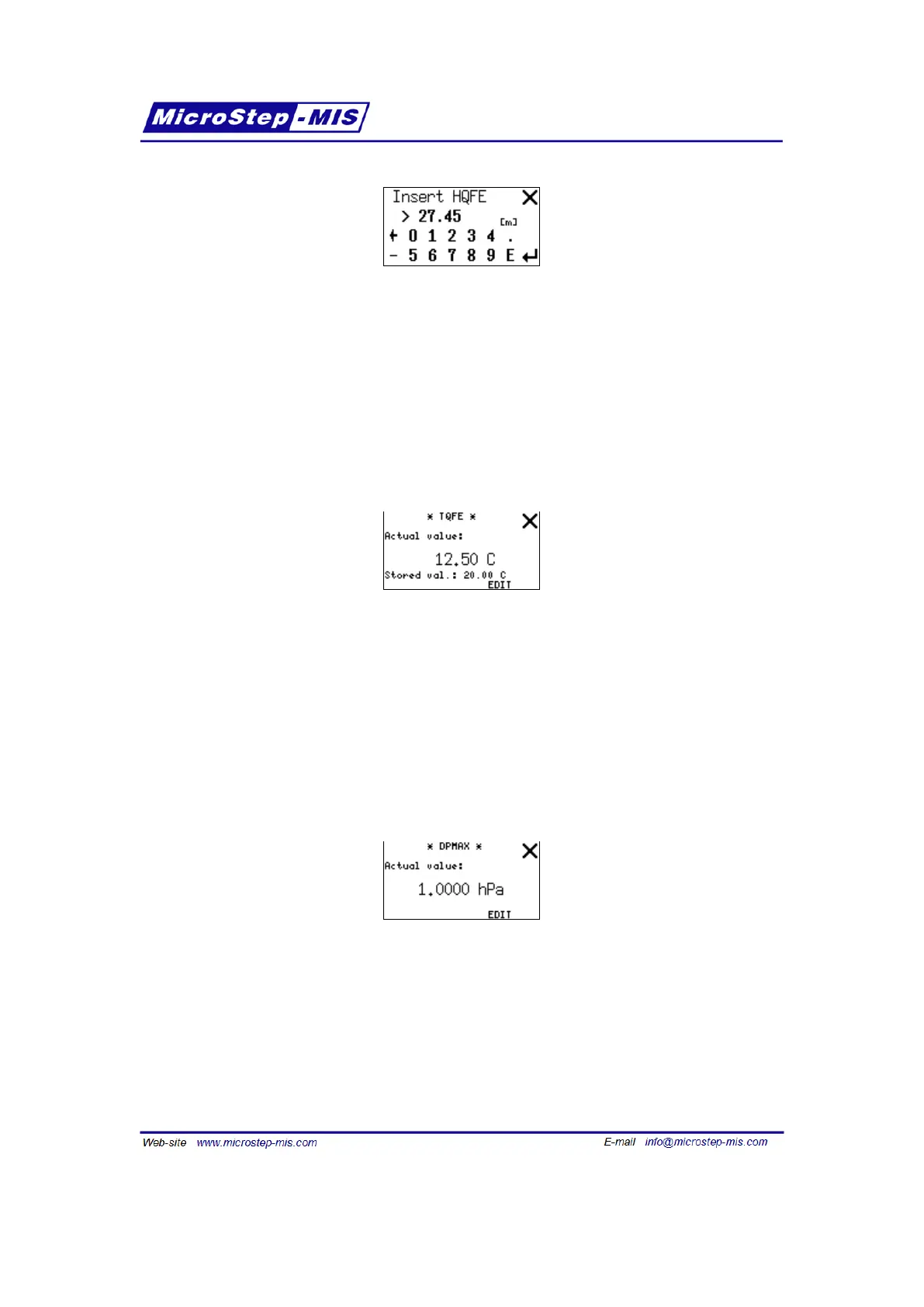
Example screen for TQFE setting:
Note: EDIT button is visible only if editing is enabled in "Edit from LCD" submenu.
This screen shows both actual and default TQFE values. "Stored val." is the value stored in
memory, used (copied to actual one) after barometer power on. "Actual value" is the value being
used for calculation now. If barometer is connected to some external system which updates
actual temperature through serial port, using tqfea command (page 55), the actual and stored
(default) values may differ. You can change both values at once by tapping EDIT button and
entering new value. The change will be also stored to FLASH memory.
Example screen for DPMAX display:
Note: EDIT button is visible only if editing is enabled in "Edit from LCD" submenu. This screen
shows maximum permissible pressure difference between transducers. Tap EDIT button to
enter new value. On the screen with numerical keyboard you can tap on actual unit to change
the unit of new value.
Example screen for ICAO settings:
66



 To Next Page