50
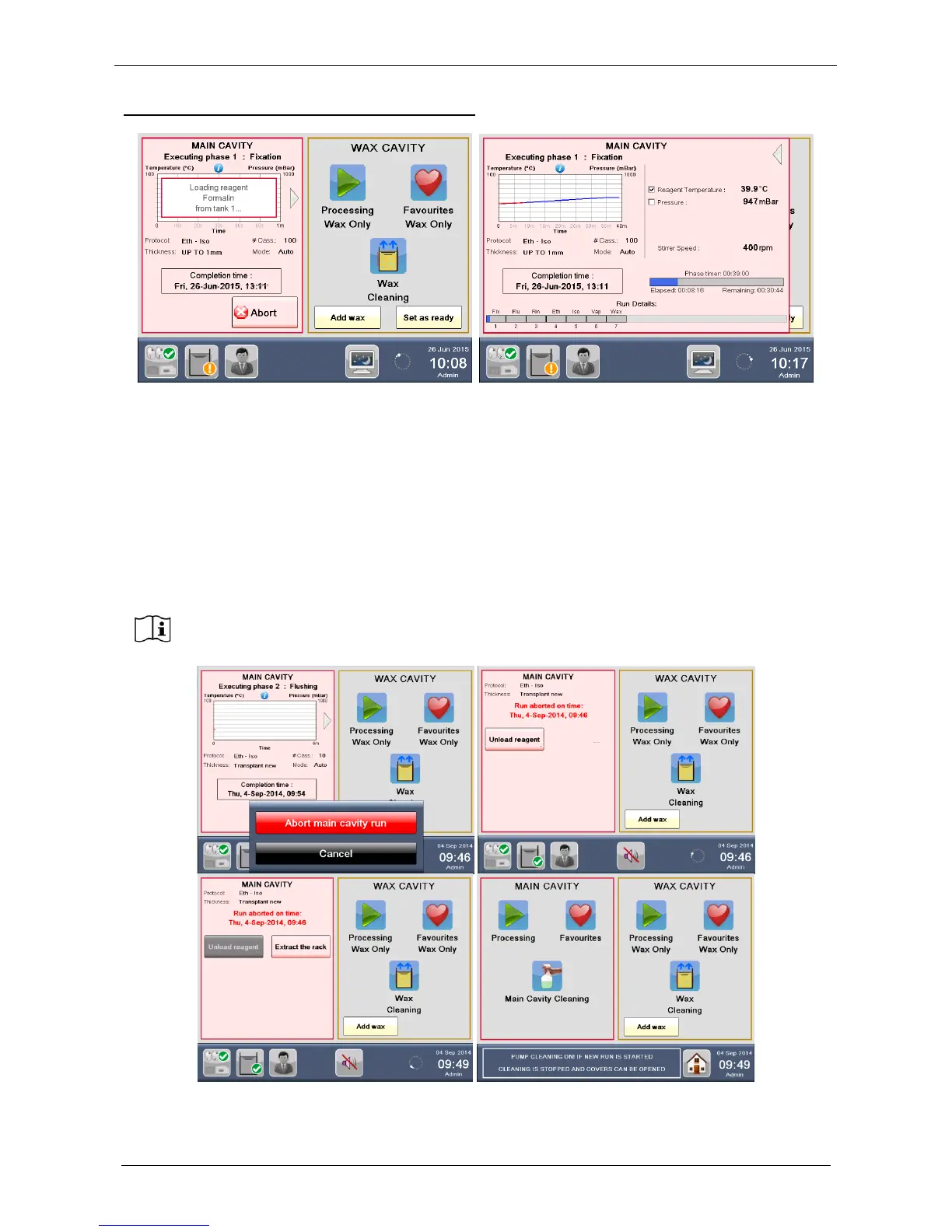
GRAPH DISPLAYED DURING PROGRAM RUNNING
Picture on the left: EXECUTING PHASE NUMBER and NAME, phase graph with pre-set (blue) / real (red)
temperature. Under the graph: PROTOCOL type, NUMBER OF CASSETTES processed, THICKNESS, RUN
MODE and processing COMPLETION TIME.
For further information, press the arrow on the right of the MAIN CAVITY graph:
Picture on the right: REAGENT TEMPERATURE, STIRRER SPEED, time DETAILS of the current phase
(highlighted in blue) and RUN DETAILS of the total program.
On the bottom left all phases of the program are displayed with the completed or actual in blue.
To return to the left screen press the arrow in the top right.
If necessary in every moment it is possible to press ABORT to stop the program, unload
reagent and cassettes (Extract the rack).



 To Next Page