MM098-002 – LOGOS ONE – Operator Manual
52
3.2.1.2 Dual run mode
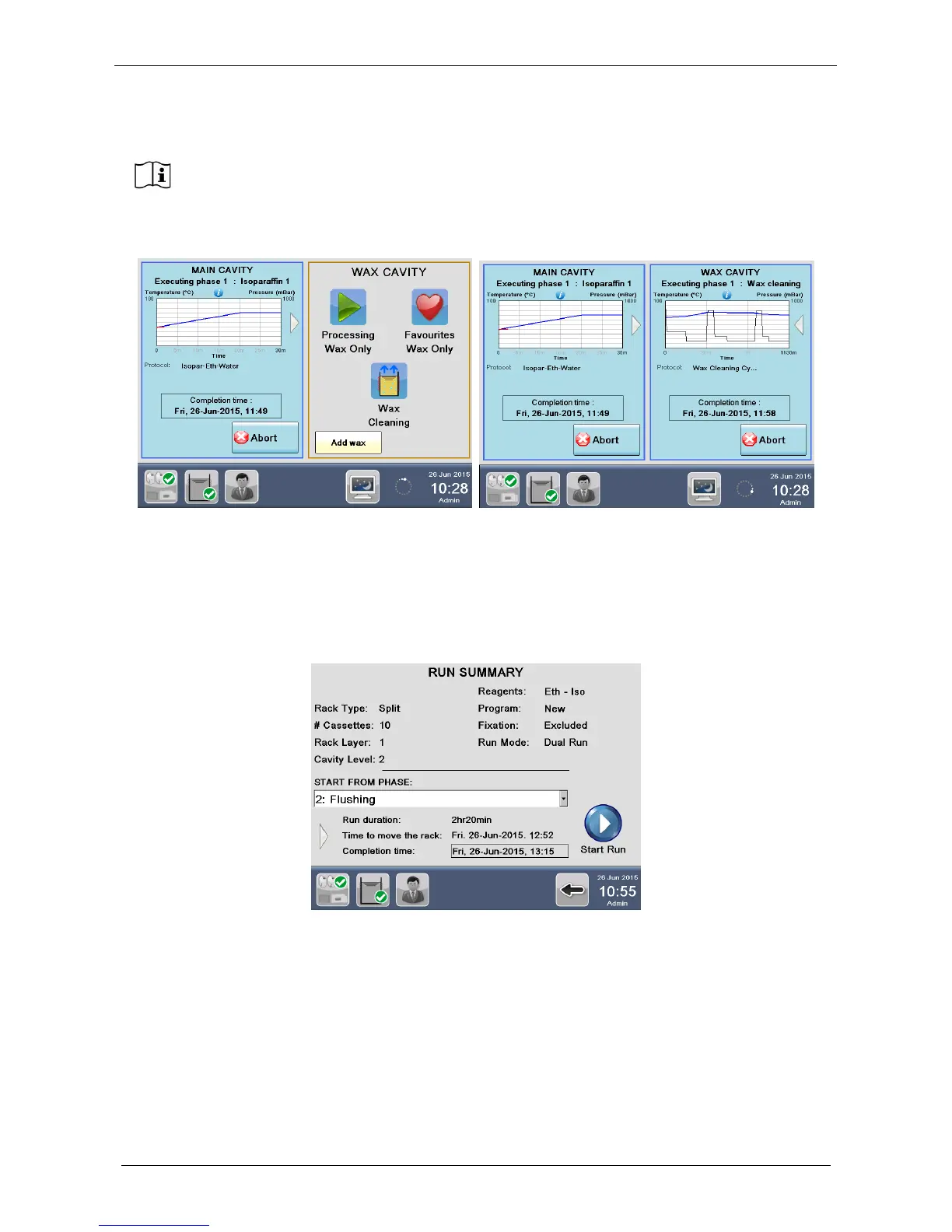
If DUAL RUN run mode is selected, the following RUN SUMMARY screen appears, displaying process
details, like RUN DURATION, COMPLETION TIME and also TIME TO MOVE THE RACK, that shows
exactly when the presence of USER is required to MANUALLY MOVE THE RACK to WAX CAVITY (see
below). Press Start run to run the cycle NOW.
On completion of first reagent loading, a graph is displayed on the screen with detailed processing
information.
On completion of the process, it is necessary to carry out a MAIN CAVITY CLEANING
CYCLE (for further information, see the chapter 3.3).
Failure to do this, will prevent user from starting a new process in the MAIN CAVITY.
During the main cavity cleaning is not possible to use the unit for processing and it is
therefore suggested to run in parallel a wax cleaning cycle, by pressing the icon “Wax
cleaning” in the right part of the screen. The duration of the main cavity cleaning and the
wax cleaning is more or less the same.



 To Next Page