85
Fixative
For letters that refer to unit codes, see chapter 1.3.1.
For letters F and R, the right loading tank is enabled by default.
For letters F and L, the left loading tank is enabled by default.
For double letters F, both loading tanks are enabled by default.
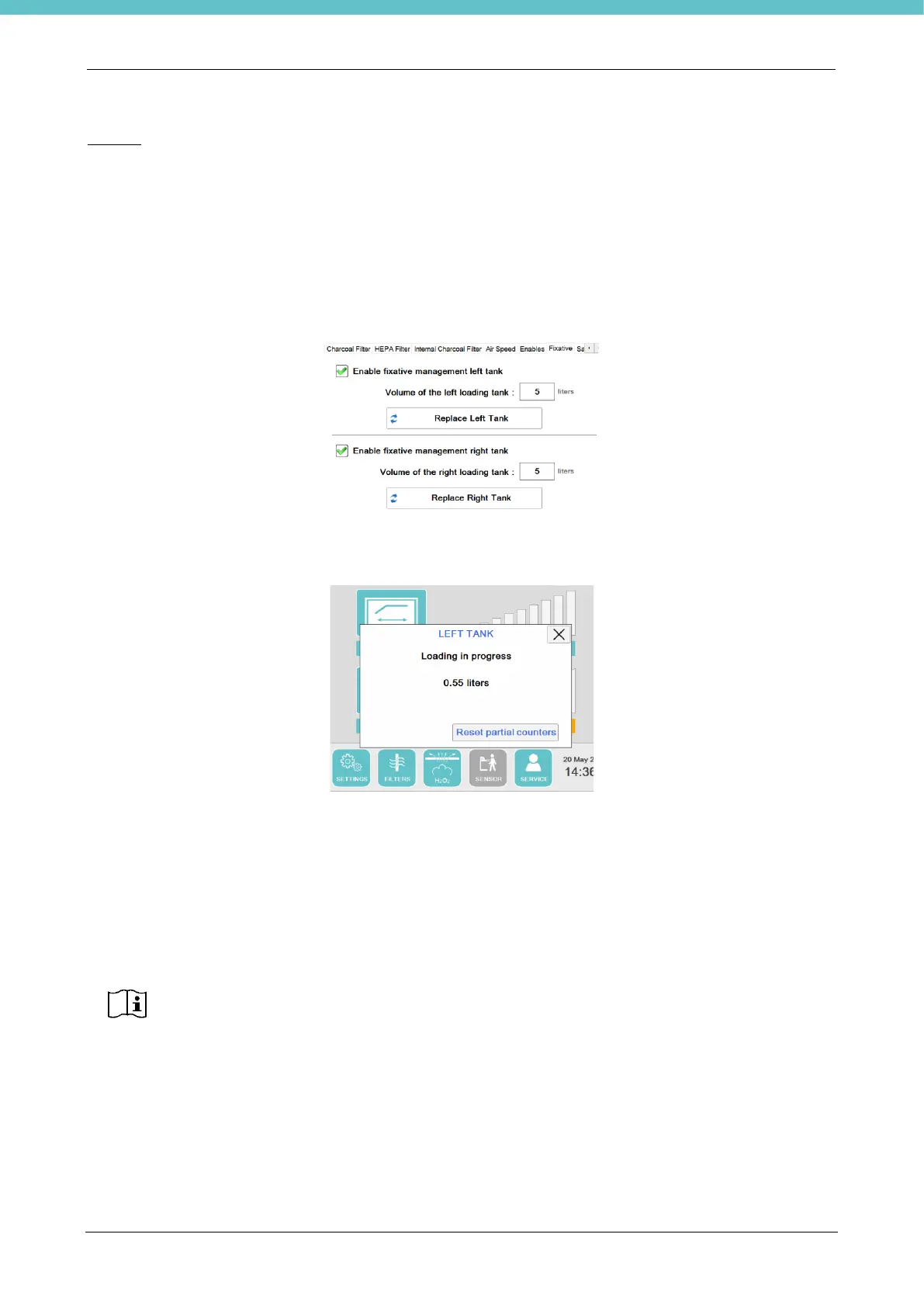
On this page it is possible to:
- enable management of the right loading tank, insert the volume of the new fixative tank (maximum 5 liters,
default value) and reset its counters.
- enable management of the left loading tank, insert the volume of the new fixative tank (maximum 5 liters,
default value) and reset its counters.
If one or both of the new fixative tanks are enabled, whenever you press the pedal to load the fixative, the
indication of the amount of liters dispensed appears on the home page. An example is shown below.
When you release the pedal, you may reset the partial counter by means of the “Reset partial counters” button
shown in the previous figure.
This message can be closed by resetting the counter, by pressing X at the top right (without resetting the
counter), or it will close automatically after 10 minutes (without resetting the counter).
If the counter is not reset, when the pedal is pressed, the software will resume the count from the previous
value.
As can be seen in the figure above, the position of the right or left loading tank is also displayed.
When the tank is about to finish (Reserve value set at 200 ml by default), the following message appears on
the home page: Tank almost empty.



 To Next Page