Note: This procedure describes how to stop a bolus that is in progress. It
does not stop your basal insulin delivery. If you need to stop all insulin
delivery, use the Suspend Delivery feature (Menu > Suspend Delivery).
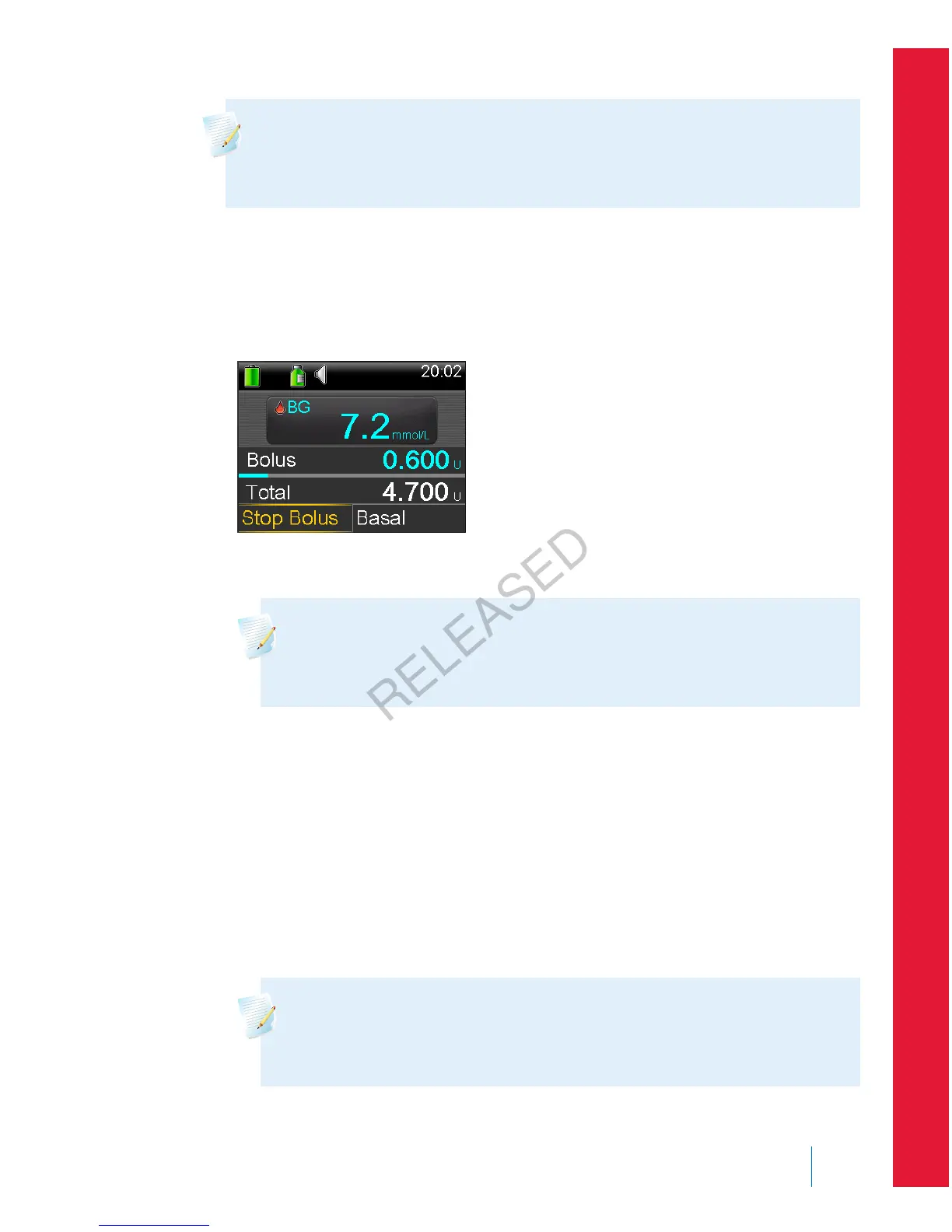
To stop a Normal bolus delivery or the Now portion of a Dual Wave bolus
delivery:
1. While your pump is delivering your Normal bolus or the Now portion of a
Dual Wave bolus, select Stop Bolus from the Home screen.
2. To stop your bolus, select Yes to confirm.
Note: If you are delivering a Normal bolus and a Square Wave bolus
at the same time, or a Normal bolus and the Square portion of a
Dual Wave bolus at the same time, both boluses are stopped.
The Bolus Stopped screen appears and shows the amount of bolus delivered,
and the original bolus amount you set up.
To stop a Square Wave bolus delivery or the Square portion of a Dual Wave
bolus delivery:
1. Select Bolus (S) or Bolus (D) from the Home screen.
2. Select Stop Bolus.
3. To stop your bolus, select Yes to confirm.
Note: If you are delivering a Normal bolus and a Square Wave bolus
at the same time, or a Normal bolus and the Square portion of a
Dual Wave bolus at the same time, both boluses are stopped.
■
bolus
Bolus 89
MP6025957-024 / A
RELEASED



 To Next Page