Using the buttons
Caution: Do not use sharp objects to press the buttons on your
pump. Using sharp objects can damage your pump.
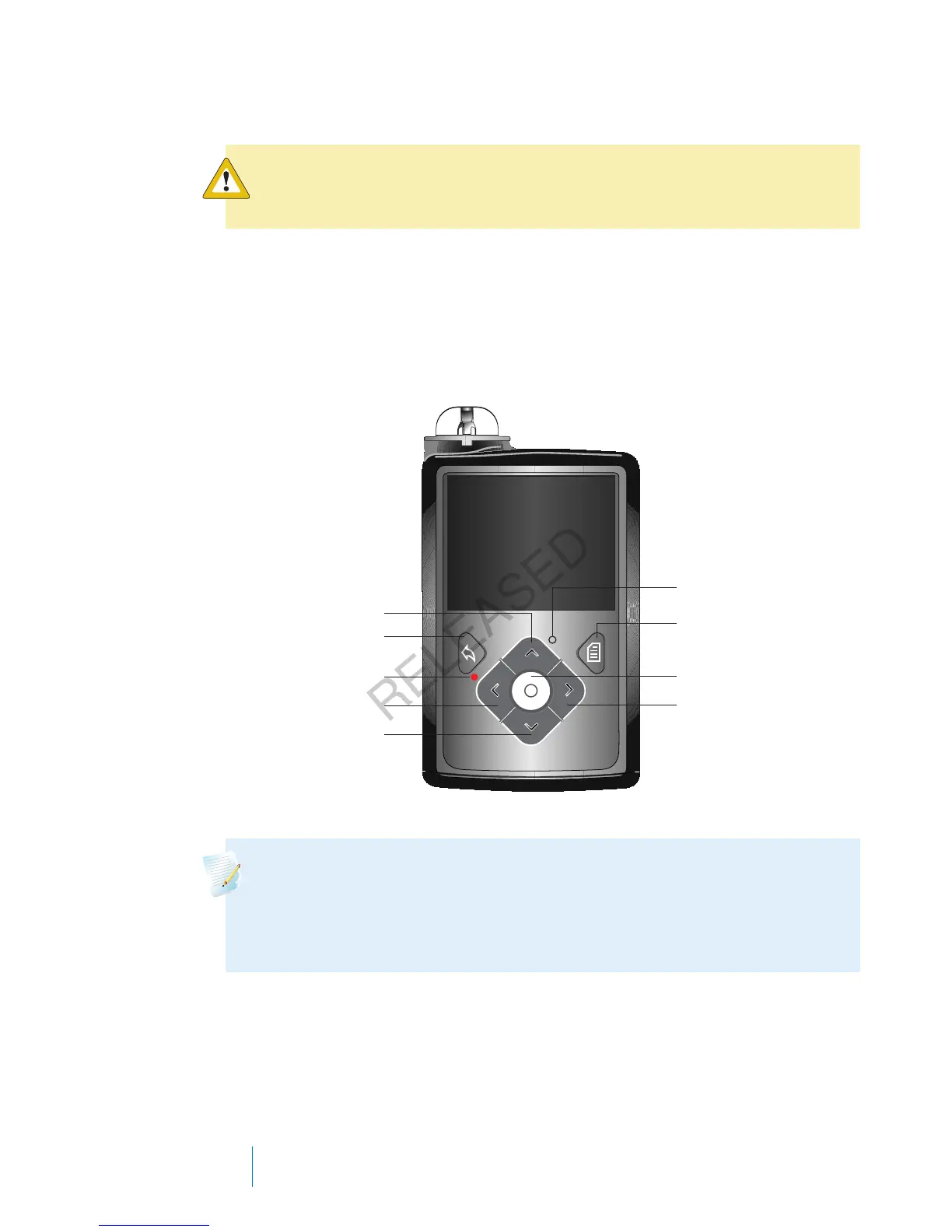
The following picture shows the buttons, the notification light, and the light sensor
on your pump. The notification light flashes when your pump has an alarm or
alert. The notification light is not visible unless flashing.
The keypad has a backlight that lights up the buttons when in use.
menu
select
right
down
left
notification
light
back
up
light sensor
Note: Do not cover the light sensor with your finger while using your
pump. Covering the light sensor may adjust the brightness on the screen
when brightness is set to Auto. See Display Options, on page 141 for more
information.
20
Chapter 2
MP6025957-024 / A
RELEASED



 To Next Page