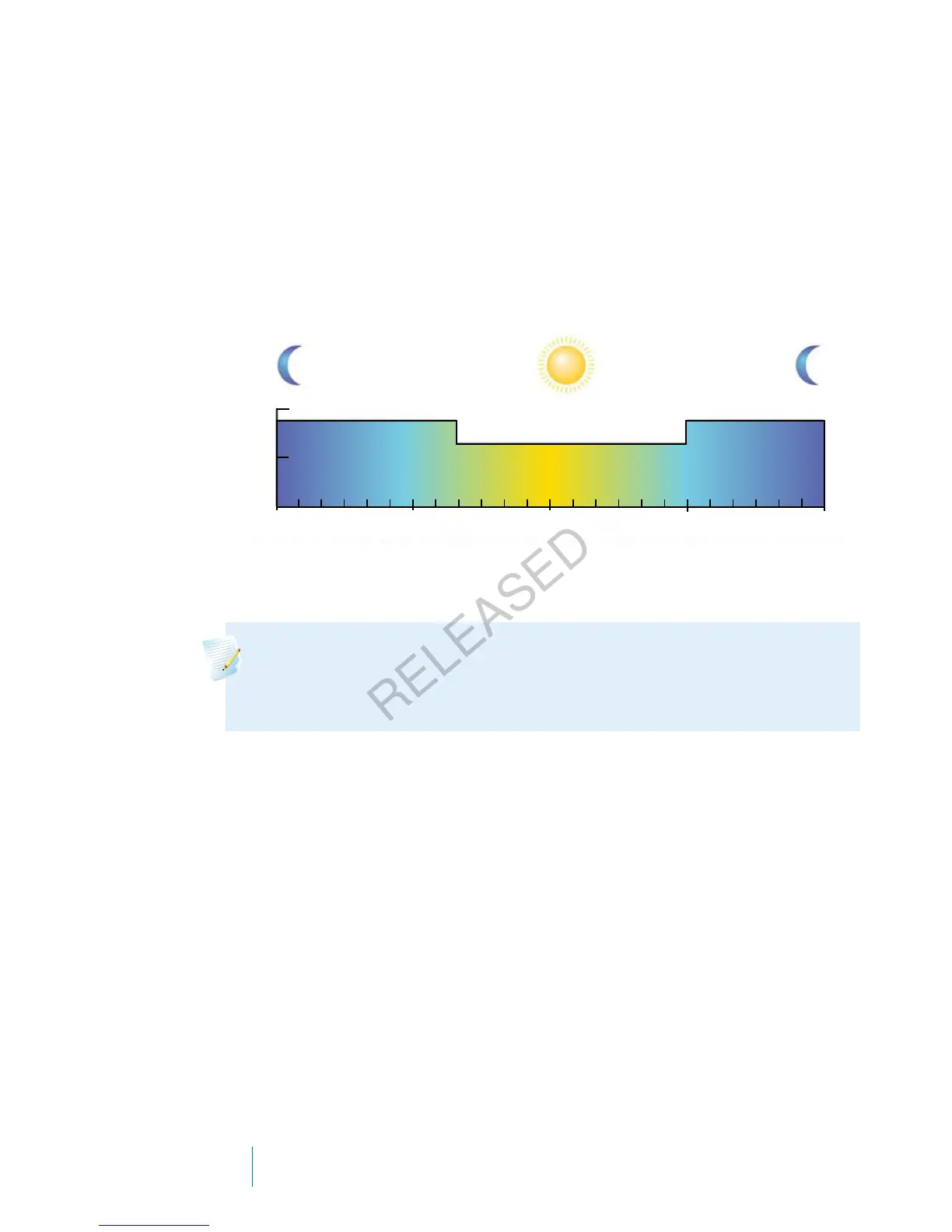
A basal pattern is made up of one to 48 basal rates that you set up to cover a full
24-hour period. If you only need one basal rate throughout the day, you set only
one rate for the 24-hour period. If you need the basal rates to change during the
day or night to better match your insulin needs, you can set more than one rate,
each with a separate start and end time.
The following example represents one basal pattern with three basal rates set for
three different time periods.
00:00 6:00
12:00 18:00
24:00
00:00 – 8:00
8:00 – 18:00
18:00 – 24:00
24 Hours
1.000
0.500
U/hr
0.650 U/hr
0.900 U/hr 0.900 U/hr
Your healthcare professional will determine what rates are right for you.
Note: If you have already set up basal patterns and want to switch from
using one basal pattern to another, see Changing from one basal pattern
to another, on page 46.
Adding a new basal pattern
This procedure shows you how to add a new basal pattern.
To add a new basal pattern:
1. Go to the Basal Pattern Setup screen.
Menu > Insulin Settings > Basal Pattern Setup
42 Chapter 3
MP6025957-024 / A
RELEASED



 To Next Page