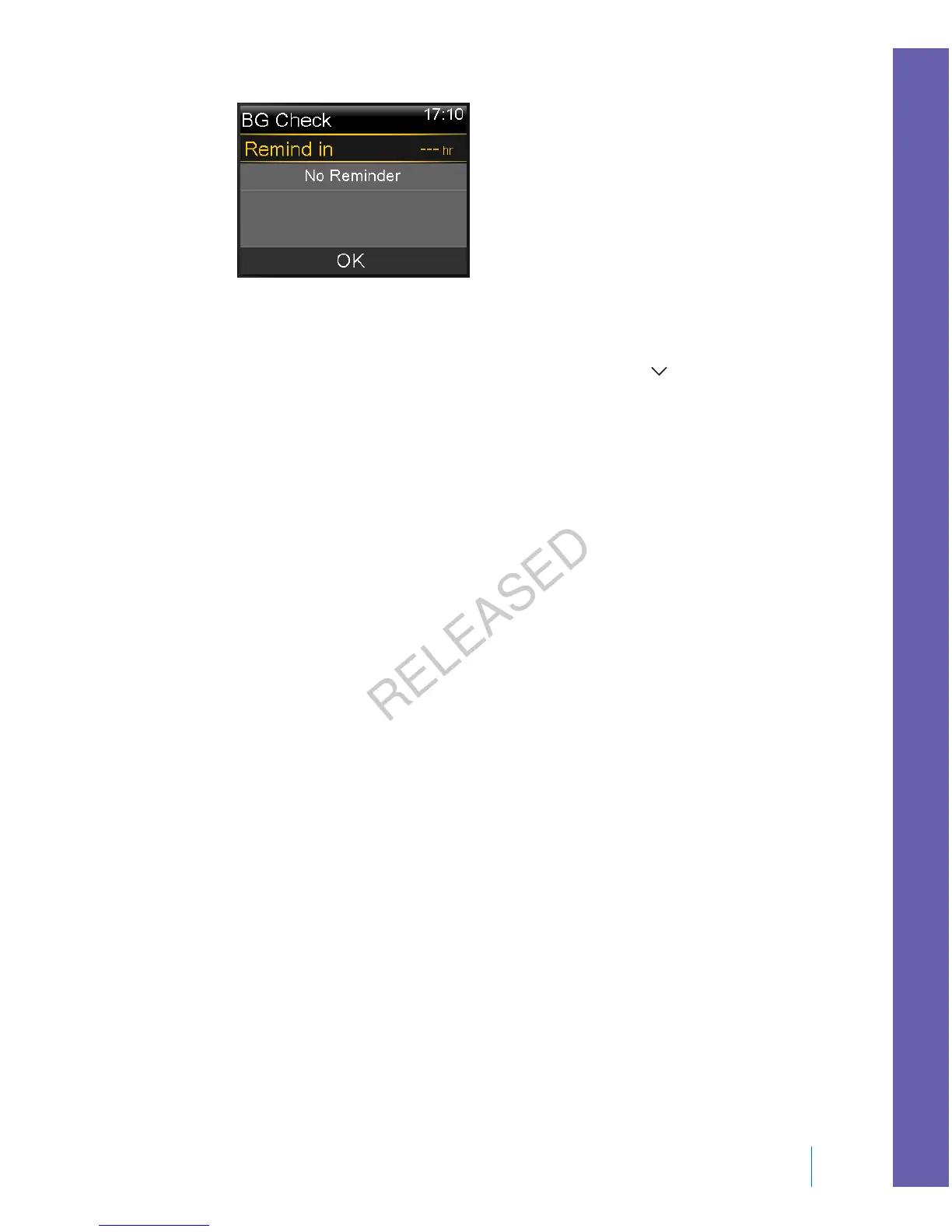
2. Enter a time from 30 minutes to 5 hours, in 30 minute increments. Select OK.
If you do not want a reminder after the bolus, select the dashes without
adding a time, and then select OK. If needed, press to return to the dashes.
Missed Meal Bolus reminder
The Missed Meal Bolus reminder alerts you if a bolus is not delivered within a time
period that you set. These time periods are usually set around your typical meal
times to help ensure a meal bolus is not missed. You can set up to eight Missed
Meal Bolus reminders.
To create a new Missed Meal Bolus reminder:
1. Go to the Missed Meal Bolus screen.
Menu > Reminders > Missed Meal Bolus
2. Select Add New.
3. Select Start Time, and enter a time.
4. Select End Time, and enter a time. The time range is from one minute to
24 hours.
5. Select Save.
To turn on or off, change, or delete existing Missed Meal Bolus reminders:
1. Go to the Missed Meal Bolus screen.
Menu > Reminders > Missed Meal Bolus
2. Select one of the reminders that you have already created.
3. Change any of the following:
• Select Reminder to turn this reminder on or off.
• Select Edit to change the time of this reminder.
■
reminders
Reminders 131
MP6025957-024 / A
RELEASED



 To Next Page