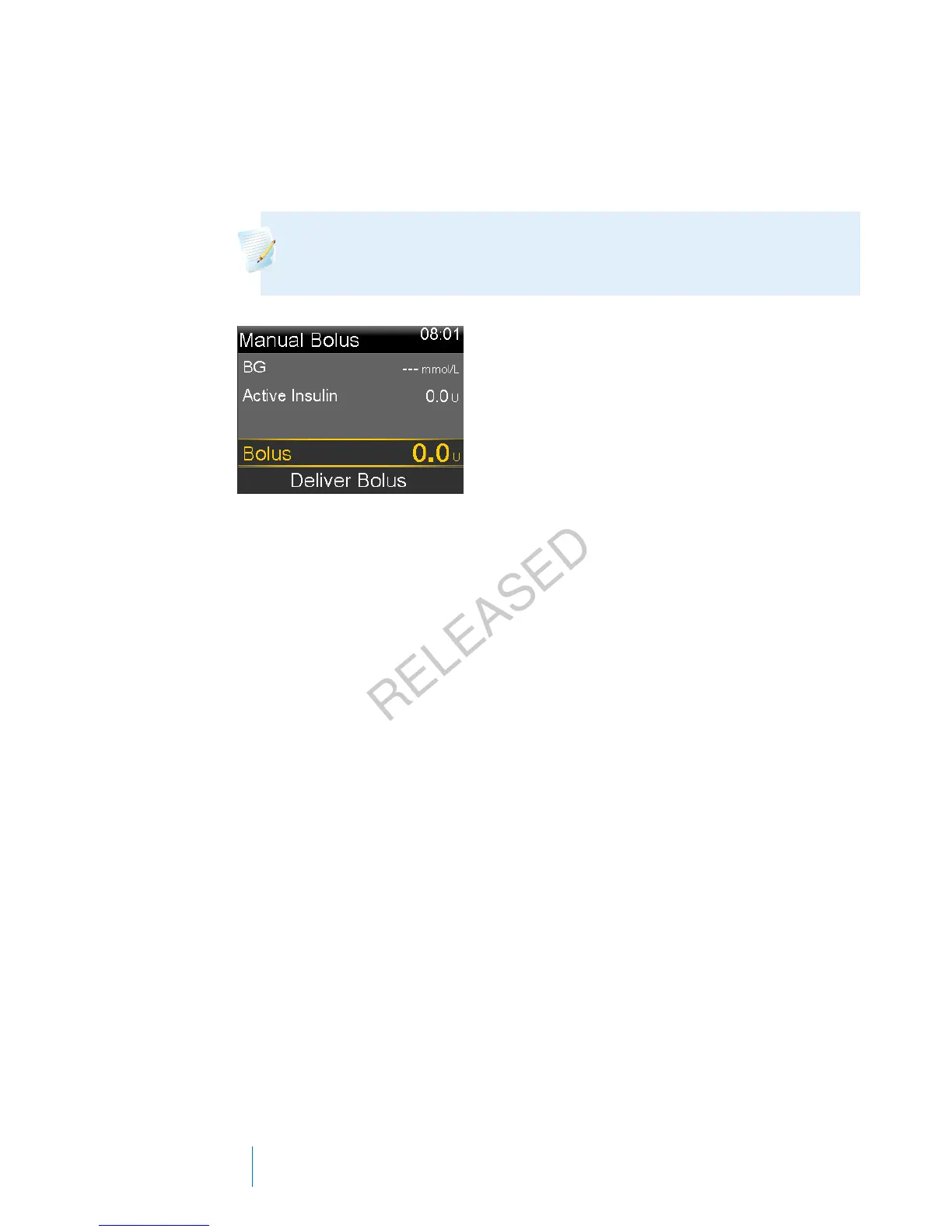
To deliver a Normal bolus using Manual Bolus:
1. Go to the Manual Bolus screen.
Home screen > Bolus > Manual Bolus
Note: If the Bolus Wizard is turned off, the Manual Bolus screen
appears when you select Bolus.
The Manual Bolus screen shows your current BG value (if applicable) and any
insulin that is still active from previous boluses. For more information about
active insulin, see About active insulin, on page 72.
2. Select Bolus to set your bolus delivery amount (in units).
3. Select Deliver Bolus to start your bolus.
Your pump beeps or vibrates and displays a message when your bolus starts.
The Home screen shows your bolus amount as it is being delivered. Your
pump beeps or vibrates when your bolus is complete.
Square Wave bolus
A Square Wave bolus delivers a bolus evenly over a period of time (30 minutes to
8 hours).
When using the Bolus Wizard, a Square Wave bolus is available only when giving a
food bolus without a correction for an elevated BG. A Square Wave bolus is not
available for a correction bolus alone, or a correction bolus with food bolus.
A Square Wave bolus can be useful in these situations:
• If you have delayed food digestion due to gastroparesis or meals high in fat.
• When you are snacking over an extended period of time.
•If a Normal bolus drops your blood glucose too rapidly.
76 Chapter 4
MP6025957-024 / A
RELEASED



 To Next Page