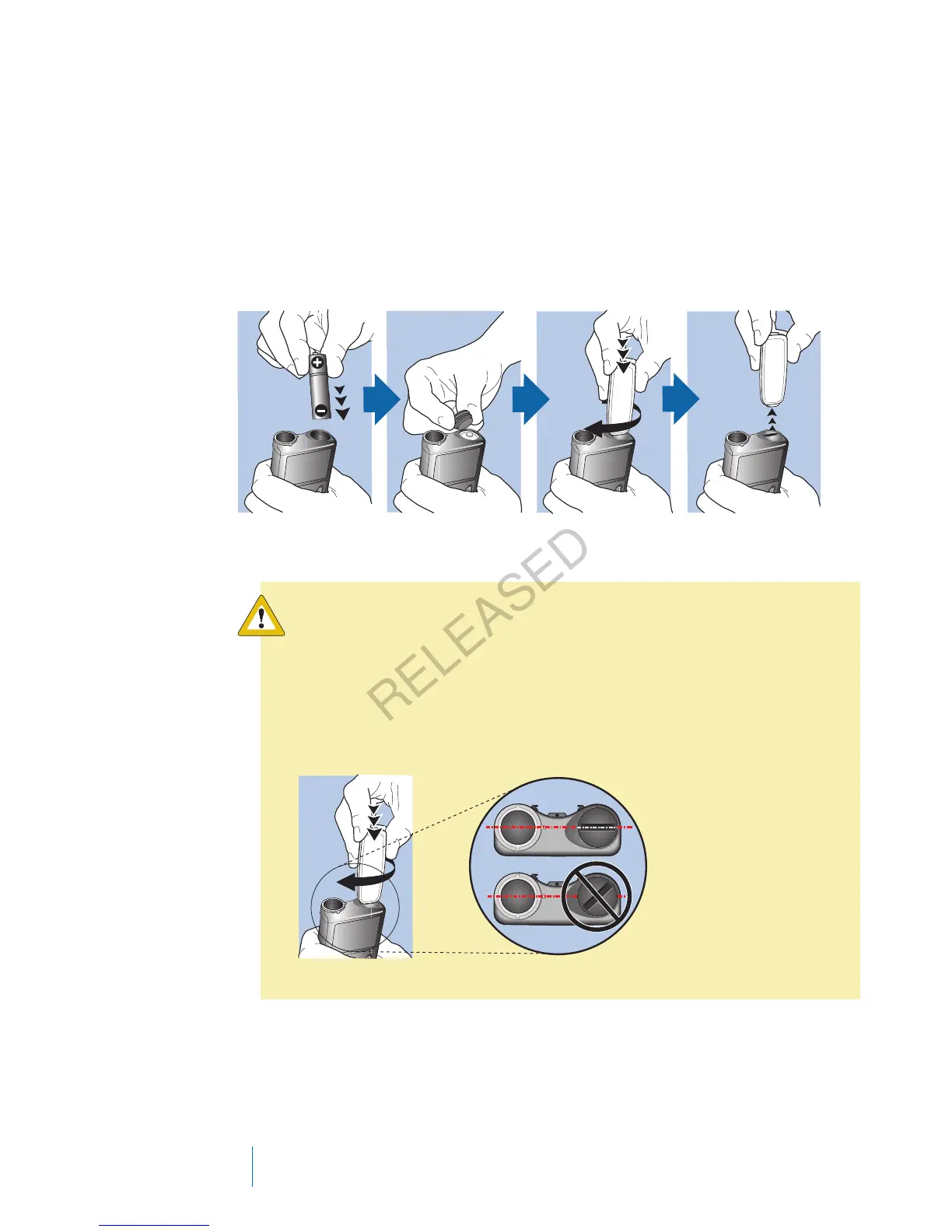
Inserting the battery
Your pump does not ship with the battery cap on. The battery cap is located in
the pump box, separate from the pump.
To insert the battery:
1. Insert the new or fully charged AA battery, making sure to insert the negative
end (−) first. After you insert the battery, the positive end (+) is visible.
2. Use the belt clip to tighten the battery cap.
Caution: Do not overtighten or undertighten the battery cap.
Overtightening the battery cap can cause damage to your pump
case. Undertightening the battery cap will prevent the pump from
recognizing the new battery. Turn the battery cap clockwise until
the cap is aligned horizontally with the pump case, as shown in
the following example.
22 Chapter 2
MP6025957-024 / A
RELEASED



 To Next Page