Wirelessly connecting your pump and transmitter using
Manual Connect
The Manual Connect process requires you to enter the serial number of the
transmitter into your pump. Use this process if you are unsuccessful using the
Auto Connect process, or when multiple people in close range are connecting
their pumps with other devices, such as a group training session.
Note: You can connect only one transmitter to your pump. If you already
have a transmitter connected to your pump, you must delete it before
continuing. For instructions on deleting a transmitter from your pump,
see Deleting the transmitter from your pump, on page 181.
Connecting your pump and transmitter using Manual Connect:
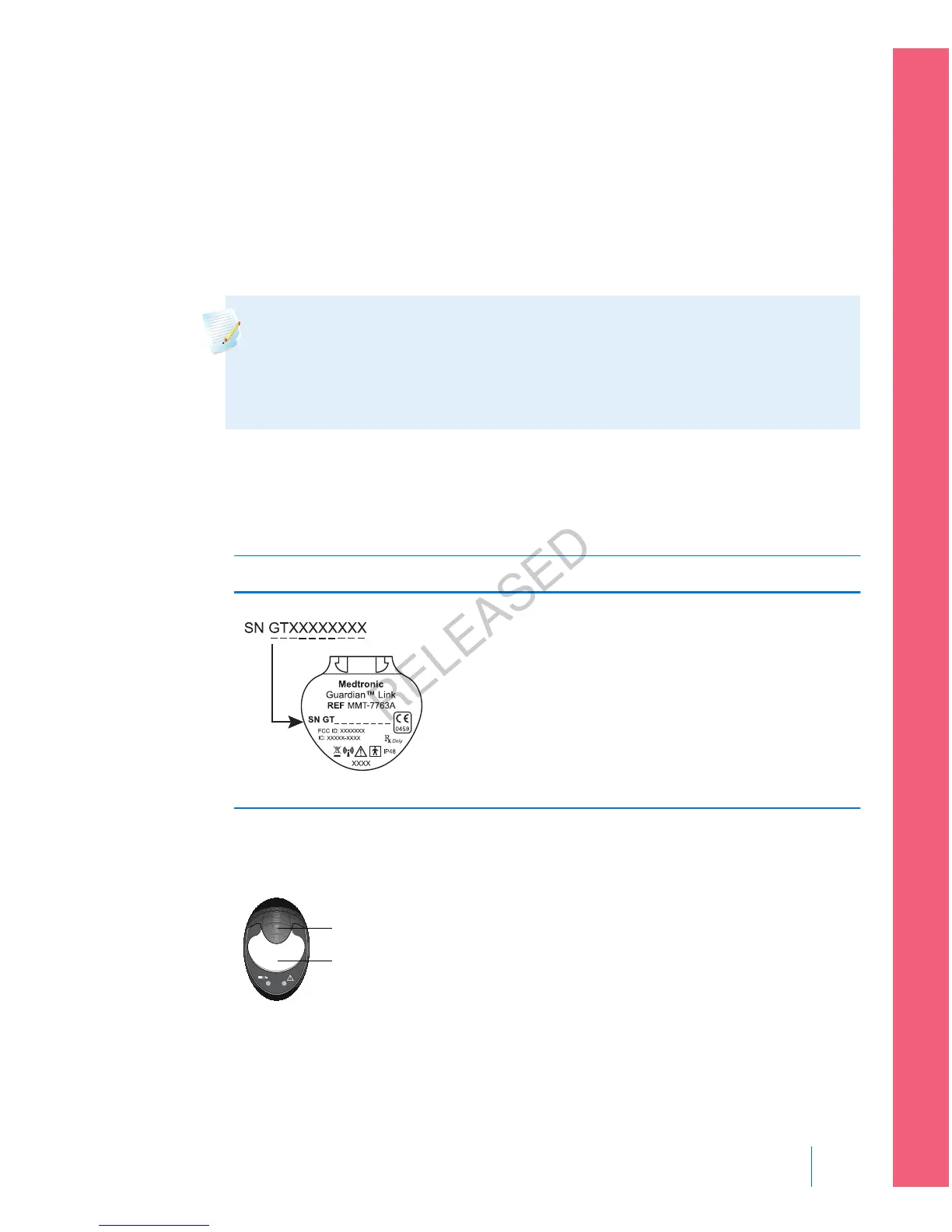
1. You need the serial number for your transmitter during the connection
process. Write down the serial number in the following space provided.
Find your serial number here: Write it here:
Write your serial number here, include any
letters:
SN GT __ __ __ __ __ __ __ __
2. Attach your transmitter to the charger, and make sure the transmitter is fully
charged. Keep your transmitter attached to the charger.
charger
transmitter
■
setting up continuous glucose monitoring
Setting up Continuous Glucose Monitoring 179
MP6025957-024 / A
RELEASED



 To Next Page