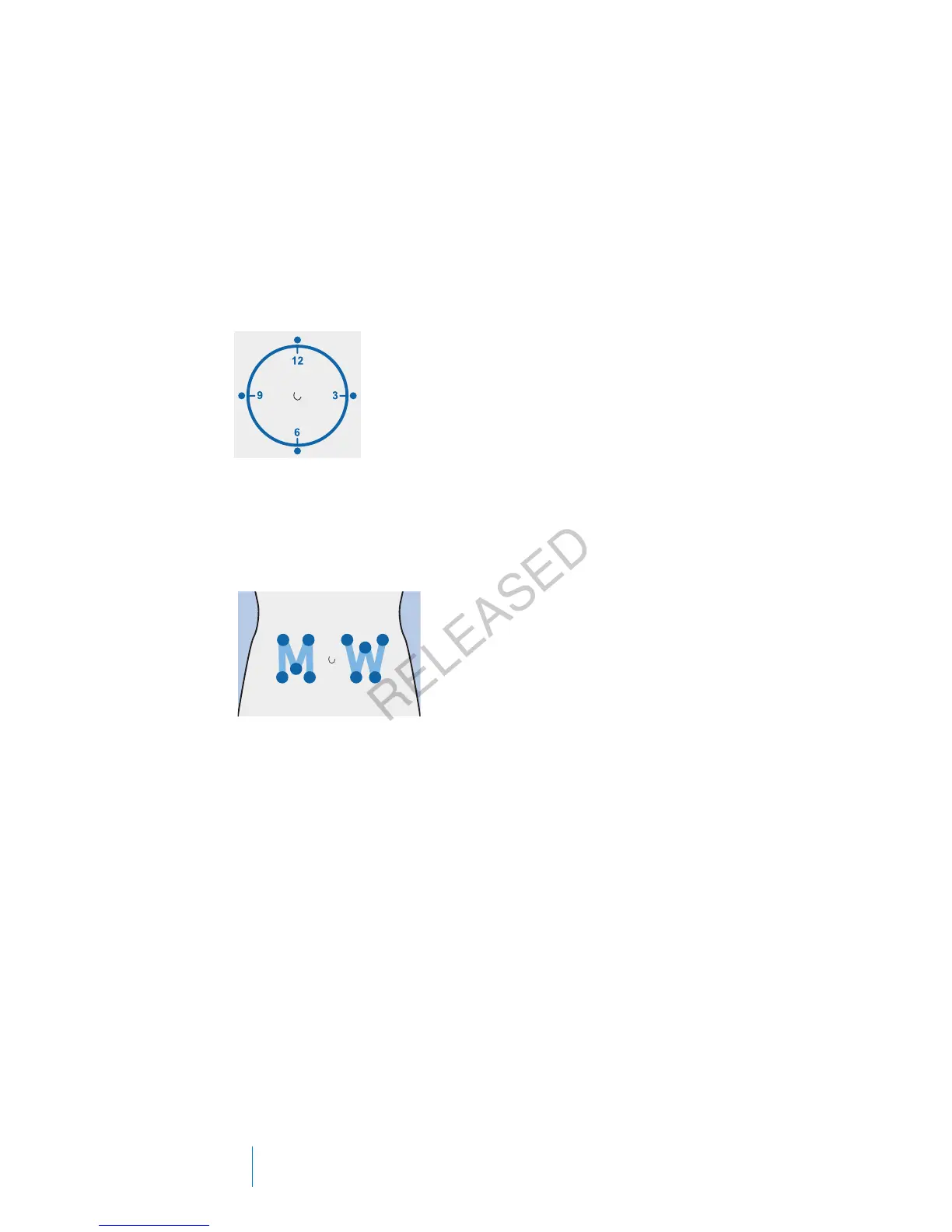
To keep sites healthy, some people find it helpful to use a visual scheme to help
them rotate their insertion sites in an organized way. For example, here are two
commonly used methods. For maximum effectiveness, use both methods,
alternating between them:
• Visualize an imaginary clock drawn on your abdomen surrounding your belly
button. Rotate infusion set insertion sites by starting at 12 o’clock and then
rotate the site clockwise to 3 o’clock, 6 o’clock, and so on.
• Imagine a letter M or a letter W on either side of your belly button. Start at
the end of one letter and proceed through the letter, rotating to each
intersection in turn.
Medtronic Diabetes offers a variety of infusion sets for your pump. The instructions
for the Quick-set infusion set are provided here as an example.
After your infusion set is inserted, see Filling the cannula, on page 105 to fill the
infusion set cannula.
104 Chapter 5
MP6025957-024 / A
RELEASED



 To Next Page