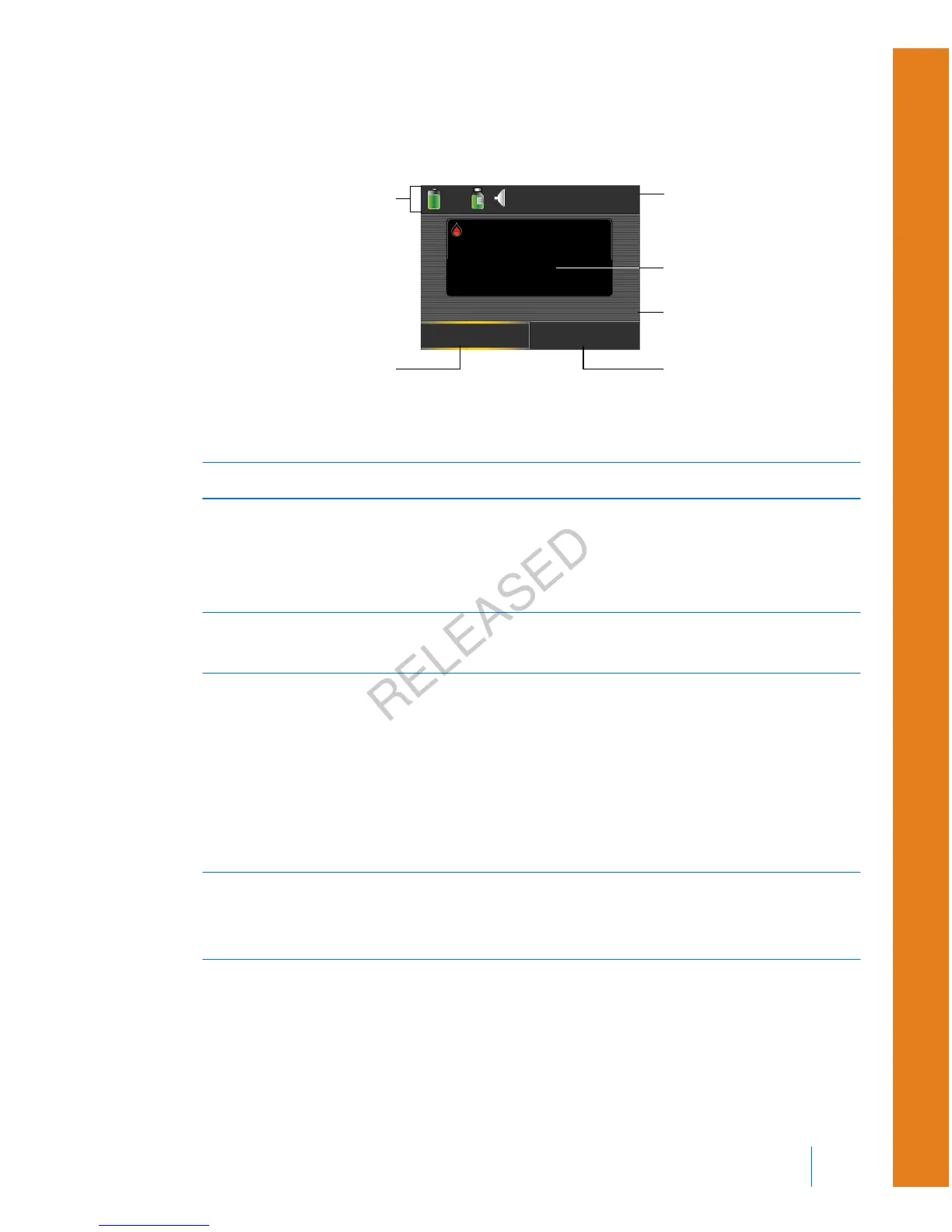
To see what your Home screen looks like if you use a sensor, see Home screen with
CGM, on page 153.
17:00
Bolus
Basal
6.2
mmol/L
Active Insulin
1.0
U
BG
BG meter readings
current time
status bar
bolus delivery
options
active insulin
amount
basal delivery
options
The following items appear on your Home screen:
Item Description
Status bar Displays icons that show a quick status of your pump system. For more
information, see Status bar, on page 28. By selecting the status bar you
can access more detailed status screens. For more information, see Status
screens, on page 31.
Current
time
Displays the current time of day. For details on setting the time, see Time
and date, on page 148.
BG meter
readings
If you have taken a BG meter reading using your compatible Bayer meter
or manually entered a BG meter reading within the last 12 minutes, the
BG meter reading appears on the Home screen.
You can enter your BG meter reading manually using the Event Markers
feature, or when you use the Bolus Wizard to deliver a bolus. For details
on using the Bolus Wizard, see Bolus Wizard, on page 65. For details on
entering events, see Event Markers, on page 124.
Active
Insulin
Displays the amount of bolus insulin the pump estimates is still working
to lower your blood glucose levels. For more details on active insulin, see
About active insulin, on page 72.
■
first steps
First steps 27
MP6025957-024 / A
RELEASED



 To Next Page