9. Commissioning
MiR200 User Guide (en) 10/2020 - v.3.1 ©Copyright 2017-2020: Mobile Industrial Robots A/S. 103
For more information on parameters and variables, contact your distributor to
see the guide How to use variables in missions.
To create efficient missions, you should first familiarize yourself with the available actions in
MiR Robot Interface—see the MiR Robot Reference Guide— and then consider:
• Which tasks do I want the robot to perform?
• Which actions are involved in this task and in which order are the actions executed?
• How much do each of these tasks differ?Are they similar enough that you can reuse the
same mission but use variables for some of the parameters? If so, identify which of the
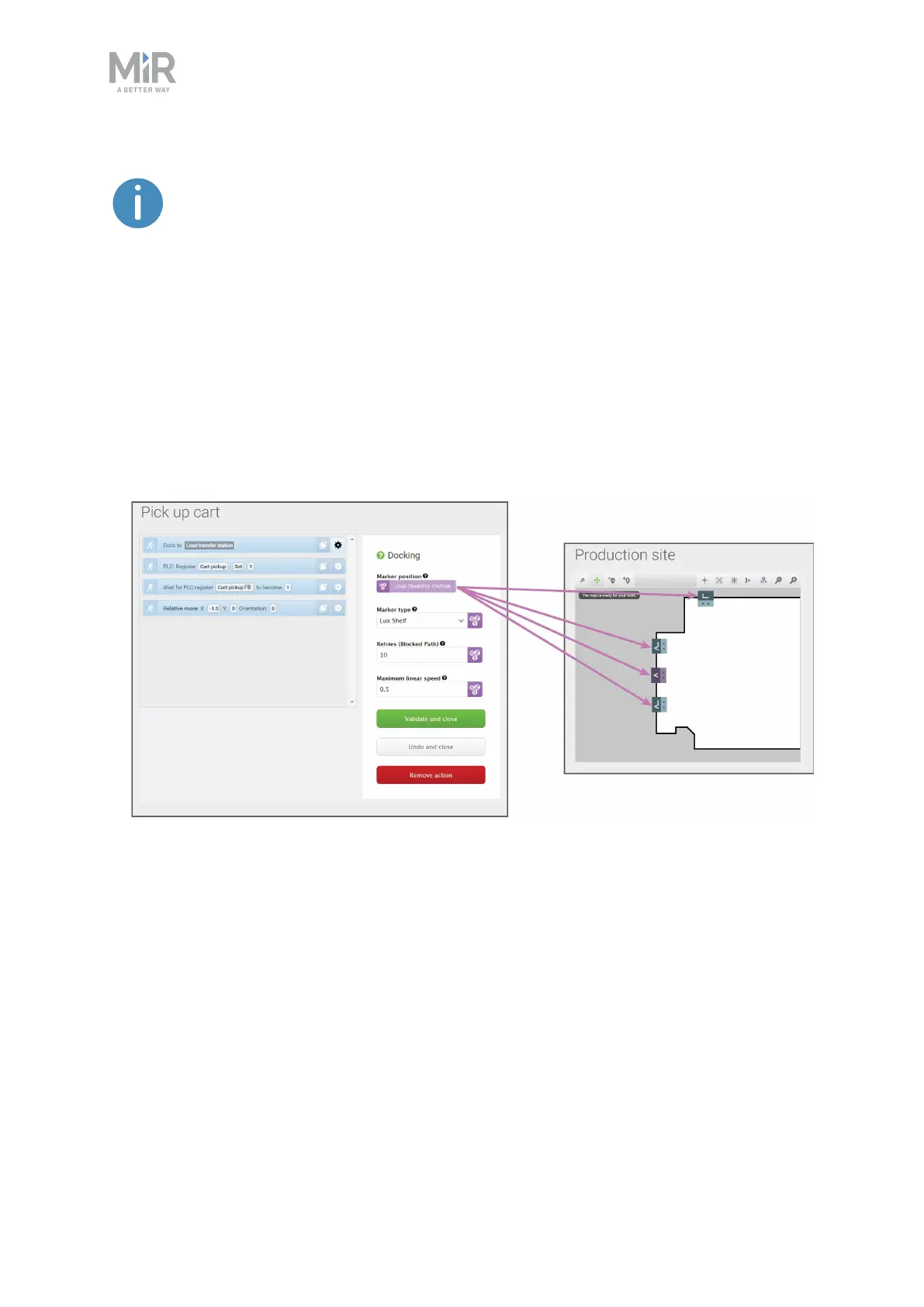
parameters change in each mission—see Figure 9.14.
Figure 9.14. You can use variables to make a mission where you can set a parameter in one of the actions
each time you use the mission (either when you add the mission to the mission queue or embed it in
another mission). In this example, you can set the variable Load transfer station to any marker created on
the map. This means that you can use the same mission for making the robot pick up a load from any of the
markers on the map.



 To Next Page