9. Commissioning
MiR200 User Guide (en) 10/2020 - v.3.1 ©Copyright 2017-2020: Mobile Industrial Robots A/S. 111
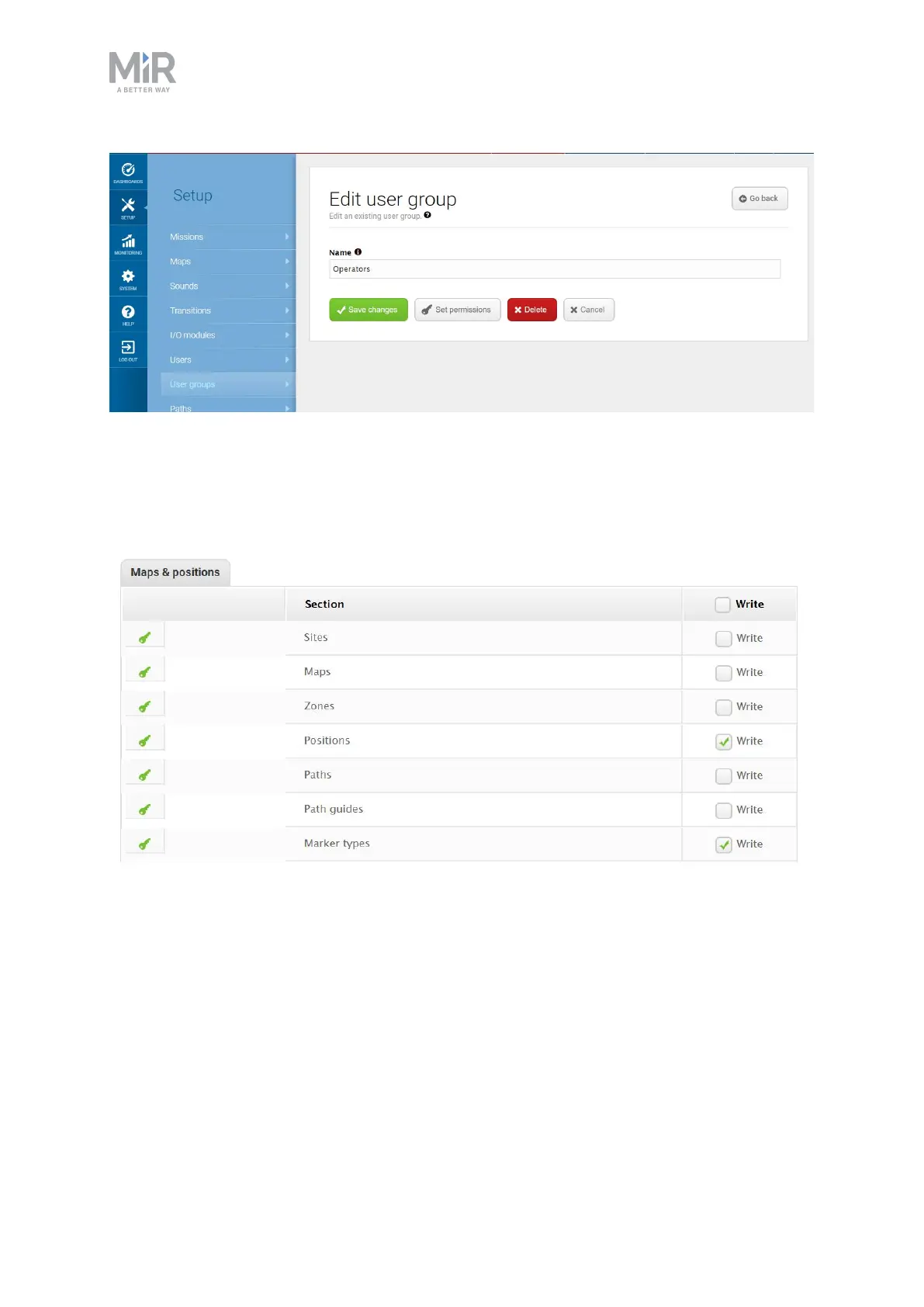
Figure 9.17. You can create specific user groups.
Under Set permissions, you can select the specific parts of the robot interface that the user
group has access to.
Figure 9.18. You can select the specific parts of the robot interface that the user group has access to.
Create users
In Setup > Users, you can create new users and select:
• Which user group they belong in.
• If they are SingleDashboard users with no access to other parts of the interface than to
control the robot from a dashboard.



 To Next Page