SECTION
MITL91
OS/91
1
O-096-350-NA
CAUTION
-
DANGEROUS OR LETHAL VOLTAGES
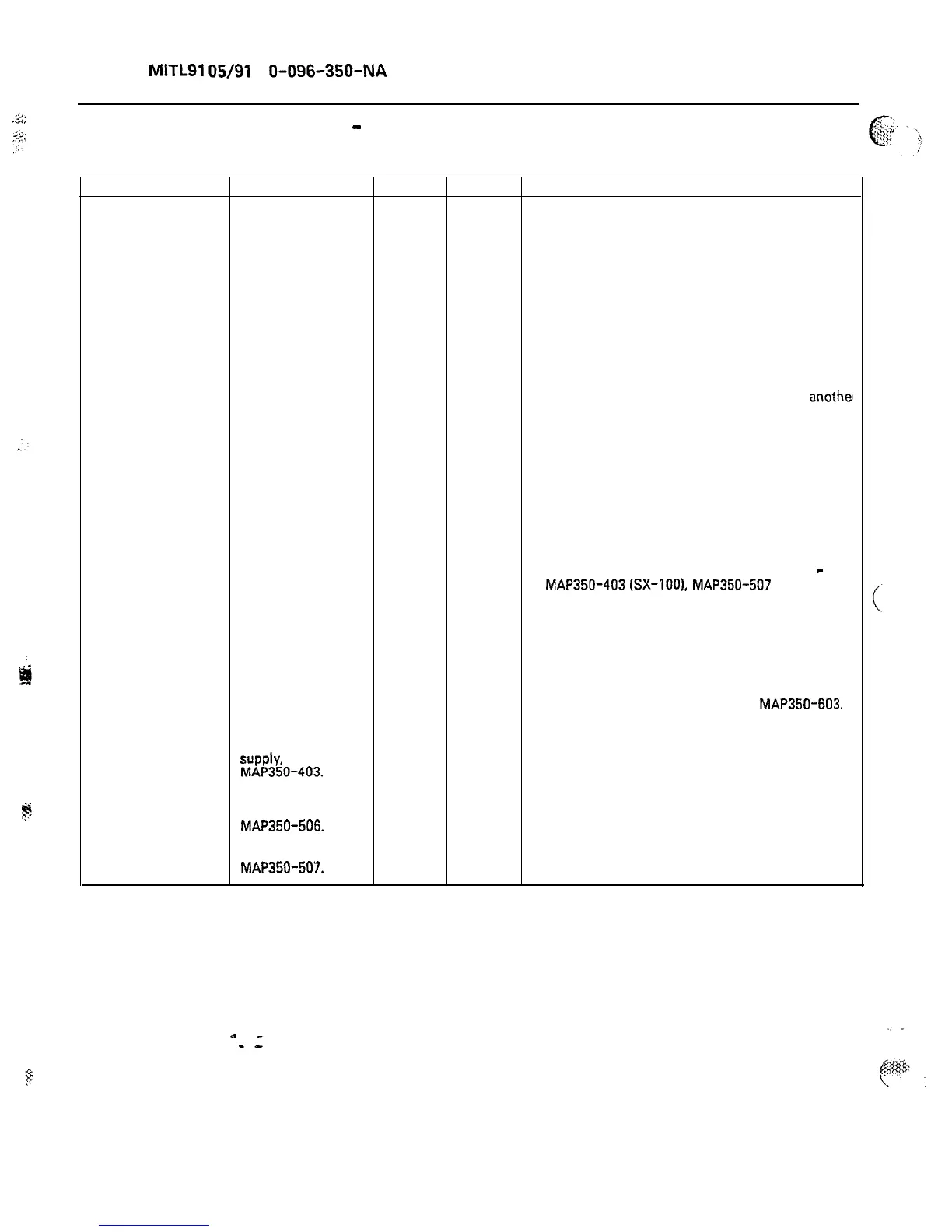
CHART 6-1
Trouble Check sx-100 5x-200
Action
System completely 1. Is the AC X On the SX-200 system, check the rear
dead. Suspect power LED lit? door, bottom right-hand corner
primary power
for the AC power LED.
failure.
No reserve battery
backup.
X Check that the system is plugged in.
X Check the AC power fuse on the back of the
system.
X Check the AC power at the commercial source
with a suitable AC meter or by plugging
anothel
device into the outlet.
2. Is the converter
LED lit?
X
There is 5.5 amp converter circuit
breaker on the front of the SX-100 power
supply. If it is in the ON position, the LED
beside it should be lit.
X There is a 20 amp circuit breaker on the back
door of the SX-200 system. If it is in the ON
position, the LED beside it will be lit.
. .
X X If the circuit breaker is off, reset it. If the
breaker trips again, replace power supply
-
MAP350-403
(SX-IOO),
MAP350-507
(SX-200).
3.
Is the
X
X Check that the maintenance
maintenance panel panel power on switch is on.
LED (power on) lit?
X X Ensure that the maintenance panel cable is
connected correctly to the Interconnect card.
4. Replace the
SX-100 power
supply.
MAP350-403.
X X Check backplane voltages as per
MAP350-603.
X
5. Replace Heat
Sink assembly,
MAP350-506.
Replace the SX-200
power supply,
MAP350-507.
X
X
Page 80











 To Next Page