SECTION
MITL91
OS/91
1
O-096-350-NA
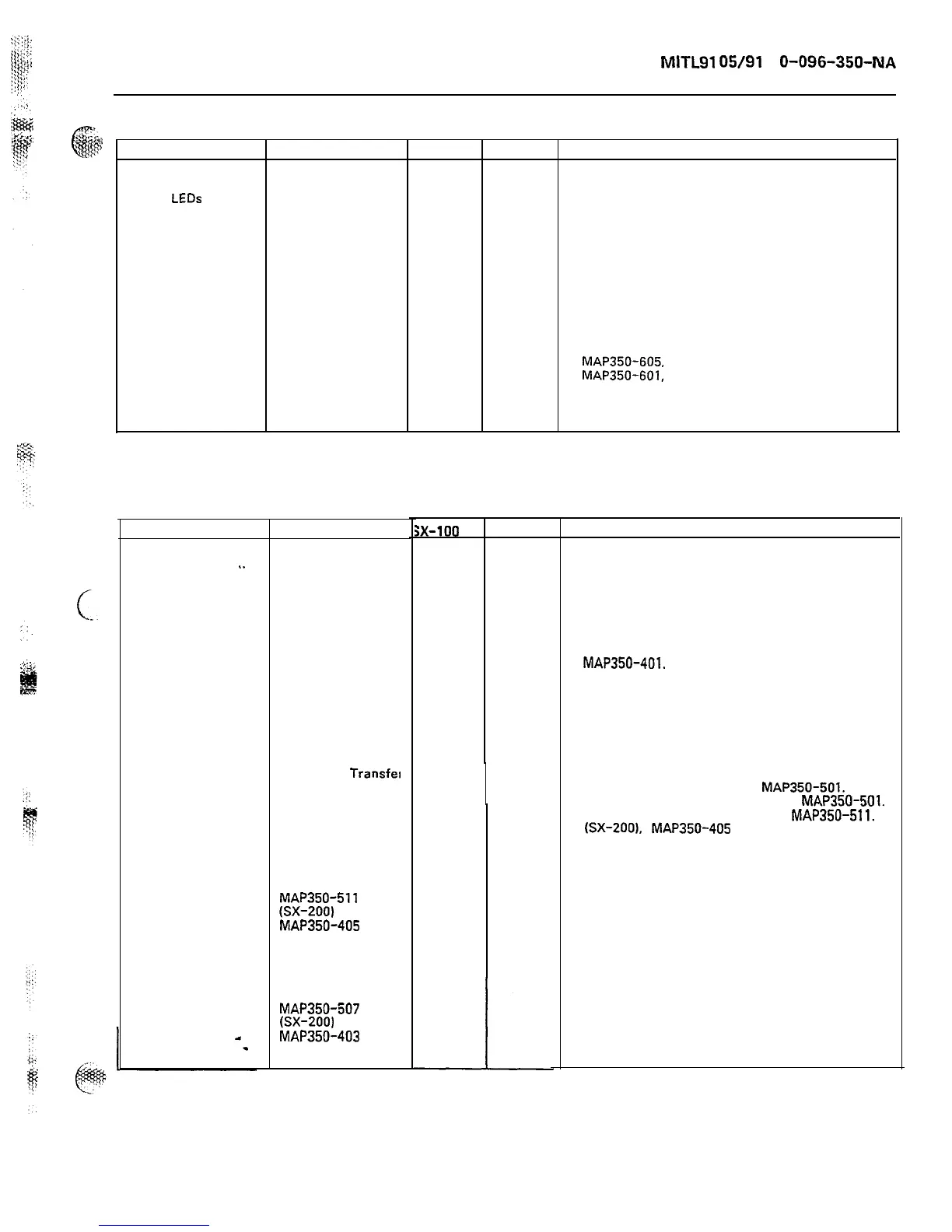
CHART 6-2
Trouble Check
sx-100 sx-200 Action
System power on
1. Is the handset
X X Plug in handset.
but no
LEDs
lit on
plugged into the
console. Appears to
console?
be no power to the
console.
2. Is the console
cable secure?
X
X
Secure console cable.
3. Is the fuse on
X X Check the fuses on the Interconnect cards and
the Interconnect
card good?
replace if blown. Power system up. Replace
cable if the fuse blows. Try again.
4. Is the
X X
MAP350-605,
SX-100
Interconnect card
MAP350-601,
SX-200
passing -48 Vdc to
the console?
Trouble
Major Alarm on
console. System
..
appears to operate
normally; ie., calls
can be processed.
Check
1. Check that the
master transfer
switch on the
maintenance panel
is in operating
position.
2. Check the Power
Fail Transfer LED
on the PFT board.
Is it not lit?
3. Disable all
console switches.
Did the system
remove itself from
Power Fail
Transfer
4. Replace the
maintenance panel
as per
MAP350-511
(SX-200)
MAP350-405
(SX-100).
5. Replace the
power supply
as per
MAP350-507
(SX-200)
MAP350-403
(SX-100).
CHART 6-3
;x-100
sx-200
X X
X
X
X X
X X
X X
X X
X X
X
X
X X
Action
Set all switches as per
paragraph 2.16.
.
Change card as per
MAP350-401.
OOT condition may exist.
Refer to Appendix F.
Ensure that the console
is in the correct plug.
Change the console as per
MAP350-501.
Change the console cable as per
MAP350-501.
Change the maintenance panel,
MAP350-511.
(SX-200).
MAP350-405
(SX-100).
Page 81











 To Next Page