127
Finishing the Installation
The signal output option is set on the MX-DoorMaster in three steps as part of the initial
setup.
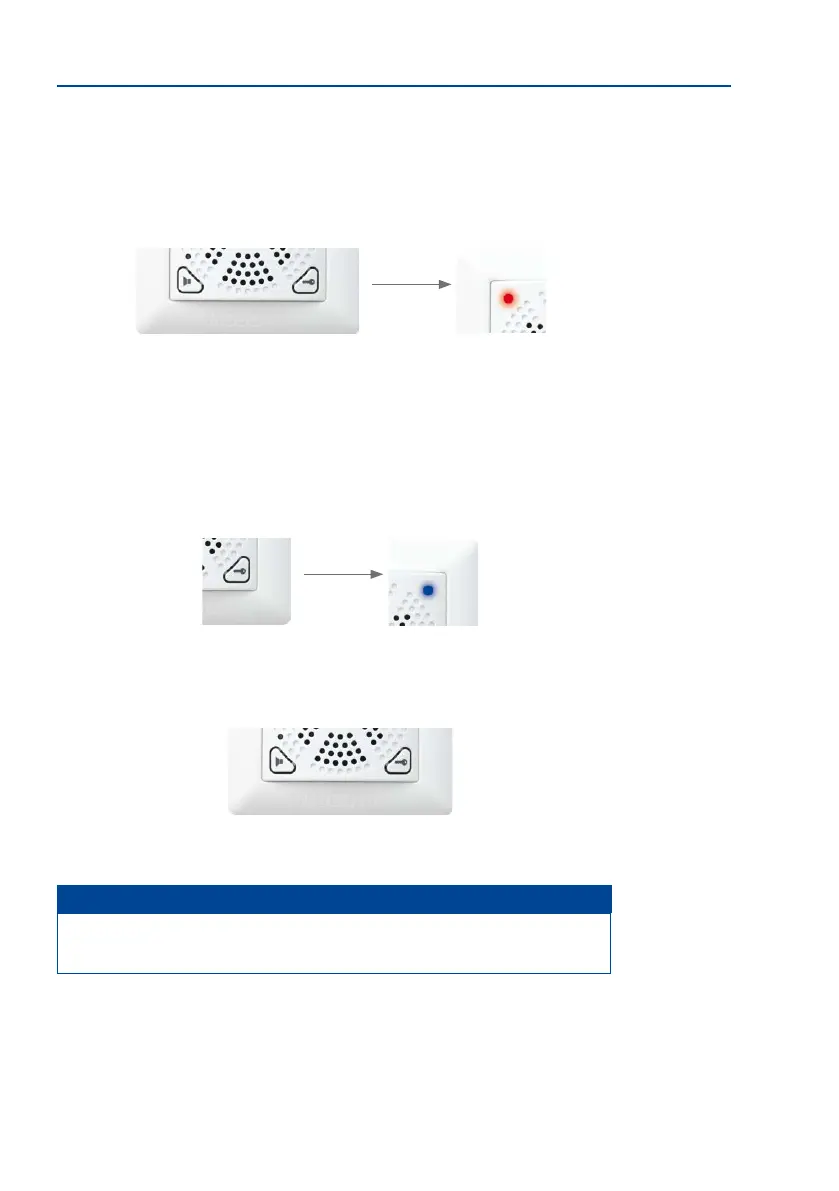
Step 1: Press both buttons at the same time for 5 seconds (until double beep)
You are now in administration mode (red LED turns o shortly every 3 seconds).
Step 2: Press door opener button (right) to congure the signal output option
You can switch between signal output options 1 to 3 by pressing the right button repeatedly.
The ashing pattern of the blue LED signals the currently selected setting.
• Blue ashing 1x every 3 seconds: Self-powered
• Blue ashing 2x every 3 seconds: Relay
• Blue ashing 3x every 3 seconds: electronic lock (“Mediator”)
Step 3: Press both buttons at the same time for 5 seconds (until double beep)
The setting has been saved and you are the exiting administration mode.
Notes
To test the proper functioning of the MX-DoorMaster, press and hold the door opener
button for three seconds. It should now be possible to open the door from the outside.



 To Next Page