124
T26 System Manual Part 1: Installation
2.8 Finishing the Installation
2.8.1 Checking the Wiring and Activating The Protection
Aer installing and connecting the door station, you will need to test the power supply to
the individual modules and the MX-DoorMaster.
Connect all the installed components (T26 outdoor station, MX-DoorMaster, door opener/
electronic lock, door sensors, light and so on) and connect the power supply (switch on
PoE switch/router and all power supply units used). The MOBOTIX DoorStation starts up
aer the power supply is connected. The entire system starts up.
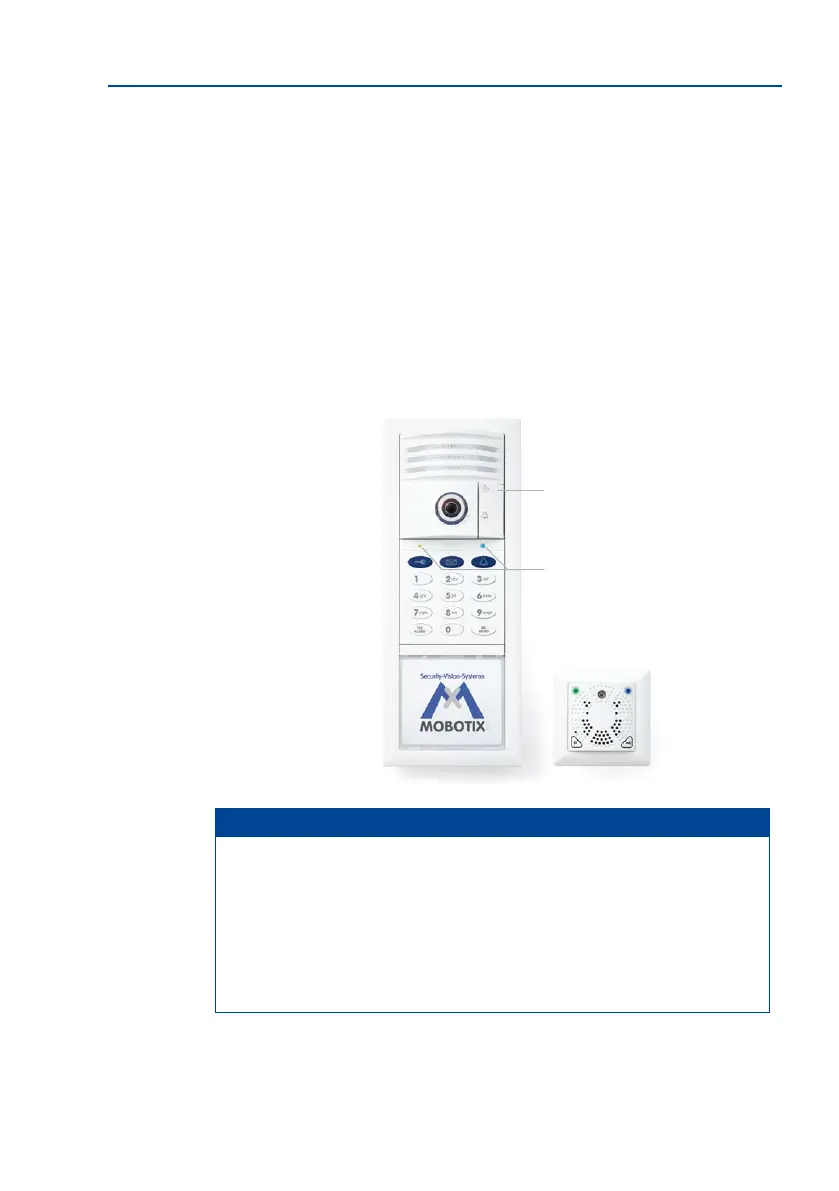
The buttons on the T26-CamCore light up for four seconds. Without pressing a button,
wait until the lights go out aer a few minutes and then light up again.
Notes
The ashing of the green LED on the access module and MX-DoorMaster indicates
that data is communicated between the individual modules via Mx-Bus but the
data communication is still unencrypted. Aer the system is started up (see the T26
Systemhandbuch Teil 2), the green LED lights up continuously (MxBus data commu
-
nication is encrypted).
The LED on the access module lights up red when the communication of data via
MxBus is interrupted (for example, if the camera module stops working).
KeypadRFID/BellRFID LEDs
ash green and blue
T26-CamCore keys
light up
MX-DoorMaster LEDs
ash green and blue



 To Next Page