104
T26 System Manual Part 1: Installation
2.5.3 Mounting Instructions
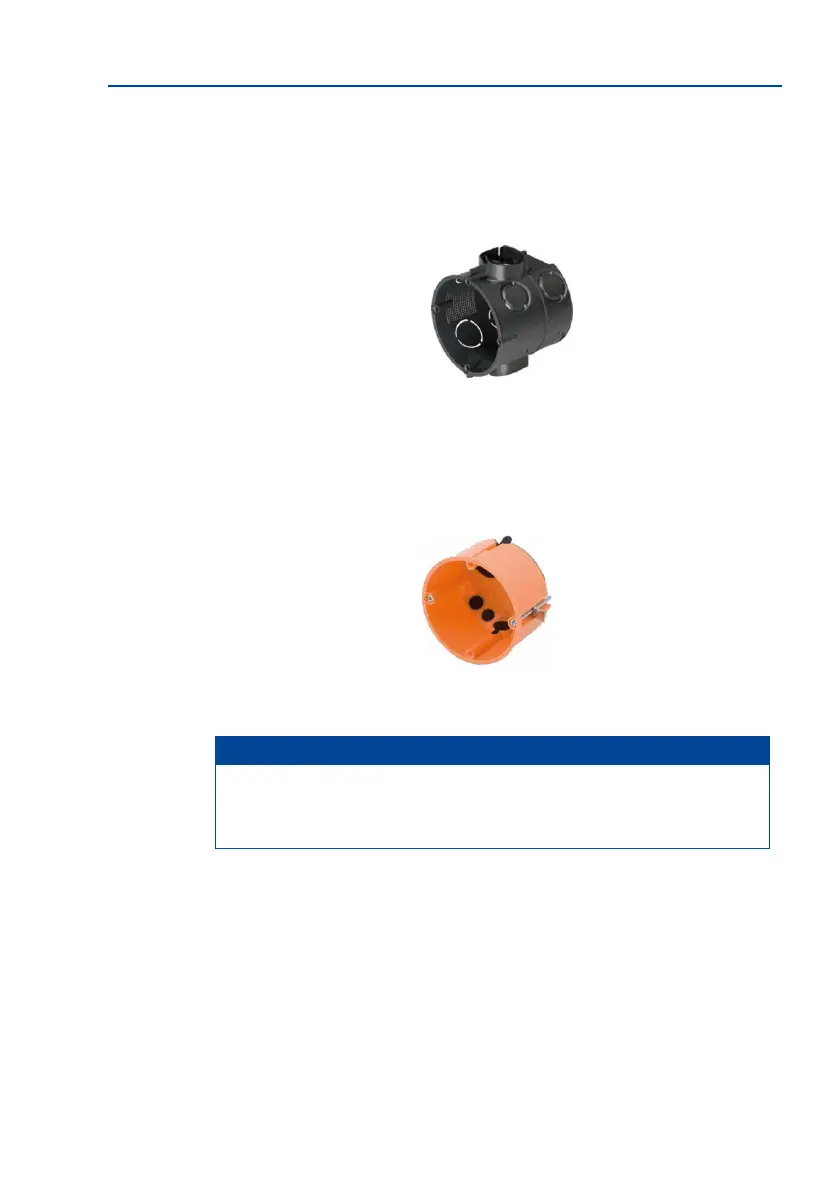
Solid Concrete or Stone Wall
MOBOTIX recommends using a deep in-wall socket (more space for cables). Standard in-wall
sockets with a depth of 43 mm are not suitable for the MX-DoorMaster.
Cavity Wall (e.g. Drywall, 7 mm to 35 mm)
Use the supplied 61 mm-deep cavity socket for the MX-DoorMaster.
Note
MOBOTIX oers two orange cavity sockets of dierent depths (48 mm and 61 mm).
The 61 mm-deep socket is designed for the MX-DoorMaster, and the 48 mm-deep
socket is intended for the Mx2wire+ indoor unit.
Determining the Installation Position
The MX-DoorMaster must always be installed indoors protected from weather and moisture.
If in doubt, use the normal installation conditions of a standard socket with no cover as a
guide. The the protection connection cables pre-tted to the frame of the outdoor station
do not need to be extended if the MX-DoorMaster is mounted on the same wall behind the
outdoor station (next to the entrance door).
Deep cavity wall socket
(ø 68 mm/2.68 in, depth 67 mm/2.64 in)
Drill hole for cavity
socket: ø 68 mm
Cavity socket (ø 68 mm, 61 mm in depth)
Maximum MxBus
cable length between
MX-DoorMaster and
door station: 50 m



 To Next Page