80
T26 System Manual Part 1: Installation
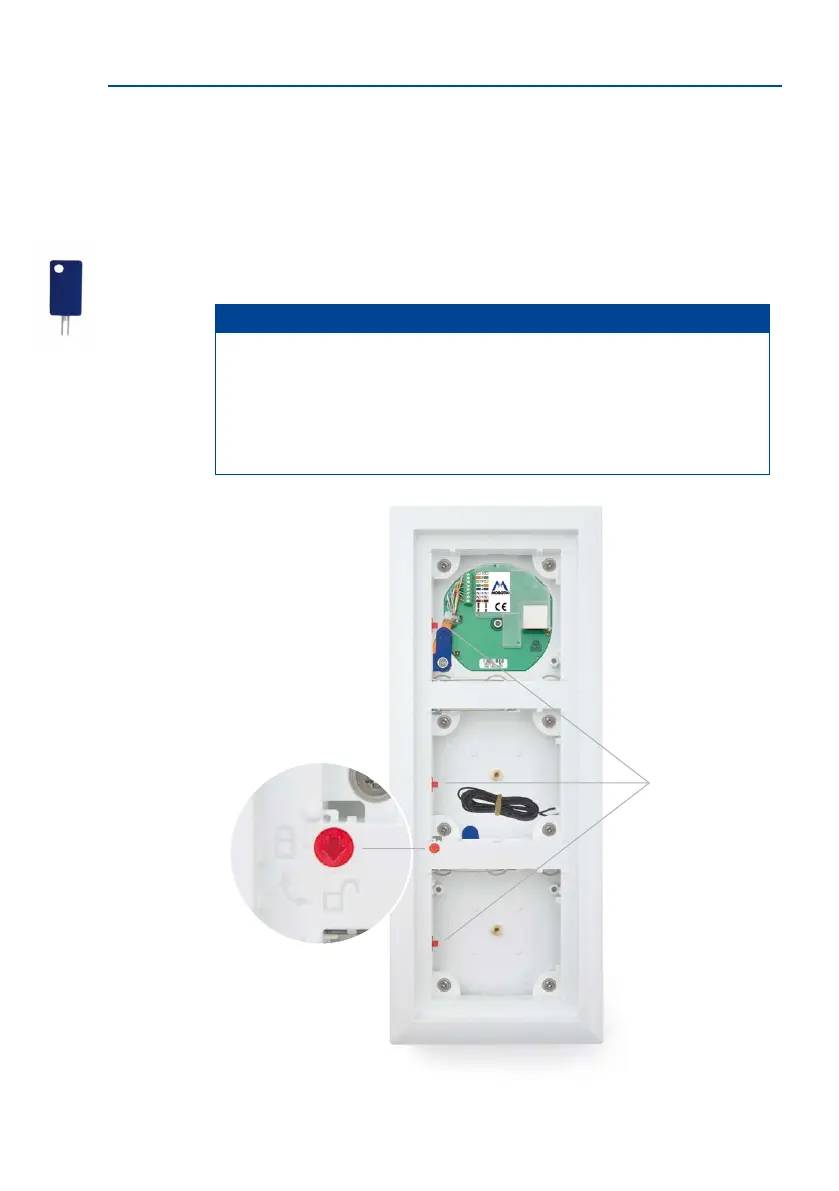
2.3.8 Mechanical The-Protection Lock
In the default conguration of the door station, the protection is not activated in the frame.
This allows modules that have already been integrated to be removed again during the
installation, just using the special key that has been supplied.
Insert the key into the opening provided and apply light pressure. The red retaining collars
on the le or lower side of the frame (depending on whether the frame is mounted vertically
or horizontally) loosen and release the modules.
Notes
To activate the mechanical the protection lock, the module above the red rotat-
ing button (triple frame: center module, double frame: upper/le module) must be
released from the frame.
Important: Aer the installation, check the wiring (see Section 2.8.1) and only then
activate the the protection lock.
Special key
Retaining tabs
Red rotating button



 To Next Page