98
T26 System Manual Part 1: Installation
2.4.7 Removing, Exchanging and Modifying Modules
If the protection has been activated (see Section 2.3.7), you will need to switch this o
before you can remove and exchange the modules.
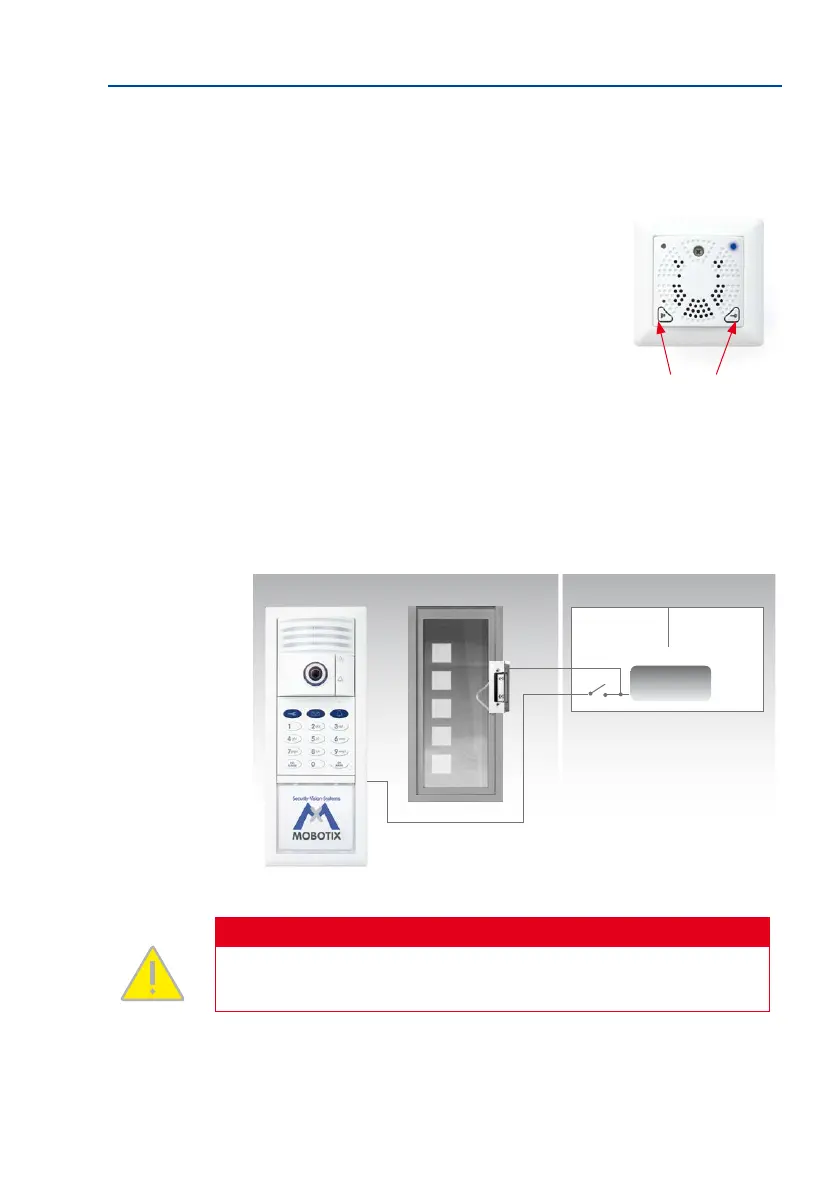
1. Switching o the protection on the MX-DoorMaster:
Press both buttons on the MX-DoorMaster at the
same time for ten seconds to deactivate the the
protection for 90 seconds (blue LED ashes). Aer
this, the protection will be automatically reactivated.
2. Switching o the protection when there is no MX-DoorMaster: Connect the two
cables of the the protection to the 12 V power supply of the electric door opener
via a switch. The protection is deactivated for as long as the voltage is applied
(switch on).
Caution
The the protection must be disconnected from the voltage again (switch o) aer
no more than ve minutes in order to avoid an overload.
Hold at the same time until the
blue LED ashes
Outside Inside
Door station
Switch box
Door
12 V
Power supply
The protection
S



 To Next Page