99
Installing the T26 Modules
3.
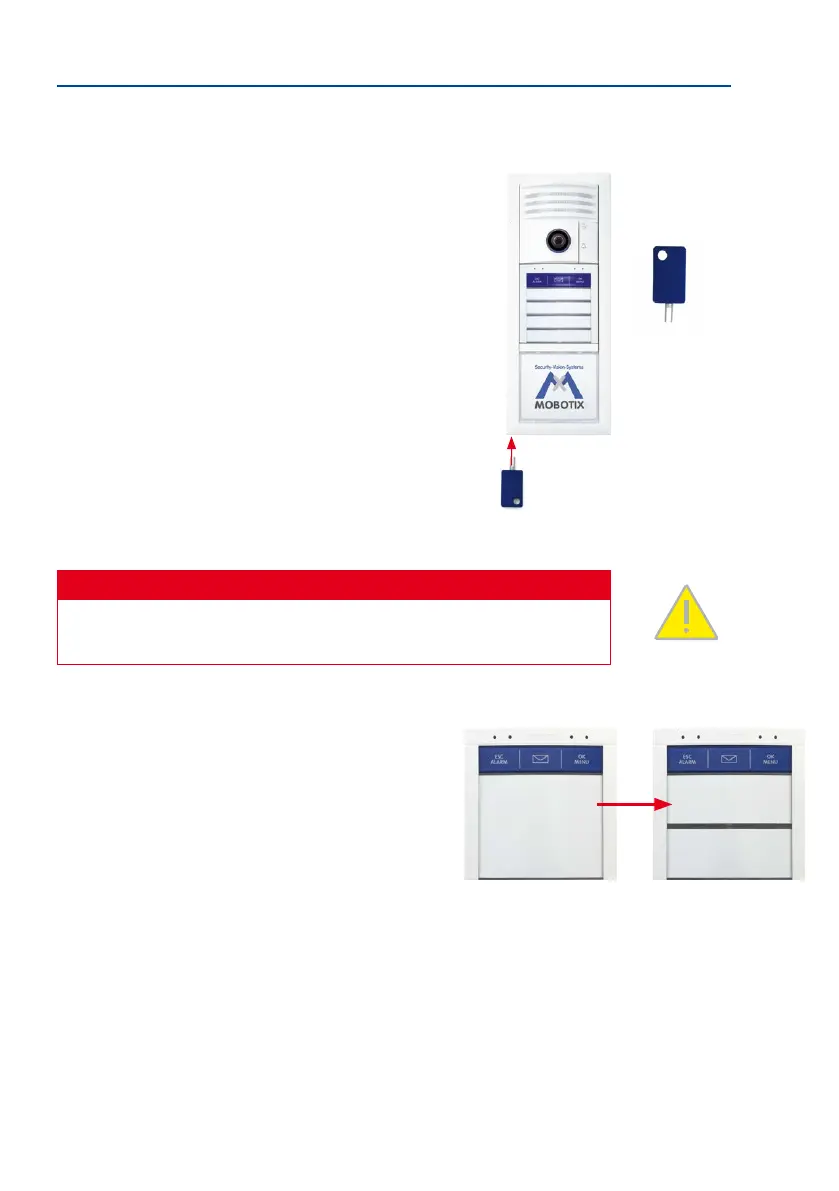
Removing the modules: Insert the special MOBOTIX key provided into the split open-
ing on the module frame (bottom le or bottom right, depending on how it has been
mounted) and release the modules from the frame by
pushing the key in. All the modules in the frame move
slightly forward and can be removed. Click (listen for
“click” sound) any modules that you do not wish to
remove back into place.
Caution
Make sure that the the protection has been deactivated before you insert the
key, otherwise you risk damaging the frame.
Replacing the Bell Button Set of the BellRFID
If you want to install a dierent bell button set, you rst
need to remove the BellRFID module. Next, proceed as out
-
lined in the Section «Changing the Bell Button Set» in the
T26-Systemhandbuch Teil 2.
Inserting the Modules
Once the bell buttons have been exchanged, proceed as described
in the corresponding subsections of Section 2.4 to re-insert the
modules.
Insert and
press
The special key is included
with the door station
The Jones
Family
The Jones Family
Dr. Jones, MD



 To Next Page