81
Remote Stations and Network Connection
Activating the The-Protection Lock
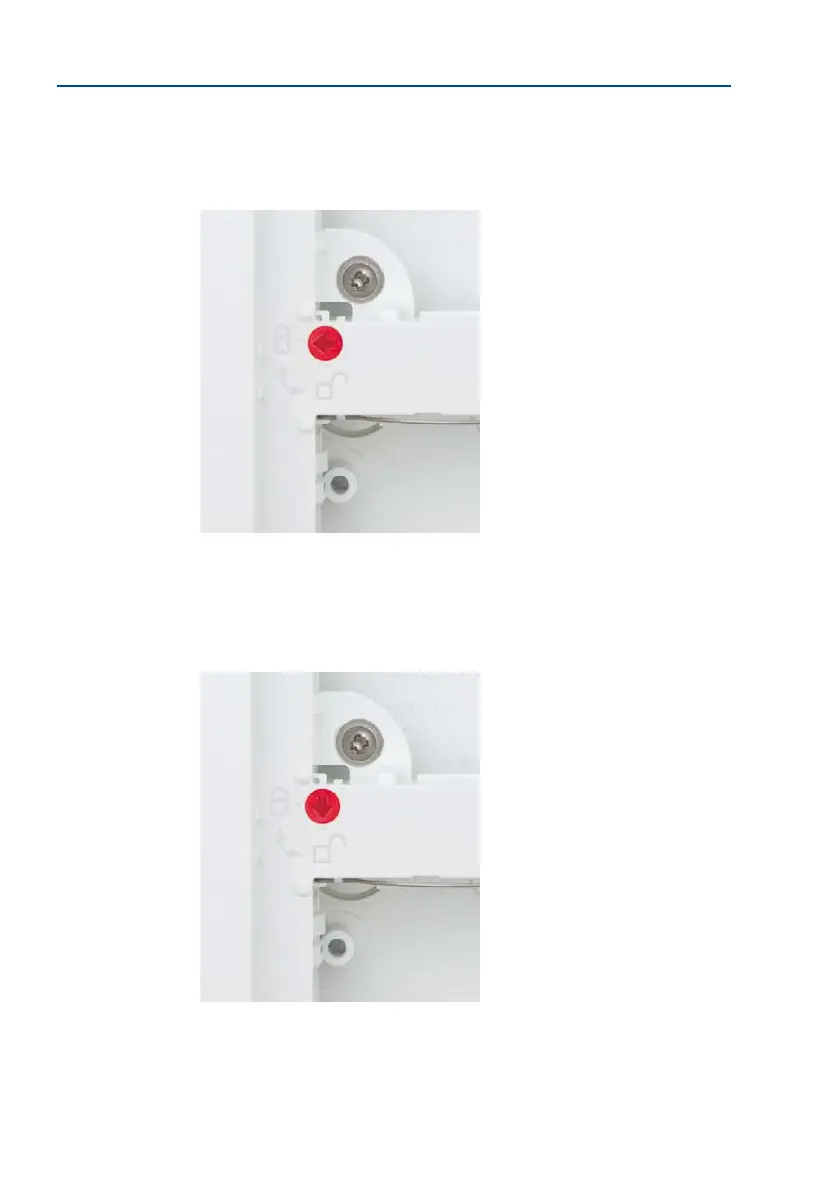
Use a screwdriver to turn the red rotating button inside the frame 90 degrees clockwise.
When the protection is activated, the arrow points to the ‘closed lock’ symbol.
Deactivating the The-Protection Lock
Turn the red rotating button so that the arrow points to the ‘open lock’ symbol.
Locked:
Modules cannot be
removed from the frame.
Open:
Modules can be removed
from the frame if the special
key has been inserted into
the opening in the frame.



 To Next Page