71
Remote Stations and Network Connection
Important: Pay Attention to the Position of the Cables
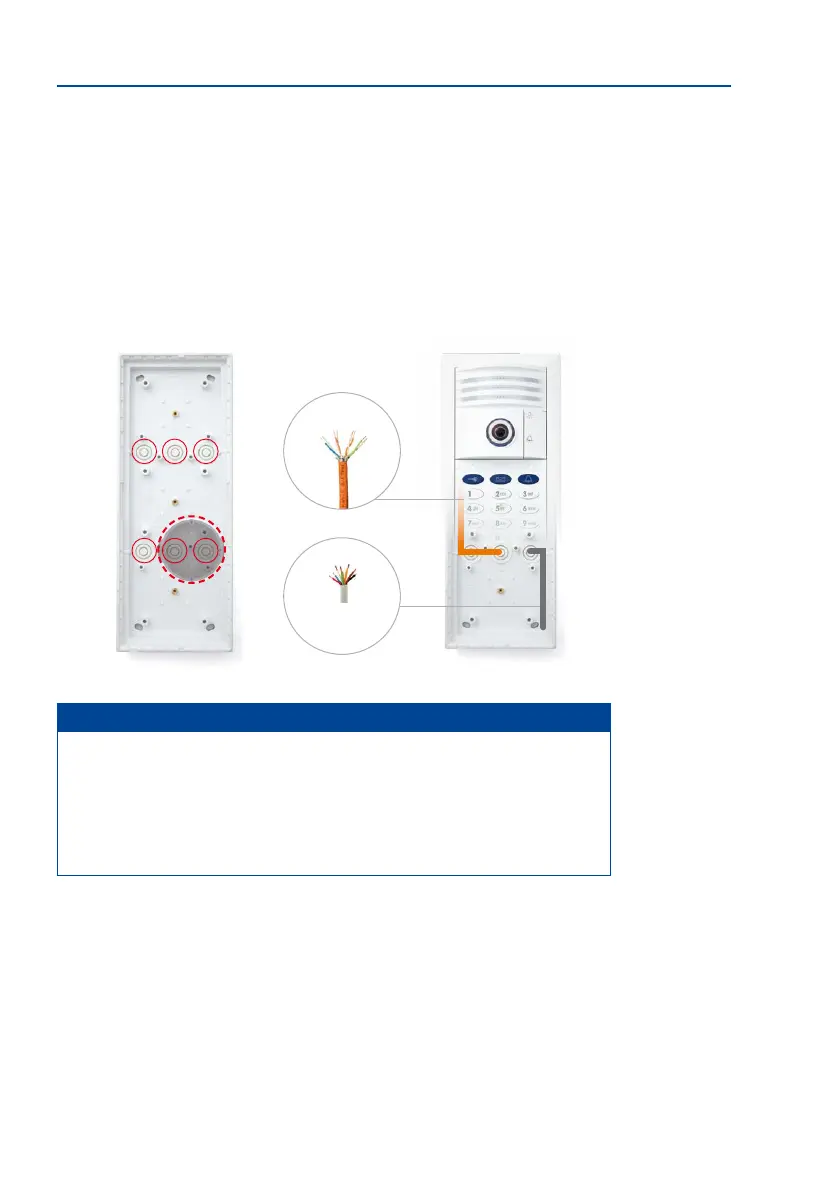
When installing the door station, make sure that all the required cables (network, MxBus,
the protection and so on) are laid in such a way that they protrude from the wall directly
below the housing openings provided.
This particularly applies to the on-wall housing that has up to six cable guides (triple frame).
Only one cable (multi-wire cables may be used) should be inserted into each cable guide.
The cables should be long enough so that suicient cable reserves remain to allow easy
cabling within the housing (see Section 2.3.4, «Cabling in the On-Wall Housing»).
Notes
• Position the housing in the center above the cables.
• Only use one cable in each cable guide.
• Make sure suicient cable reserves are provided.
•
Hint: If longer cable reserves are required, you can mount an additional in-wall
socket underneath the on-wall housing (see the dashed line in the gure above).
Network cable
MxBus, the protection, etc.



 To Next Page