'How To' guides72
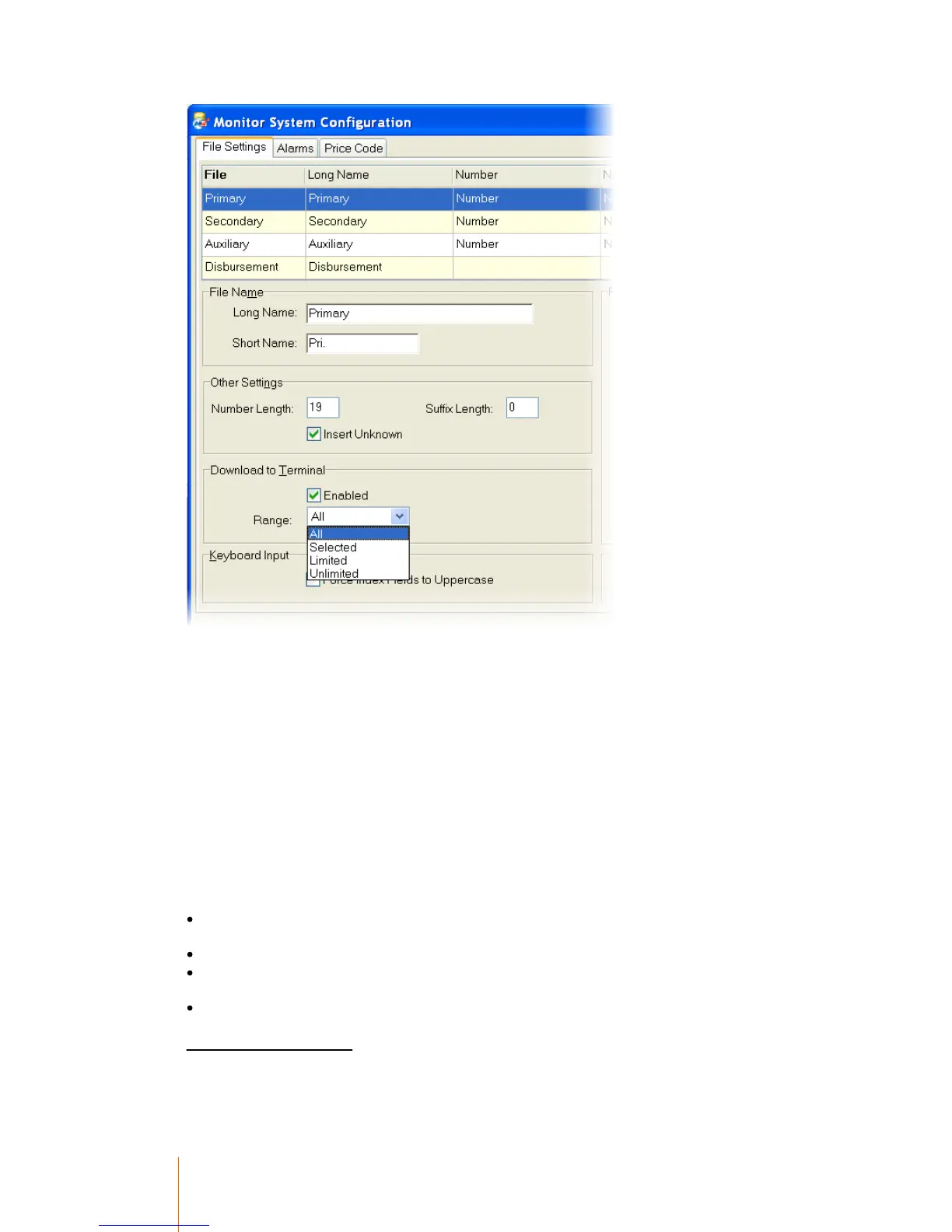
The settings in ‘Other Settings’ and ‘Download to Terminal’ must be configured for the Primary,
Secondary and Disbursement databases.
Start with the Primary database. When the settings have been adjusted there, click on the
Secondary and then Disbursement. Don’t click ‘Save’ between each one – Administrator will insist
on re-starting each time Save is clicked.
Number Length
This determines the maximum length of the ‘Number’ field of each of the databases. This is used to
calculate how much memory space to reserve for the databases. The memory space that isn’t
reserved for the databases will be used for Transactions, therefore the bigger these numbers, the
less transaction that will be able to be stored offline.
Download to terminal
There are four possible options in the Primary and Secondary settings, however there are only two
in the disbursement settings (All and Selected):
All - Send all records from the database down to the terminal regardless of their individual ‘Send
to terminal’ flag.
Selected - Only send individual records down to the terminal that have ‘Send To Terminal’ ticked.
Limited - Only send records that have limited credit or balances (i.e. don’t send unlimited credit
records).
Unlimited - Only send records that are marked as ‘Unlimited Credit’
Terminal Setup Records



 To Next Page