73'How To' guides
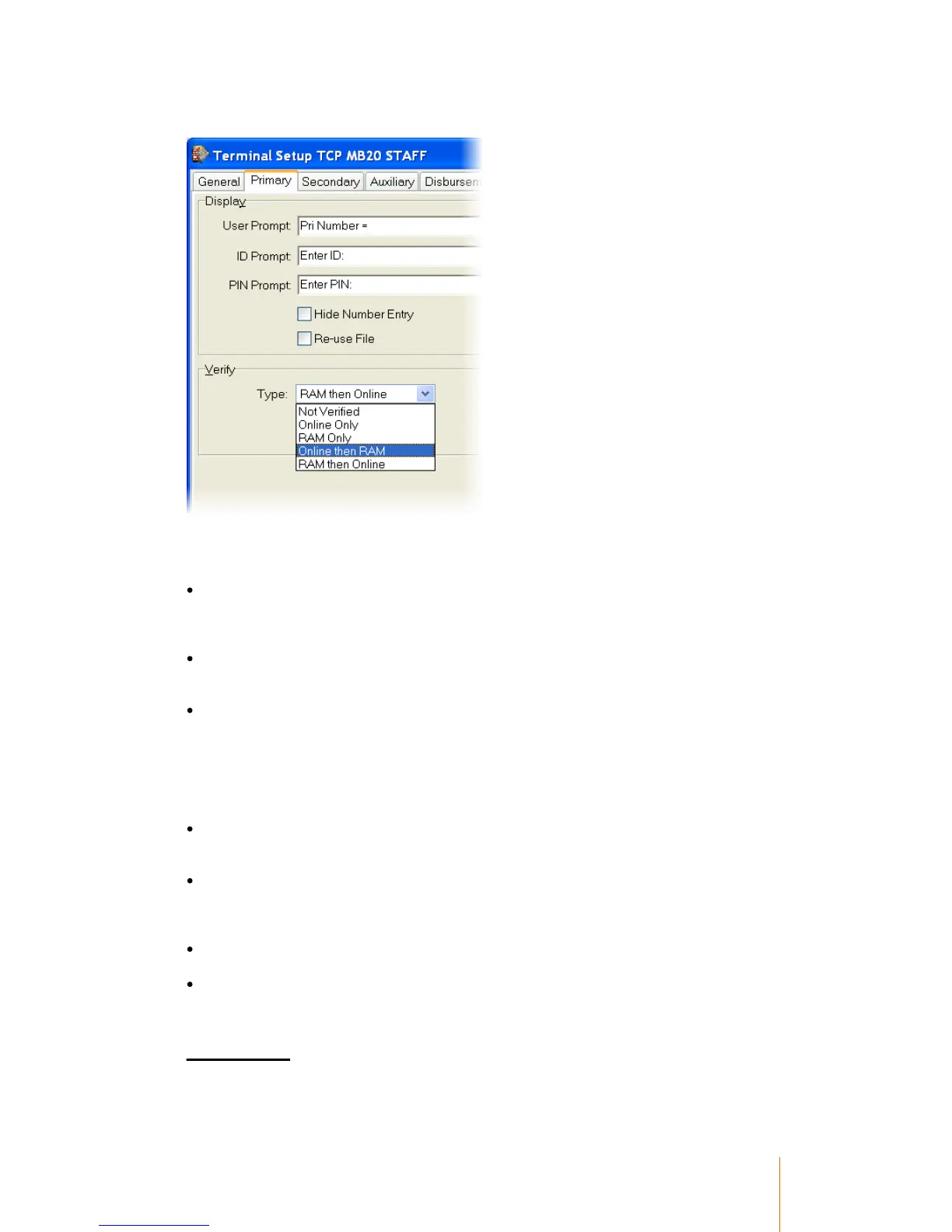
Primary Tab
Edit the settings in the Verify section and the File Size section. There are five options under Verify
Type, however only four of the options are compatible with Offline operation.
File Size – (Record Count) Determines the maximum number of records that will be sent down to
the terminal. The more records that are sent down, the less transactions the terminal will be
capable of storing offline. This must be changed from it’s default value of 1, otherwise only the
first record in the database will be sent to the terminal.
File Size – (Name Length) The number of characters per code to reserve for the Name field. The
more characters the terminal reserves for the name field, the less transactions the terminal will be
capable of storing offline.
Type - (Not Verified) Do not attempt to verify that the record exists. This allows for the greatest
number of transactions to be stored while in offline mode as no primary records are needed to be
stored in the terminal’s memory. The tradeoff is that the terminal will accept any primary number
code as legitimate, therefore there is no restriction on who can use the device. If a number is
entered into the terminal that does not exist in Supervisor, when the transaction is unloaded the
record will be inserted into the database using the ‘Unknown Default’ record which by default
locks the record in the database at the same time.
Type - (Online Only) Validate records only from the online Supervisor database. This option is not
compatible with offline operation. ‘Online Only’ will require the terminal to have a permanent online
connection to Supervisor.
Type - (RAM Only) The terminal will only ever validate records from the terminal’s RAM. No
attempt is ever made to validate records directly from Supervisor’s online database. Any time a
change is made to a record in Supervisor, the database in the terminal will have to be updated
also for the changes to take effect.
Type - (Online then RAM) The terminal will attempt to validate the record in Supervisor online first,
if a connection is not present then the terminal will validate the record from RAM.
Type - (RAM then Online) The terminal will validate the record from RAM. If it cannot find a
reference to the record it will then attempt an online validation. Using this setting on an Online
system can help reduce network traffic.
Secondary Tab



 To Next Page