4-68 Checking / Managing Box Documents (OB Doc.)
Checking / Managing Box Documents (OB Doc.)
You can manage transmitted and received documents on the screen.
The documents that can be managed are indicated below:
Faxes transmitted/received after performing a user login•
Internet faxes transmitted/received after performing a user login•
Faxes transmitted/received on a computer (including faxes distributed using auto •
distribution settings)
This function cannot be used when the authentication method is set to [Network].•
Transmitted and received documents inside a box are only displayed after •
performing a user login.
For details on performing a user login, refer to Chapter 1, “Logging In / Logging •
Out” in the Administrator’s Guide.
Some boxes may not be able to be used, depending on the document box settings.•
For details on document box settings, refer to Chapter 3, “Specifying Document Box
Settings” in the OfficeBridge Guide.
Transmitting a Box Document
Press <Fax>.
1
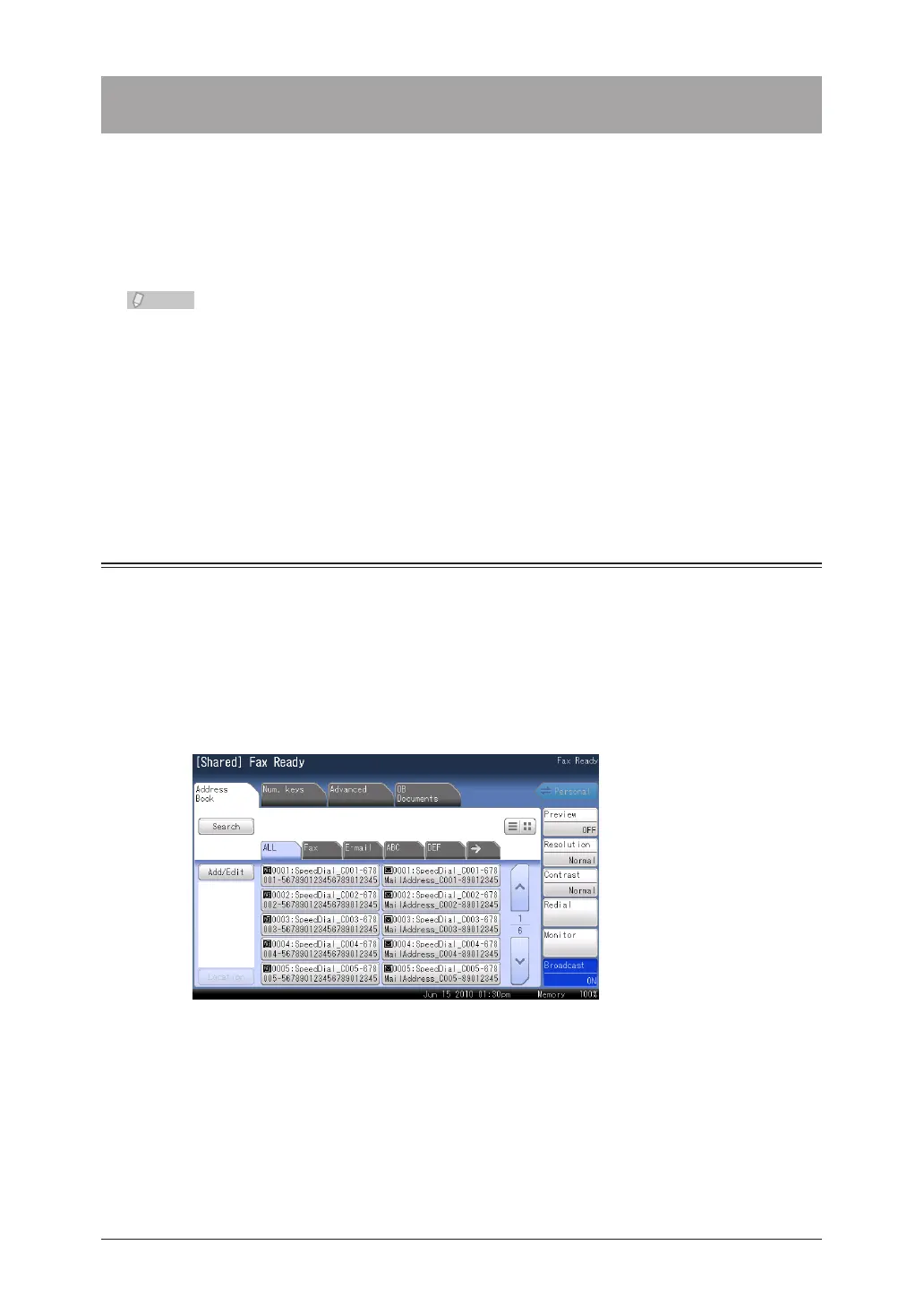
Press the [Address Book] tab or the [Num. keys] tab.
2
Enable [Broadcast].
3
Specify the destination.
4
For details on specifying the destination, refer to “• Specifying Destinations”. (See page 5-2.)
You can select multiple destinations.•



 To Next Page
 Loading...






