1
2
3
4
Advanced Fax Functions
F-Code Communications 4-37
Transmitting Using Sub-Addresses (F-Code Transmission)
F-Code Transmission
Entering sub-addresses and passwords enables secure F-code box transmission and
F-code bulletin box transmission to be performed. First check the sub-address and
password of the box registered in the other machine.
Load the document, and press <Fax>.
1
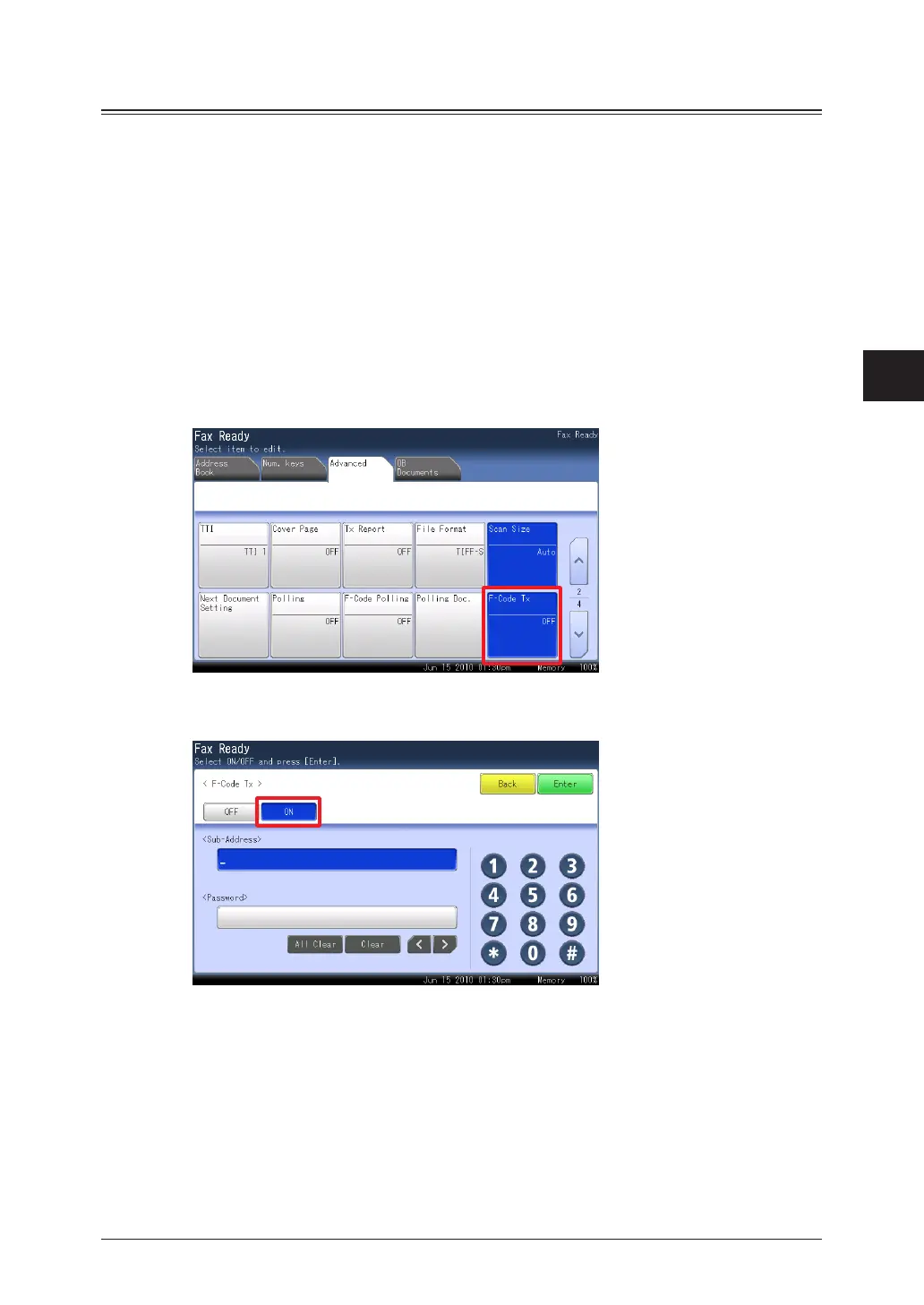
Press the [Advanced] tab.
2
Press [F-Code Tx].
3
Select [ON].
4
Press [OFF] to disable the F-code communication settings. Press [Enter] to complete the
procedure.
Press the sub-address entry box.
5



 To Next Page
 Loading...






