Loading media 33
[5]
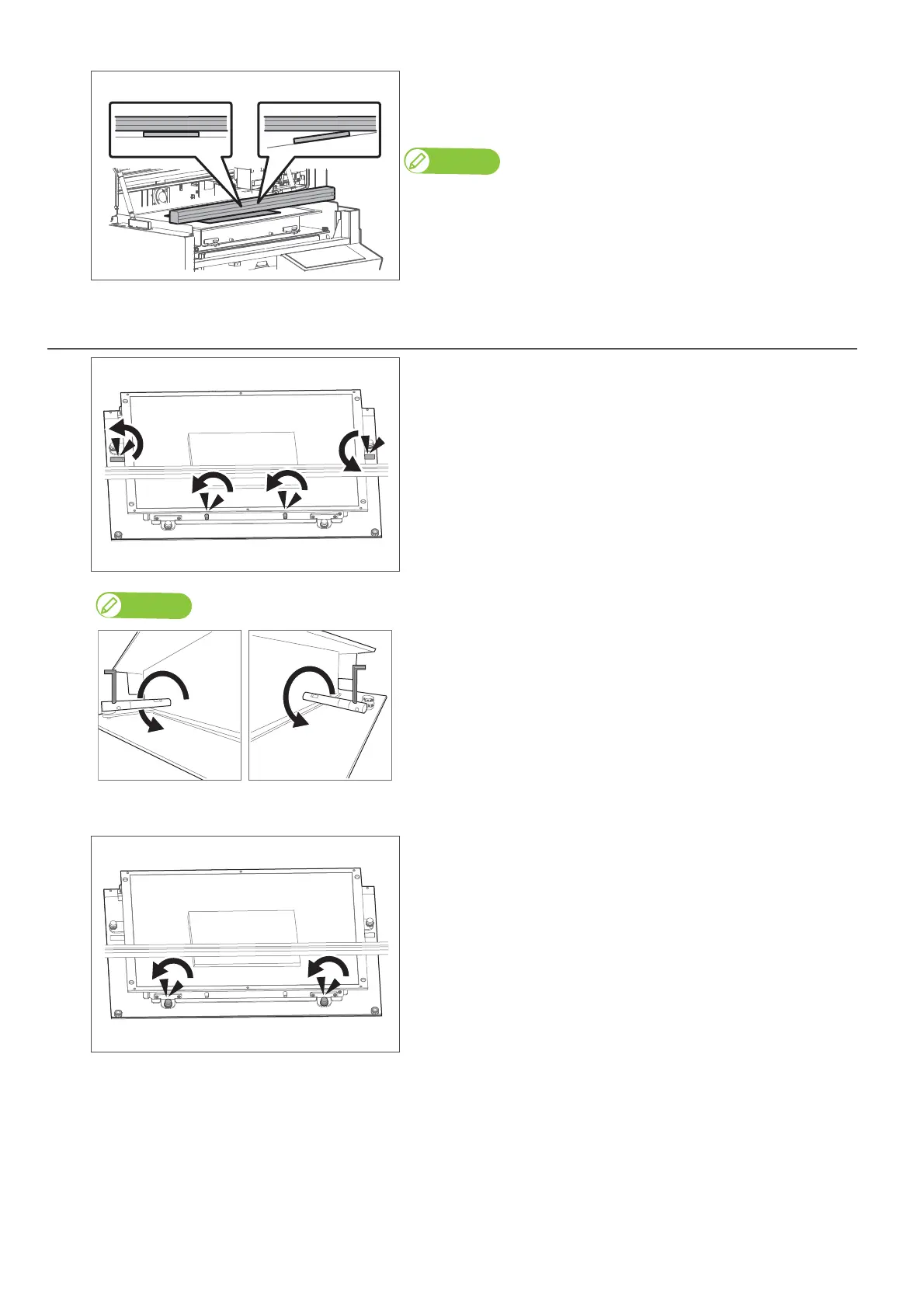
Check that there is no gap between the media height guide and your media.
• If no gap, move to "Specify the print start position" P. 36.
• If the table is not level and creates gap, move to "Leveling the table" P. 33.
Note
If you are using media with long length, check the gap at both top and
bottom side of the media to ensure no gap between the media height guide
and media.
3. Leveling the table
[1]
Loosen four table height fixing screws.
• There are two screws in front and one screw each on both sides of the table.
• Rotate them anti-clockwise to loosen.
• If the height fixing screws on the side of the table do not rotate easily, use
the hexagon wrench to loosen.
• When looking from the front of the printer, turn the screw on the left side
to the back (anticlockwise).
• Turn the screw on the right side to the front (anticlockwise).
[2]
Loosen two thumb screws with nuts securing two adjusters on the front side
of the table.
• Rotate them anti-clockwise.














 To Next Page