N715-EA Hardware User Guide
Chapter 5 Application Interfaces
Copyright © Neoway Technology Co., Ltd. All rights reserved.
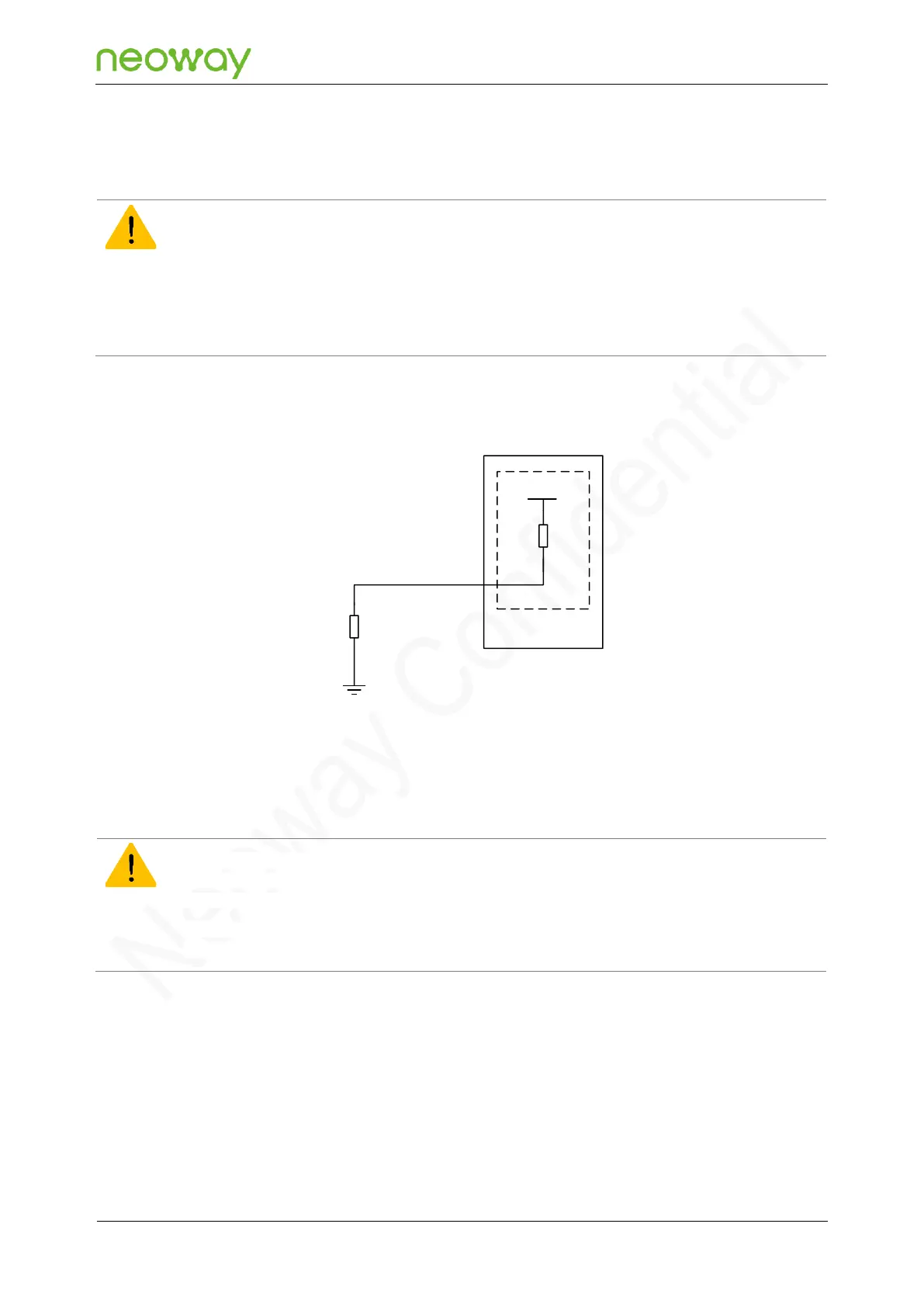
Automatic power-on once powered-up
If you design an automatic power-on circuit but power-off of the module is not required, you can directly pull
down PWRKEY_N to ground. The recommended pull-down resistance is 470 Ω.
If you design an automatic power-on circuit and power-off of the module is required, you should add a reset
circuit, since when the automatic power-on solution is used and after the module is powered off, the module may
encounter a power-on failure. To ensure a proper power-on/off operation, reset the module at least one time after
power-on. For the reset circuit, see Figure 5-12.
Figure 5-9 Reference design of automatic power-on once powered-up
VBAT_BB
R1
R2 470Ω
N715-EA Module
Main chip
PWRKEY_N
20kΩ
When the module is power-on mode, do not directly disconnect the power supply of the module; otherwise, the
flash memory (Flash) inside the module may be damaged. It is recommended that before disconnecting the power
supply, you should switch off the module through PWRKEY_N or a dedicated AT command.
After the module is switched off using the dedicated AT command, ensure that PWRKEY_N is at a high level;
otherwise, the module will switch on again after power-off.
Two methods are available to power off the module: hard power-off and soft power-off.
⚫
Hard power-off: power-off controlled by PWRKEY_N
⚫
Soft power-off: power-off by AT command



 To Next Page