Doc. Name: NMC-PRO ׀ User Guide Ver 3.05.03 Revision: 2.2 Page: 33
Crop Management Technologies
IMPORTANT: Verify that the SETUP parameters have been
defined and the screens Calibrated!
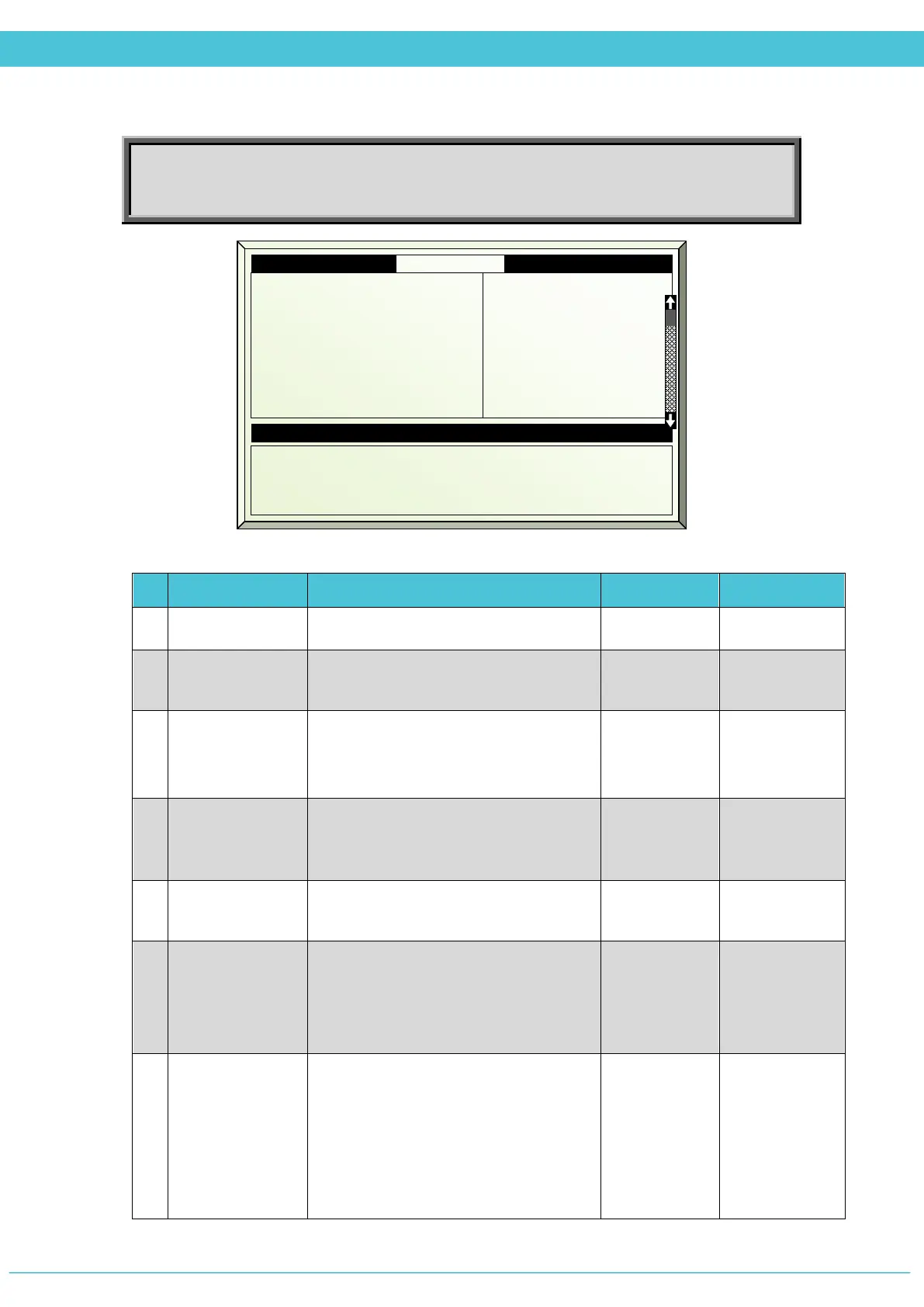
# Parameter Explanation Unit/Range Default
1.
Screen #
There are 2 available screens
1-2
2.
Active
Updated by the controller
(For indication only)
Yes/No
3.
Screen
Functionality
The screen may be used for shading,
energy, or both together
Shading
And/or
Energy
None
4.
Start Time
Starting time of the period, in case of
overlapping periods, the next period
overrides the previous period
hh:mm --:--
5.
End Time
The screens program is active only
within the set period
hh:mm --:--
6.
S- Shading:
Inside Temp
Set Point above
For Shading screen: Above this set
temperature, the screen is spread
Note: Cannot set this parameter if
Screen Functionality is set to Energy
0
o
to +50
o
C 26
7.
E-Energy: Out
Temperature
set point below
For Energy screen: Below this set
temperature and together with other
conditions, the screen is spread
*If the screen functionality is defined as
Energy+Shading and the conditions for
both Energy and Shading are true, then
the controller will operate according to
0
o
to +50
o
C 26
1.2 Screen Prg. Zone 1 19/01/09 16:21
1. Screen #
2. Active
3. Functionality
4. Start hh:mm
5. End hh:mm
6. S-Temp limit above °C
7. E-Out temp below °C
8.
Temp dead band °C
1 2
Yes No
Shade Shade
06:00 15:00
14:00 18:00
25.0 26.0
--- 10
2 2
13. Condition Valid Yes Yes
14. Calc. Screen Pos % 80 60
15. Limitation None None



 To Next Page