NetApp AltaVault Cloud Integrated Storage Administration Guide 211
Beta Draft
Hot-swapping controller fan modules System maintenance AVA-400, AVA-800
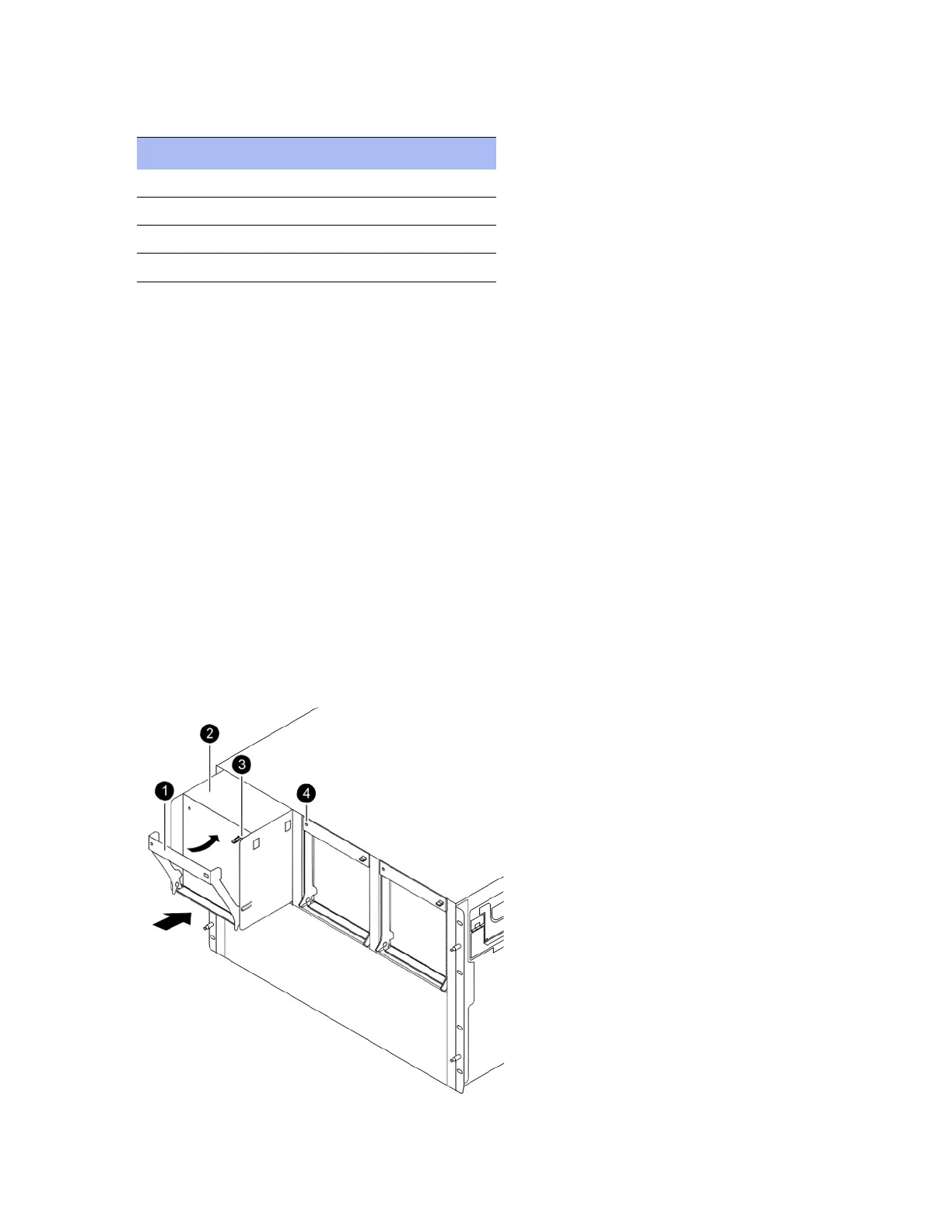
6. Identify fan module components as described in this table:
7. Set the failed fan module aside.
8. Before removing another fan module from the chassis, install a replacement fan module using the steps described
in the procedure, “Installing fan modules” on page 211.
Installing fan modules
Before you begin, verify that the controller fan module that you are installing is supported by your controller model.
To install a fan module
1. If you are not already grounded, properly ground yourself.
2. Insert the replacement fan module into the chassis by aligning it with the opening and sliding it into the chassis.
3. Push firmly on the fan module housing to ensure that it is seated all the way into the chassis. The cam handle raises
slightly when the fan module is completely seated.
4. Swing the cam handle up to its closed position, as shown below. Make sure that the cam handle release latch clicks
into the locked position.
Component Description
1 Cam handle
2 Fan module
3 Cam handle release latch
4 Fan module attention LED



 To Next Page