Obtain the feature pack
To obtain the feature pack, you need the serial number from the controller shelf, a Feature Activation
Code, and the Feature Enable Identifier for the storage array.
Steps
1. Locate the serial number.
a. From SANtricity System Manager, select Support > Support Center.
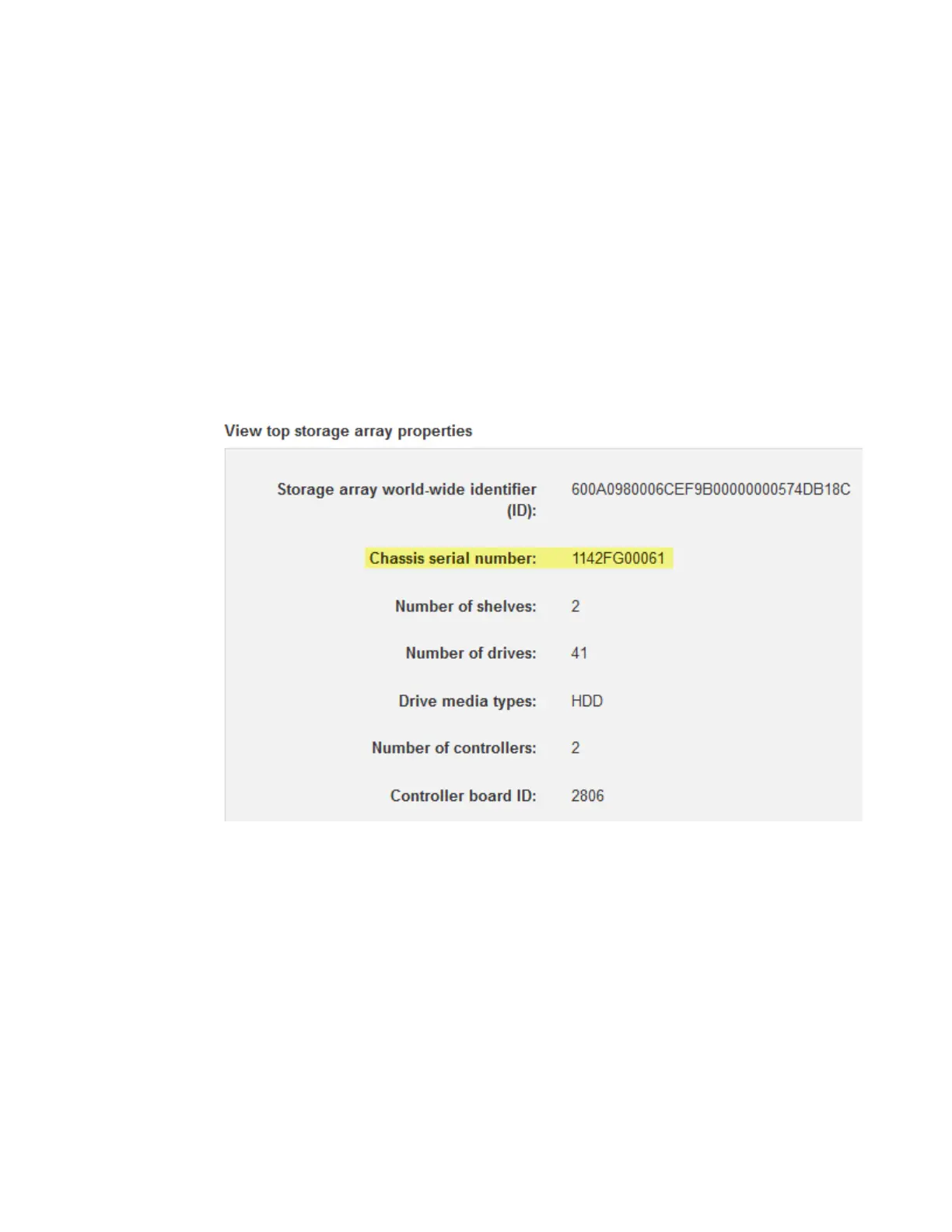
b. With the Support Resources tab selected, scroll to the View top storage array properties
section.
c. Locate the Chassis Serial Number, and copy this value to a text file.
2. Locate the feature pack submodel ID.
a. From the SANtricity System Manager, select Support.
b. Select the Support Center tile.
c. On the Support Resources tab, locate and select the Storage Array Profile link.
d. Type feature pack submodel ID in the text box, and click Find.
e. Locate the feature pack submodel ID for the starting configuration.
120
| Maintaining E5700 Hardware



 To Next Page