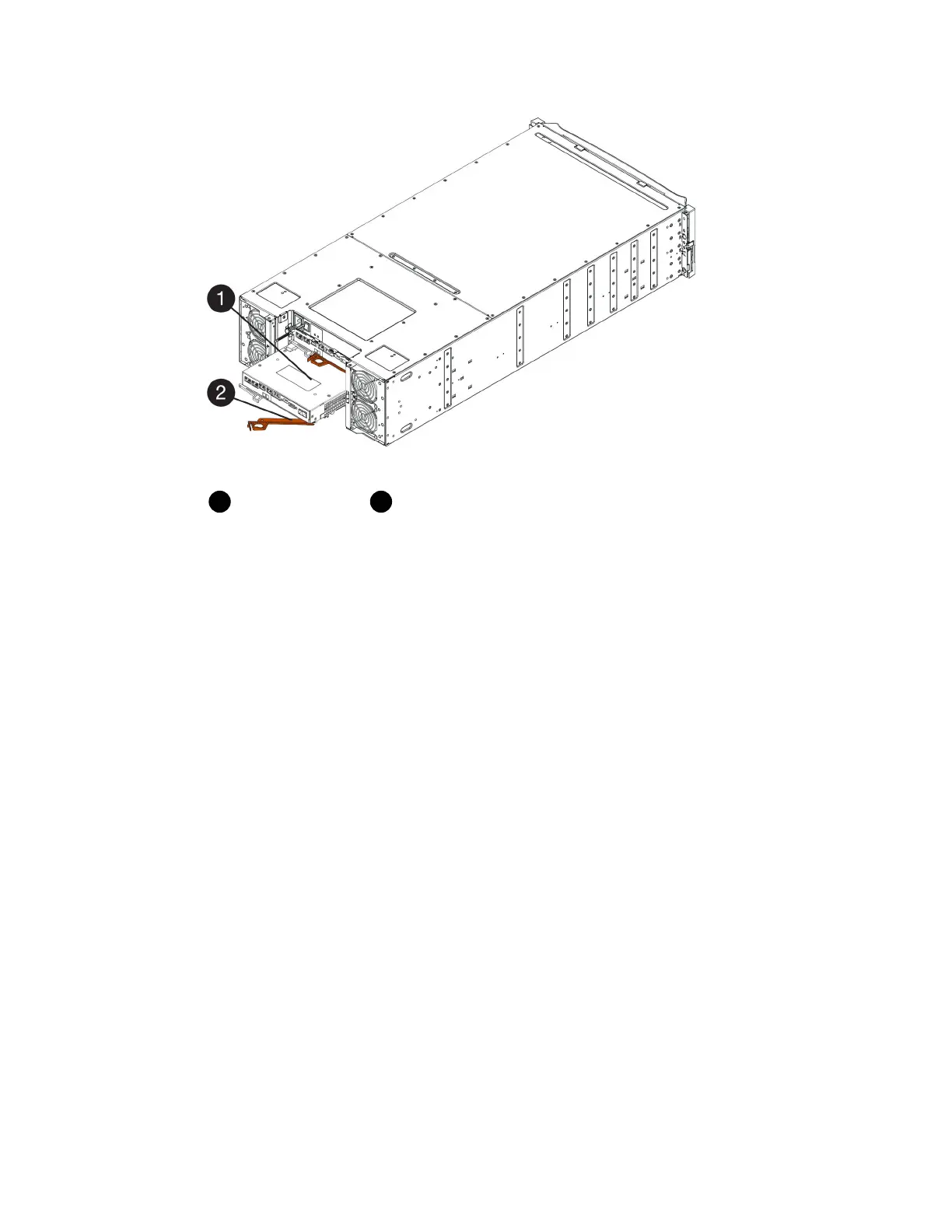
Controller canister
Cam handle
3. Move the cam handle to the left to lock the controller canister in place.
4. Reconnect all the cables you removed.
Attention: Do not connect data cables to the new HIC ports at this time.
5. (Optional) If you are adding HICs to a duplex configuration, repeat all steps to remove the second
controller canister, install the second HIC, and reinstall the second controller canister.
After you finish
Go to
Complete adding a host interface card
on page 92.
Complete adding a host interface card
You complete the process of adding a host interface card (HIC) by checking the controller LEDs and
seven-segment display, and then confirming that the controller's status is Optimal.
Before you begin
• You have installed any new host hardware needed for the new host ports, such as switches or host
bus adapters (HBAs).
• You have all cables, transceivers, switches, and host bus adapters (HBAs) needed to connect the
new host ports.
For information about compatible hardware, refer to the
NetApp Interoperability Matrix
and the
NetApp Hardware Universe
.
• You have installed SANtricity System Manager on a management station, so you can use the
storage array's command line interface (CLI).
If this software has not yet been installed, follow the instructions in the
Linux express
configuration
,
Windows express configuration
, or
VMware express configuration
to download
and install it.
92
| Maintaining E5700 Hardware



 To Next Page