Host port protocol
You can convert the protocol of a host to a different protocol so that compatibility and
communication can be established.
Overview and requirements
Learn about the E5700 baseboard host ports and the requirements you need to know about before
converting the host protocol.
Host protocol overview
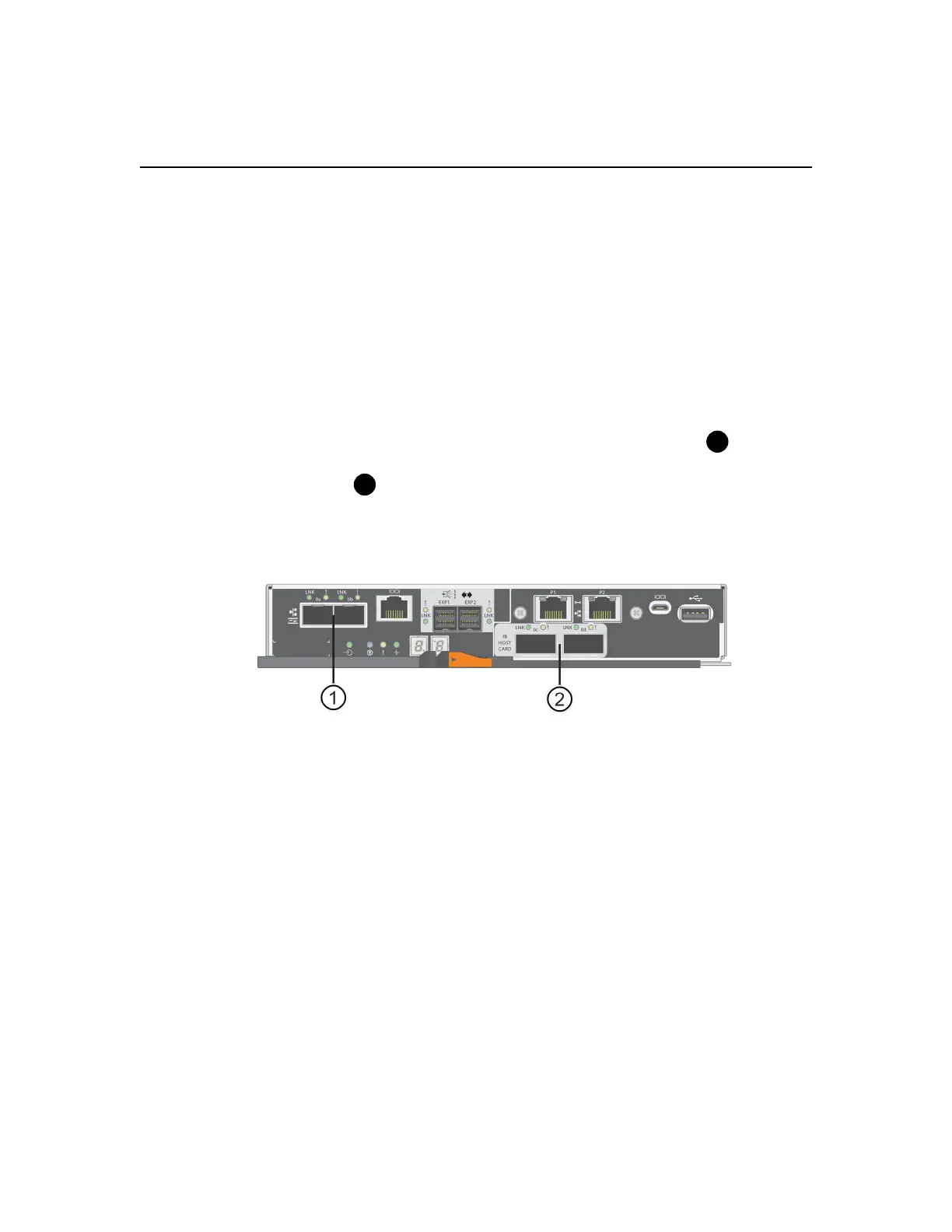
You can convert the host port protocol of the baseboard host ports in the E5700 controller shelf.
The following figure shows the E5700 with its SFP+ (optical) baseboard host ports
and the
optional two IB HIC ports.
Requirements for changing the host protocol
Learn about the requirements you need to keep in mind when changing the host port protocol.
• You have scheduled a downtime maintenance window for this procedure.
• You must stop host I/O operations when you perform the conversion, and you will not be able to
access data on the storage array until you have successfully completed the conversion.
• You are using out-of-band management. (You cannot use in-band management to complete this
procedure.)
• You have obtained the necessary hardware for the conversion. Your NetApp Sales Representative
can help you determine what hardware you need and help you order the correct parts.
• If you are attempting to change the baseboard host ports of your storage array, and it currently
uses dual-protocol (also referred to as
unified
) SFP transceivers that you purchased from NetApp,
you do not need to change your SFP transceivers.
• Dual-protocol SFP transceivers support both FC (at 4 Gbps, 8 Gbps, or 16 Gbps) and iSCSI (at 10
Gbps), but they do not support 1 Gbps iSCSI. See
Determine whether you have dual-protocol
SFPs
on page 118 to determine what type of SFP transceivers are installed.
116



 To Next Page