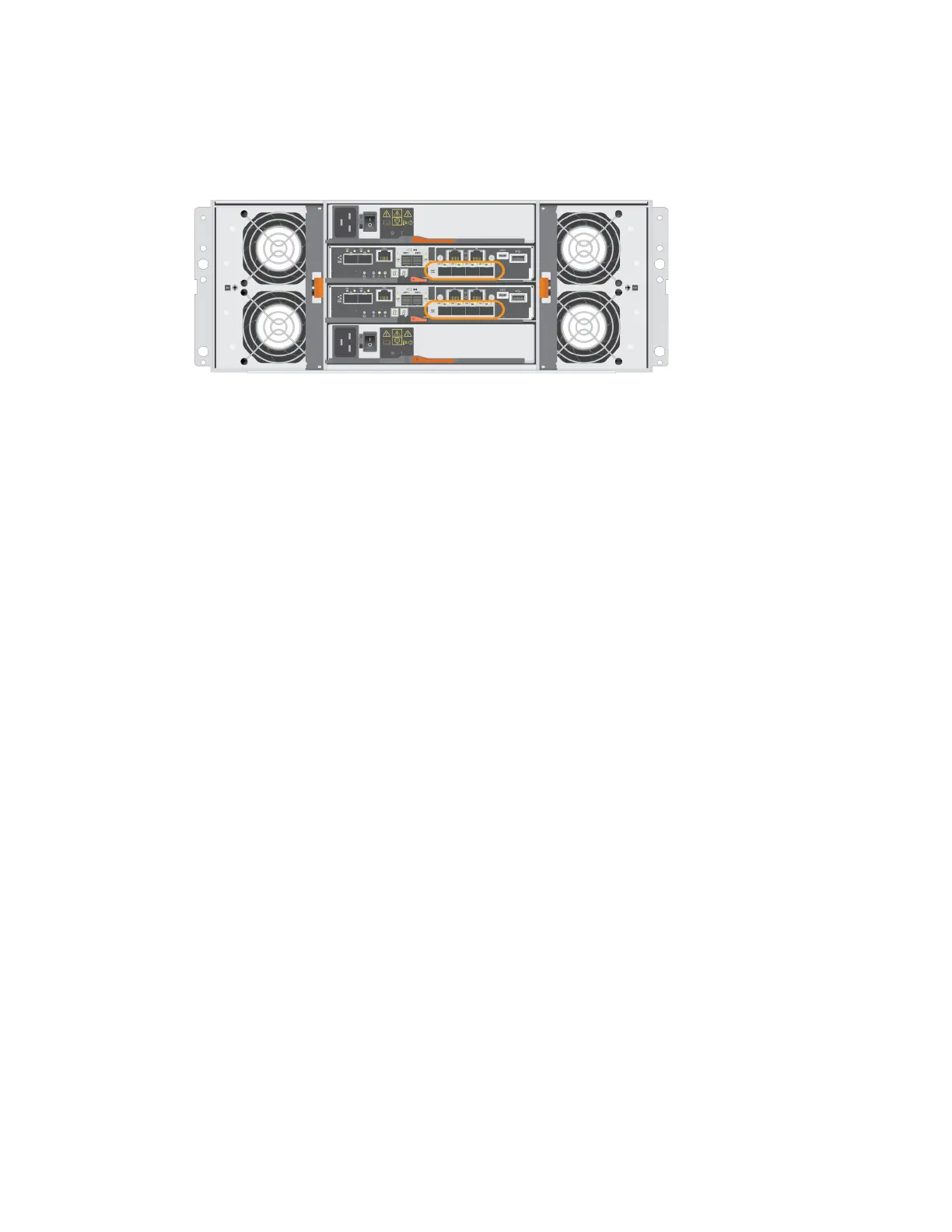
The following figure shows an E5760 controller shelf with two controller canisters, each with a HIC.
Note: The figures show two example controller canisters with example HICs in each controller
shelf. You might have different types and numbers of baseboard ports and HIC ports.
The following is an overview of the steps to replace a HIC in an E5700 controllers (E5724 or E5760):
1. Take the controller offline
2. Remove the controller canister
3. Replace the battery
4. Replace the controller canister
5. Bring the controller online
Requirements for adding, upgrading or replacing a HIC
If you plan to add, upgrade, or replace a host interface card (HIC), you must keep in mind certain
requirements.
• You have scheduled a downtime maintenance window for this procedure. The power must be off
when you install HICs, so you cannot access data on the storage array until you have successfully
completed this procedure. (In a duplex configuration, this is because both controllers must have
the same HIC configuration when they are powered on.)
• You have two HICs must be compatible with your controllers.
For duplex configurations (two controllers), the HICs installed in the two controller canisters
must be identical. The presence of mismatched HICs causes the controller with the replacement
HIC to lock down when you bring it online.
• You have all cables, transceivers, switches, and host bus adapters (HBAs) needed to connect the
new host ports.
For information about compatible hardware, refer to the
NetApp Interoperability Matrix
or the
NetApp Hardware Universe
.
• You have an ESD wristband, or you have taken other antistatic precautions.
• You have a #1 Phillips screwdriver.
• You have labels to identify each cable that is connected to the controller canister.
• You have installed SANtricity Storage Manager on a management station, so you can use the
storage array's command line interface (CLI).
Host interface cards |
83



 To Next Page