Note: You can also find information about the failed power canister in the Details area of the
Recovery Guru, or you can review the information displayed for the shelf, or you can review
the Event Log under Support and filter by Component Type.
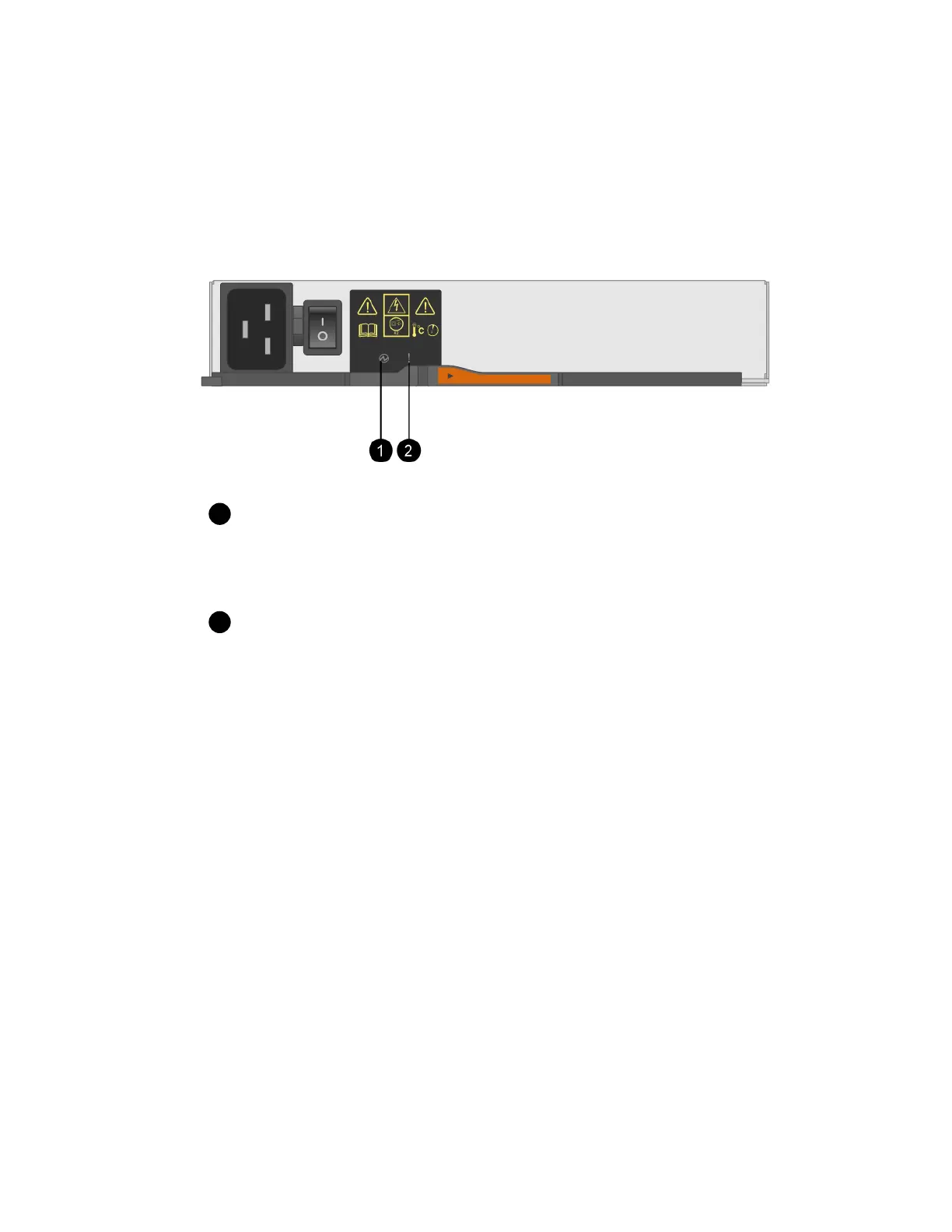
3. From the back of the storage array, look at the Attention LEDs to locate the power canister you
need to remove.
You must replace the power canister that has its Attention LED on.
Power LEDs. If it is Solid green, the power canister is functioning correctly. If it is Off, the
power canister failed, the AC switch is turned off, the AC power cord is not properly installed, or
the AC power cord input voltage is not within margin (there is a problem at the source end of the
AC power cord).
Attention LED. If it is Solid amber, the power canister has a fault, or there is no input
power to this power canister, but the other power canister is operating.
After you finish
Go to
Remove failed power canister
on page 44.
Remove failed power canister
You remove a failed power canister so you can replace it with a new one. When you remove a power
canister, you turn off power, disconnect the power cord, and slide the component out of the shelf.
Before you begin
• You have one power canister that is installed and running.
• You have an ESD wristband, or you have taken other antistatic precautions.
Steps
1. Put on antistatic protection.
2. Unpack the new power canister, and set it on a level surface near the shelf.
Save all packing materials for use when returning the failed power canister.
3. Turn off the power switch on the power canister that you need to remove.
4. Open the power cord retainer of the power canister that you need to remove, and then unplug the
power cord from the power canister.
44
| Maintaining E5700 Hardware



 To Next Page