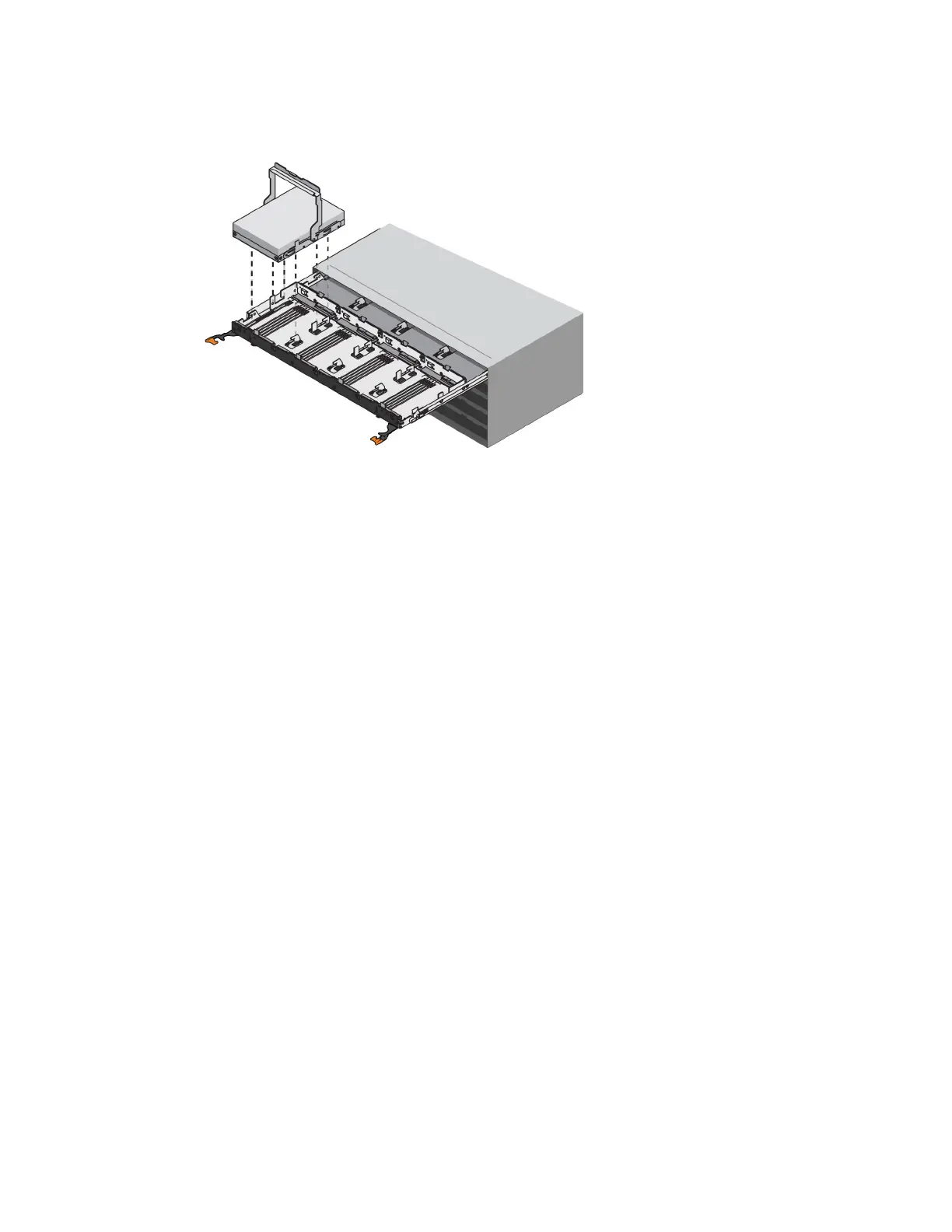
7. Use the cam handle to lift the drive from the shelf.
8.
Place the drive on an antistatic, cushioned surface away from magnetic fields.
9. Wait 30 seconds for the software to recognize that the drive has been removed.
Note: If you accidentally remove an active drive, wait at least 30 seconds, and then reinstall it.
For the recovery procedure, refer to the storage management software.
After you finish
Go to
Install new drive (60-drive)
on page 61.
Install new drive (60-drive)
You install a new drive to replace the failed one. Install the replacement drive as soon as possible
after removing the failed drive. Otherwise, there is a risk that the equipment might overheat.
Before you begin
• You have a replacement drive that is supported by NetApp for your controller shelf or drive shelf.
About this task
Attention: Possible loss of data access – When pushing the drive drawer back into the enclosure,
never slam the drawer shut. Push the drawer in slowly to avoid jarring the drawer and causing
damage to the storage array.
Steps
1. Raise the cam handle on the new drive to vertical.
2. Align the two raised buttons on each side of the drive carrier with the matching gap in the drive
channel on the drive drawer.
Drives |
61



 To Next Page