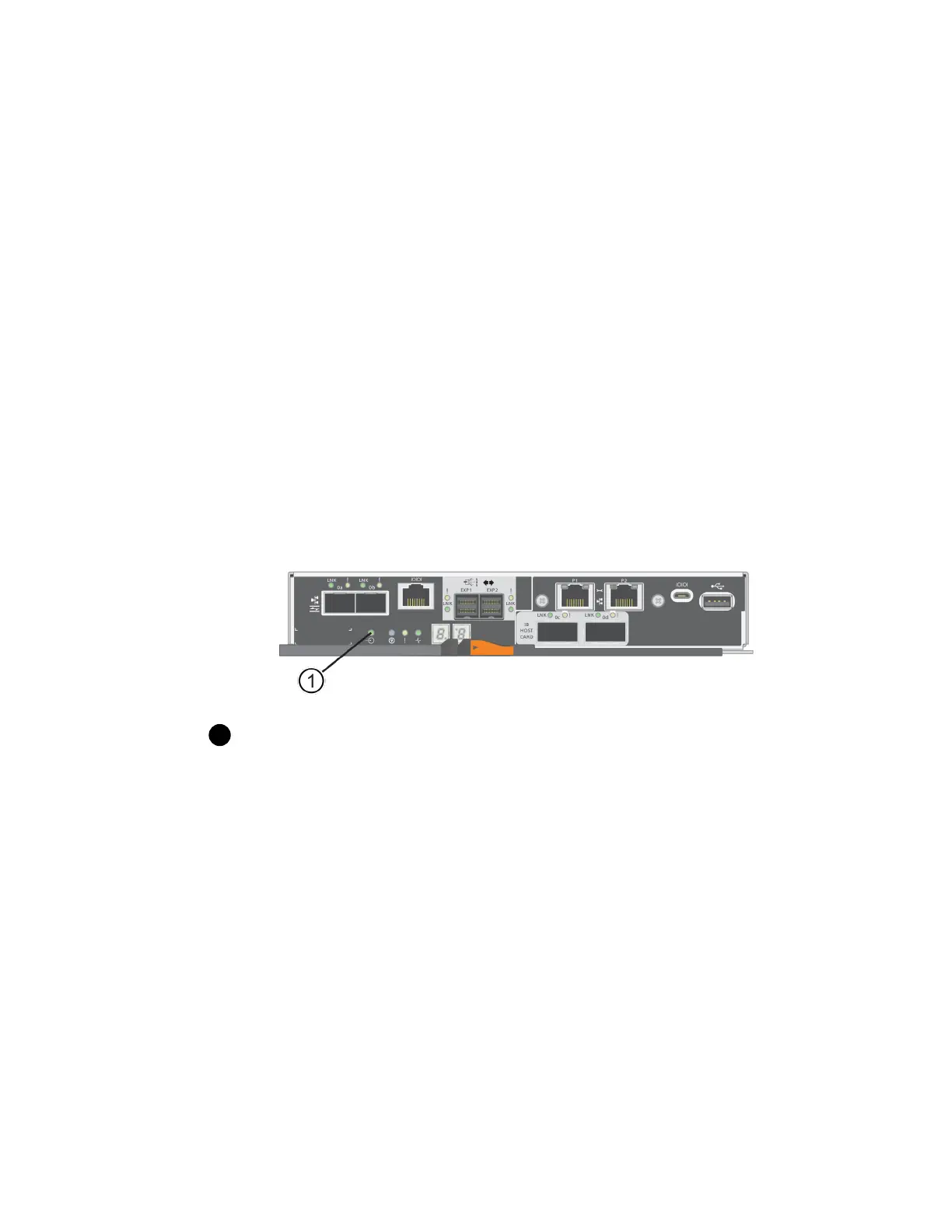
4. Ensure that no I/O operations are occurring between the storage array and all connected hosts. For
example, you can perform these steps:
• Stop all processes that involve the LUNs mapped from the storage to the hosts.
• Ensure that no applications are writing data to any LUNs mapped from the storage to the
hosts.
• Unmount all file systems associated with volumes on the array.
Note: The exact steps to stop host I/O operations depend on the host operating system and the
configuration, which are beyond the scope of these instructions. If you are not sure how to stop
host I/O operations in your environment, consider shutting down the host.
Attention: Possible data loss – If you continue this procedure while I/O operations are
occurring, the host application might lose data because the storage array will not be accessible.
5.
If the storage array participates in a mirroring relationship, stop all host I/O operations on the
secondary storage array.
6.
Wait for any data in cache memory to be written to the drives.
The green Cache Active LED on the back of each controller is on when cached data needs to be
written to the drives. You must wait for this LED to turn off.
Cache Active LED
7. From the Home page of SANtricity System Manager, select View Operations in Progress. Wait
for all operations to complete before continuing with the next step.
8. Power down the controller shelf.
a. Turn off both power switches on the controller shelf.
b. Wait for all LEDs on the controller shelf to turn off.
After you finish
Go to
Upgrade host interface card
on page 96.
Upgrade host interface card
You upgrade a host interface card (HIC) to increase the number of host ports or to change host
protocols. If you are upgrading HICs in a duplex configuration, repeat all steps to remove the other
controller canister, remove the HIC, install the new HIC, and replace the second controller canister.
Steps
1. Step 1: Remove controller canister on page 97
96
| Maintaining E5700 Hardware



 To Next Page