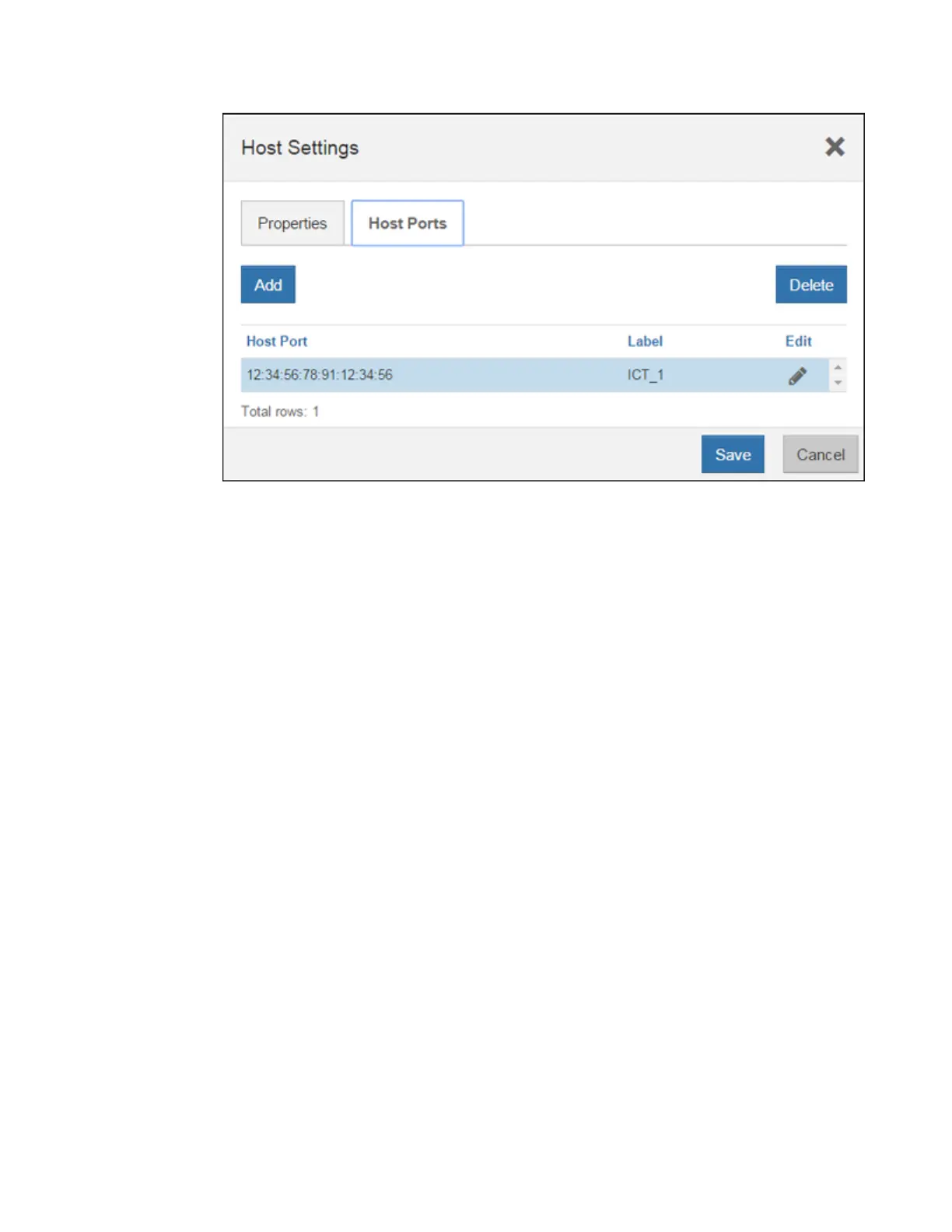
d. Click Add, and use the Add Host Port dialog box to associate a new host port identifier to the
host.
The length of the host port identifier name is determined by the host interface technology. FC
host port identifier names must have 16 characters. iSCSI host port identifier names have a
maximum of 223 characters. The port must be unique. A port number that has already been
configured is not allowed.
e. Click Delete, and use the Delete Host Port dialog box to remove (unassociate) a host port
identifier.
The Delete option does not physically remove the host port. This option removes the
association between the host port and the host. Unless you remove the host bus adapter or the
iSCSI initiator, the host port is still recognized by the controller.
f. Click Save to apply your changes to the host port identifier settings.
g. Repeat these steps to add and remove any additional host port identifiers.
4. Reboot the host or perform a rescan so that the host properly discovers mapped storage.
5. Remount volumes or start using block volume.
After you finish
Your host protocol conversion is complete. You can resume normal operations.
Complete IB-iSER to/from IB-SRP, NVMe over InfiniBand, or NVMe over RoCE conversion
After you apply the feature pack key to convert the protocol used by your InfiniBand iSER HIC port
to/from SRP, NVMe over InfiniBand, or NVMe over RocE, you need to configure the host to use the
appropriate protocol.
Steps
1. Configure the host to use the SRP, iSER, or NVMe protocol.
For step-by-step instructions on how to configure the host to use SRP, iSER, or NVMe, see the
Linux Express Configuration
.
136
| Maintaining E5700 Hardware



 To Next Page