9.4 Connections
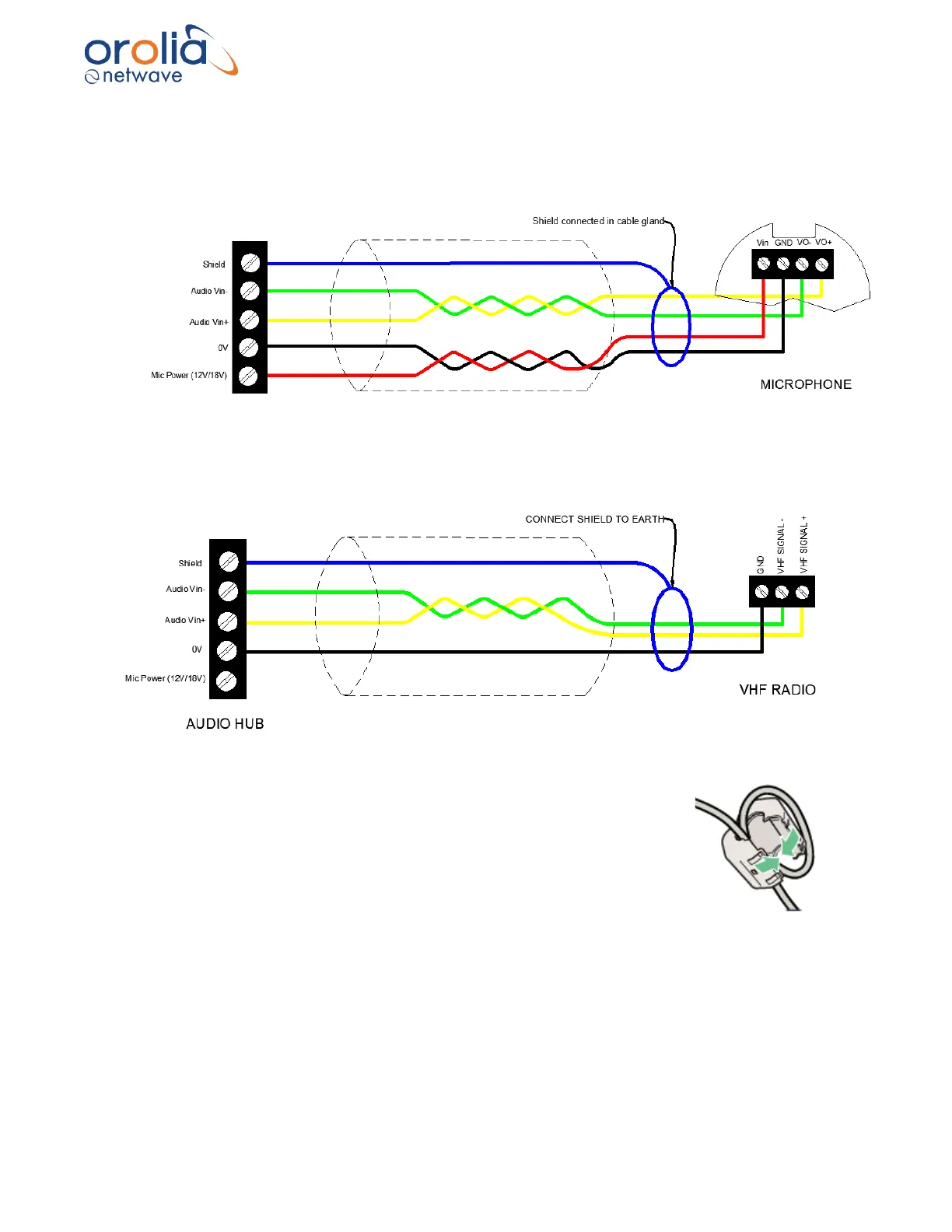
The NW6031 audio hub inputs support the NW6031 Analogue Microphone and is wired as
follows:
The inputs are individually configurable to receive audio data from a VHF transceiver VDR
interface and are wired as follows:
Note: Connections to microphones also require using the provided ferrite
clamps on both ends of cable. Cable needs to be looped as indicated in the
drawing.
9.5 Indicator
The NW6031 has no external indicators apart from the PoE indicators on the RJ45 socket.
Link speed (Green LED) The LED is on when there is a link connection.
Otherwise, the LED is off.
Activity (Yellow LED) The LED is flashing when there is activity on the link.
Otherwise, the LED is off.



 To Next Page