11.3 Connection test with flying cable
Before connecting the TRON 40VDR device it is advisable to test the new position with a flying
cable. Connection testing can be done with a running ICMP test by using the utility hrPing. This
utility can be downloaded from: https://www.cfos.de/en/ping/ping.htm.
Connect the TRON 40VDR to the flying cable (run as Admin), put it on the new position and run
the ping utility in CMD by typing the following command:
hrping.exe 172.16.30.10 -t -w 100 -s 15 -y 10 -gg
Note: run hrping.exe by entering the full path name: C:\ ... \ ... \hrping.exe 172.16.30.10 -t -w
100 -s 15 -y 10 –gg
Please note that IP-address for OEM differs.
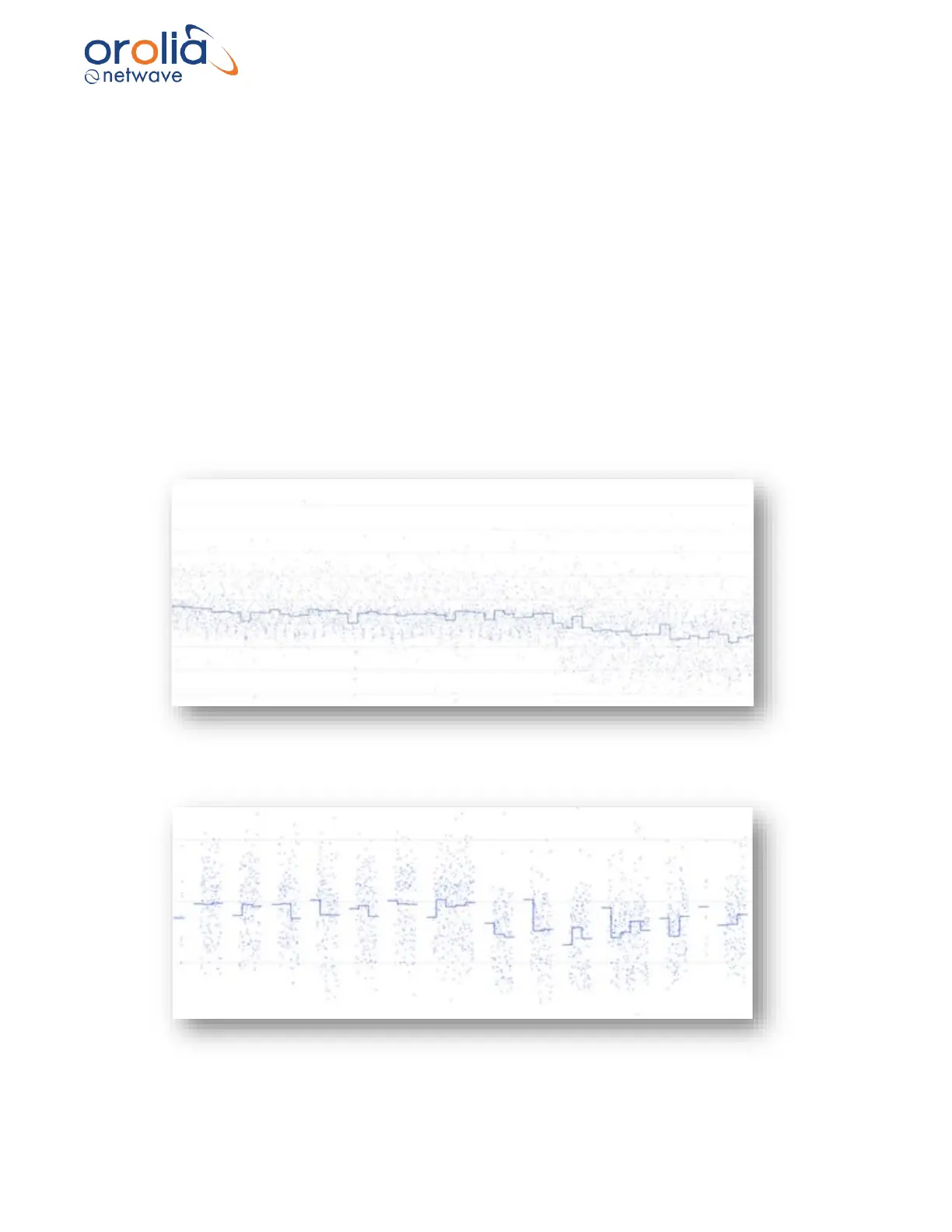
A graph, similar to the one below will be shown in case of a proper connection…
Graphic 10.3.A: Good connection of TRON 40VDR
Graphic below shows connection issues, the location of the TRON 40VDR is not suitable.
Please locate the capsule in a different position.
Graphic 10.3.B: Connection issues of TRON 40VDR



 To Next Page