Table 9.22.3 - VCO Pixel rate range (MHz)
10.23 Gain/Offset
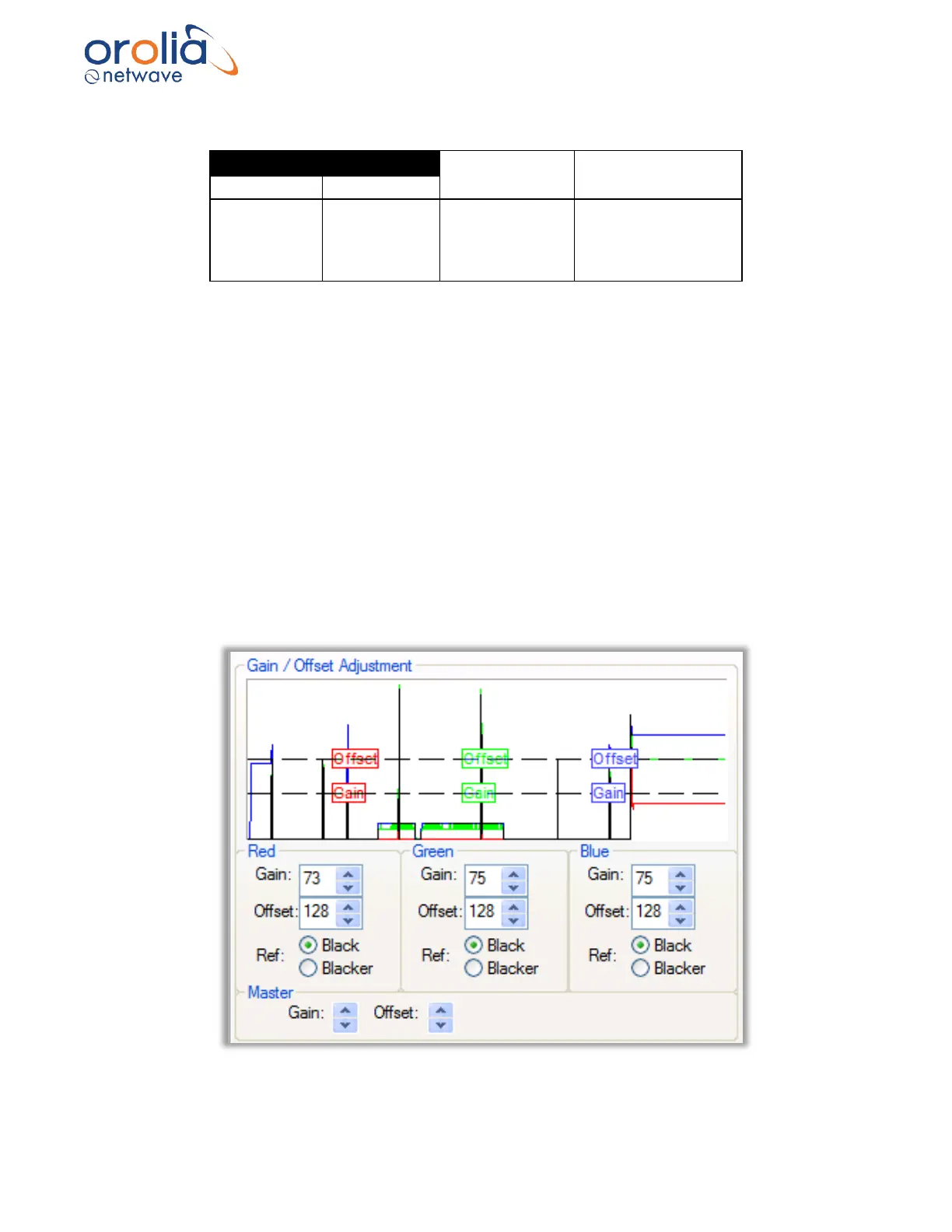
To create a more uniform image, the installer can fine-tune the gain and/or offset in the
Gain/Offset Adjustment section. This section includes:
▪ a histogram.
▪ red, Green and Blue Gain and Offset controls and.
▪ a Master Gain and Master Offset control.
These controls give the installer three different options to adjust the Gain and Offset values for
the Capture window.
Adjusting Gain stretches the image vertically in the Capture window. Adjusting Offset shifts the
image up and down in the Capture window.
Figure 10.23.1 - Gain/Offset Adjustment



 To Next Page