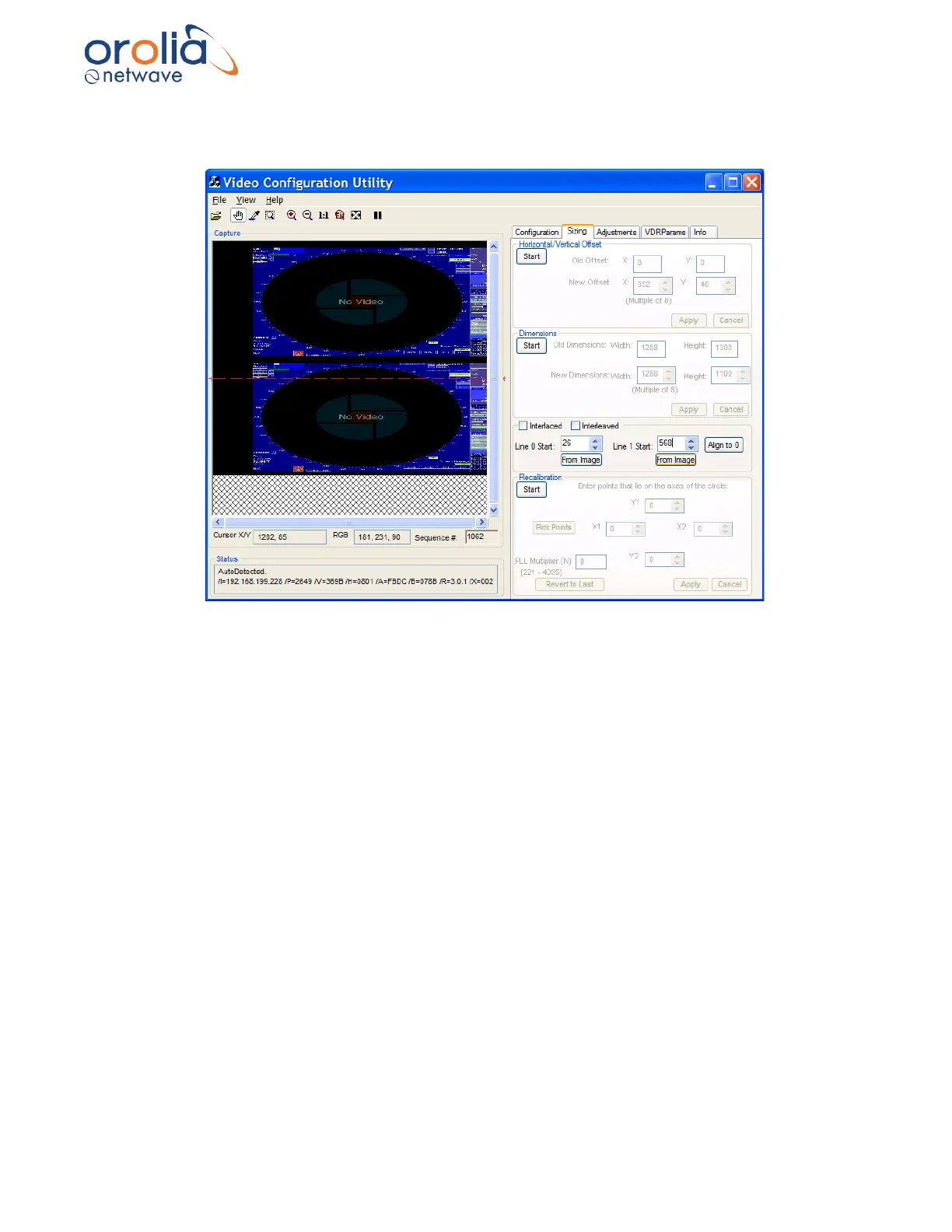
11. Locate the top edge of the second image using the same process; however, click
the “From Image” button in the Line 1 Start section instead for the bottom image.
Figure 10.18.4 - Interlaced values chosen
12. The image values have now been set.
13. Click the Interlaced checkbox on the Sizing tab page.
14. The interlaced images automatically merge into a single image.
15. If the image does not appear corrected or the image’s numbers look blurry (see figure
below), it is very likely the installer chose the wrong pixel coordinates. That means the
image is interlaced incorrectly. To correct the interlacing and sharpen the image:
i. Click the up or down arrow on the Line 0 Start scroll box, adjusting the
value 1 pixel at a time.
ii. Wait for the next image before making another adjustment.
iii. Click the up or down arrow on the Line 1 Start scroll box, adjusting the
value 1 pixel at a time.
iv. Wait for the next image before making another adjustment.
v. Repeat steps i-iv above until the image is clear and sharp.



 To Next Page