SHAPING THE FUTURE OF SATELLITE COMMUNICATIONS
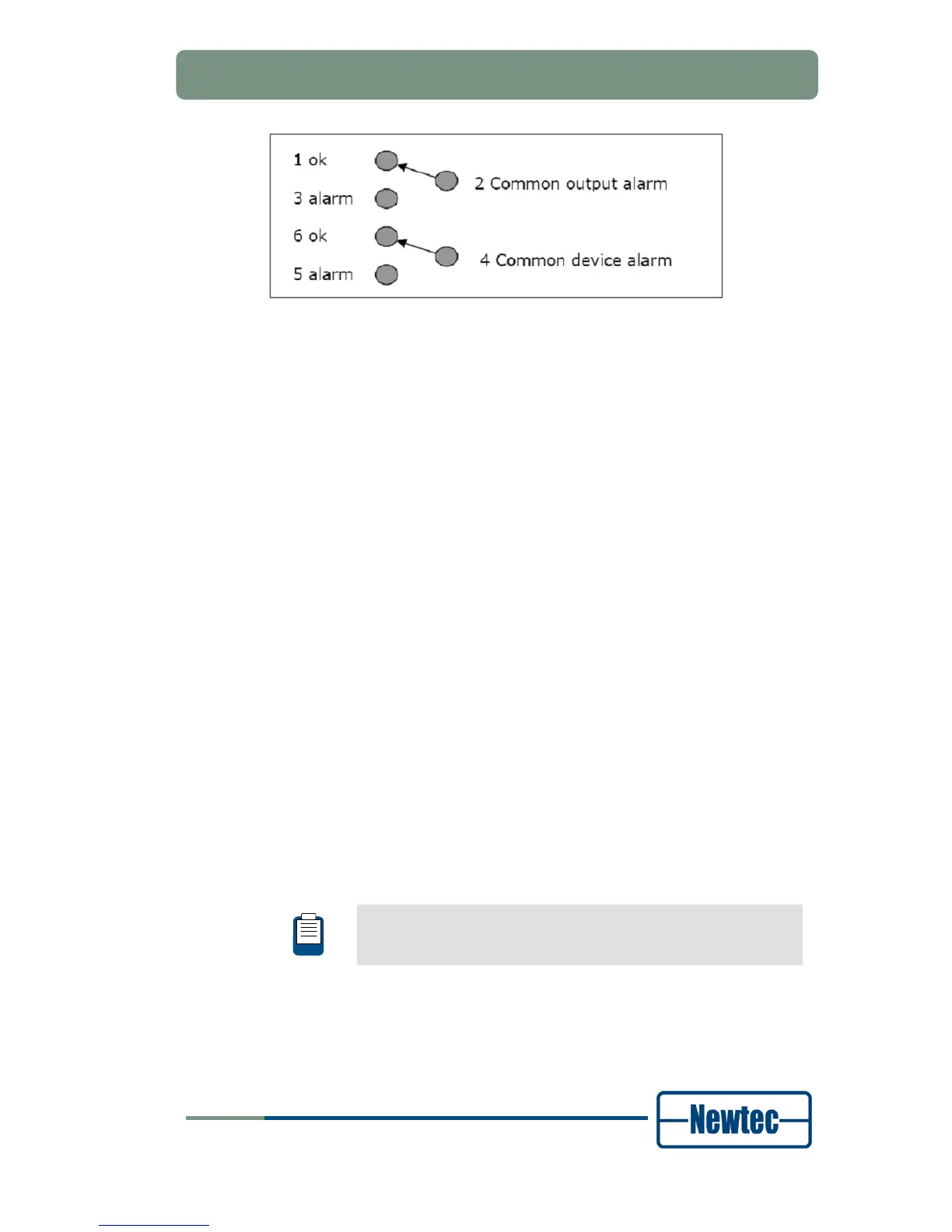
Figure 21 - Contact Closure Alarm Connections of the EL970
Pin 2 and 4 are either floating or tied to chassis earthing.
• Common interface alarm is flagged when there is no demod lock.
• Common device alarm is flagged when there is an issue with the device
itself,like power failure or self test alarm.
10.0 MHz Reference Input
This input is used when you need a reference with enhanced stability or when you
need several devices to be synchronised to the same clock source. The level
should be 0dBm nominally. The 10.0 MHz reference input will only be available if
one of the following options is installed.
• GR-01: 10MHz reference In/Out high stability;
• GR-02: 10 MHz reference In/Out very high stability.
Ethernet Connection
A standard RJ-45 connector provides connection to an Ethernet hub in a LAN
(10/100BaseT). It is possible to set the IP address and subnet mask from the front
panel. The default IP address is: 10.0.0.1.
It is possible to send RMCP (Remote Monitoring and Control Protocol) commands
to the device using the Ethernet interface. The commands are sent as data in a
TCP/IP stream. The used socket number is 5933. The RMCP protocol is exactly
the same as for the serial interface, with one small exception: the receiving device
ignores the RMCP address of the device (that is present in an RMCP command).
Also SNMP can be used.
The RMCP manual explains how Newtec devices can be remotely
monitored and controlled via the serial port or via Ethernet.
This manual is delivered on CD-ROM together with the device.



 To Next Page