NMC-WOLLARD 2021Truax Blvd., Eau Claire, WI 54703, Phone (715) 835-3151, Fax (715) 835-6625
M140 Tow Tractor Manual No. 46054
PAGE 5-94
CHAPTER 5 MANUFACTURER’S INFORMATION
2
NexSysLink
®
2" Stand-Alone CAN Display Operation Manual SAE J1939
© 2011 Beede Electrical Instrument Co., Inc.
• Menu Navigation (Continued)
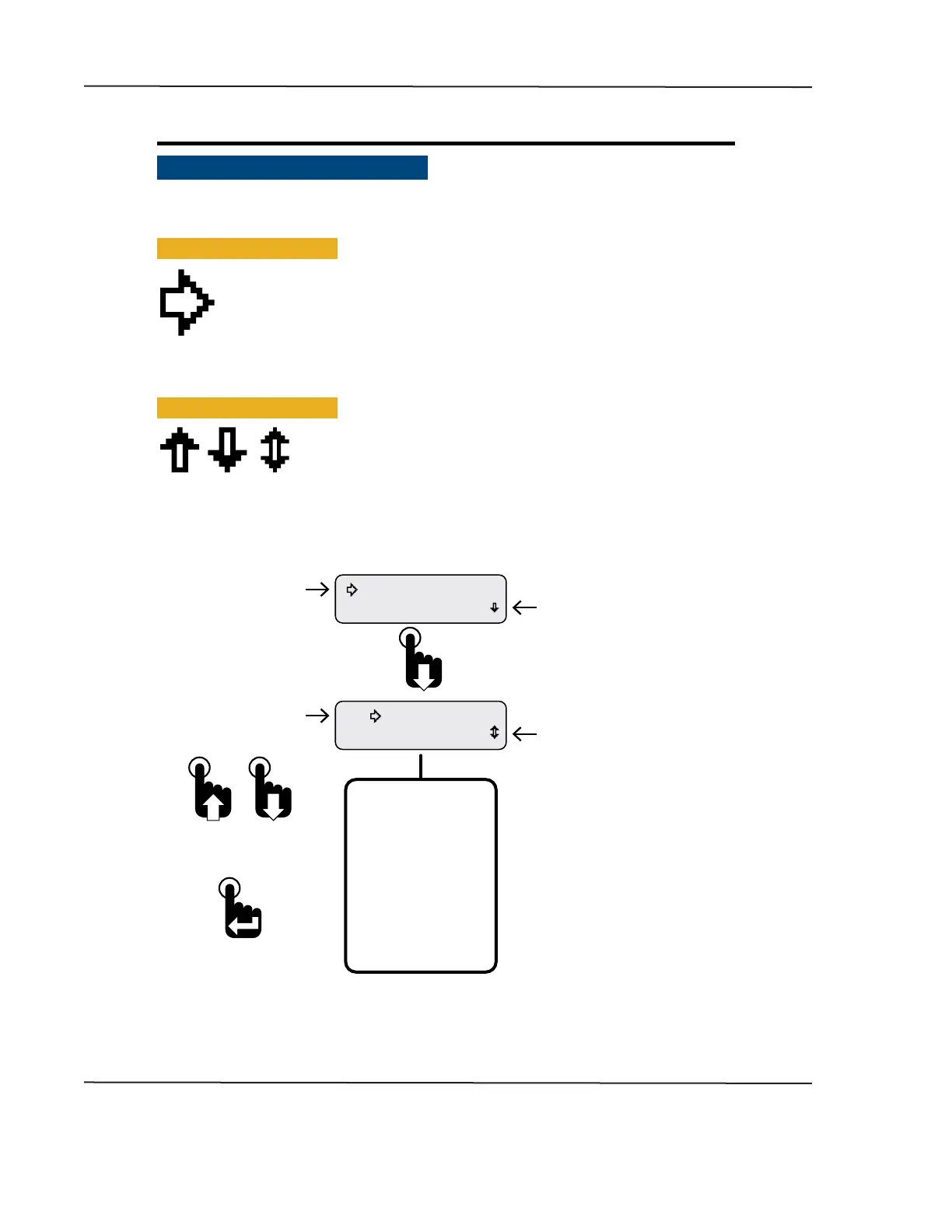
The user interface contains various icons and indicators to guide users for item selection and/or input
while navigating the menus� The selection arrow, menu scrolling icon and blinking bar cursors appear
frequently throughout the menus�
• Selection Arrow Cursor
The selection arrow cursor, shown at left, identies adjacent menu items as the current
selection� Pressing the Enter switch selects the menu item/function or value adjacent to
the arrow cursor�
Pressing and releasing an Up or Down switch moves the selection arrow up or down a
menu list one item at a time until the beginning or end of the list is reached� Pressing and
holding the Up or Down switch continuously moves the selection arrow up and down a menu list until
the switch is released or the beginning or end of the list is reached�
• Menu Scrolling Icons
A menu scrolling icon appears in the lower right corner of the display to
indicate if more menu options appear only above, only below or above and
below the menu option or options currently displayed�
Figure 1-1: Menu Scrolling and Option Selection
Menu scrolling icon indicating
more options appear above
and below those shown.
Selection Arrow Cursor
Warnings Acve
Faults Active
Menu scrolling icon indicating
more options appear below
those shown.
Selection Arrow Cursor
Faults Active
Maintenance Hours
First Main Menu Screen
Note: Many menu screen diagrams
in this manual only show the rst
two options of the entire menu.
If more than two options are
available within a menu, a listing
of all the options will appear
below the menu diagram.
Complete Main Menu
Function List
Maintenance Hours
Faults Active
Warnings Active
Faults Stored
Alarms
Mute Audio Alarm
Setup
Information
Exit
To select option
adjacent to
selection arrow cursor
To scroll up and down
a menu option list
CAN DISPLAY MANUAL
OCTOBER 01, 2015



 To Next Page