NMC-WOLLARD 2021Truax Blvd., Eau Claire, WI 54703, Phone (715) 835-3151, Fax (715) 835-6625
M140 Tow Tractor Manual No. 46054
PAGE 5-98
CHAPTER 5 MANUFACTURER’S INFORMATION
6
NexSysLink
®
2" Stand-Alone CAN Display Operation Manual SAE J1939
© 2011 Beede Electrical Instrument Co., Inc.
• Faults Active
Faults are an indicator of a severe vehicle problem as reported by the ECM/ECU that warrants stopping
the engine/vehicle/vessel� Users should consult the owners manual or a service technician to correct
the fault condition or conditions�
When a fault condition occurs, the instruments internal audible alarm and Fault LED are activated�
The internal audible alarm is temporarily muted by pressing the Enter switch�
An external audible device connected to output pin 3 of the six pin connector will also be muted if the
setup option Alarm Output, Main Menu-Setup-Alarm Output, is set to Audio� See "Alarm Output" on
page 32 to congure alarm output pin�
The Main Menu-Faults Active option allows users to view the parameter or parameters causing fault
notication� If popups for fault conditions is enabled, a fault notication screen appears� Refer to
"Setting Popups" on page 25�
The Faults Active function within the Main Menu allows users to view details for all currently active
faults�
Fault information includes the following:
DM1 (Diagnostic Message) for active faults or DM2 for stored faults
Fault number and total fault quantity, e�g�, 1 of 3
SPN (Suspect Parameter Number) numerically identies the parameter per the CAN protocol
FMI (Fault Mode Indicator) number to further identify the faults characteristic
Fault Name� Appears if the CAN parameter is implemented in the instruments rmware�
See"Implementation of SAE J1939 Parameters" on page 34
The active fault display will not time out after 30 seconds� Press the Enter switch to exit viewing faults
and return to the Faults Active option of the Main Menu�
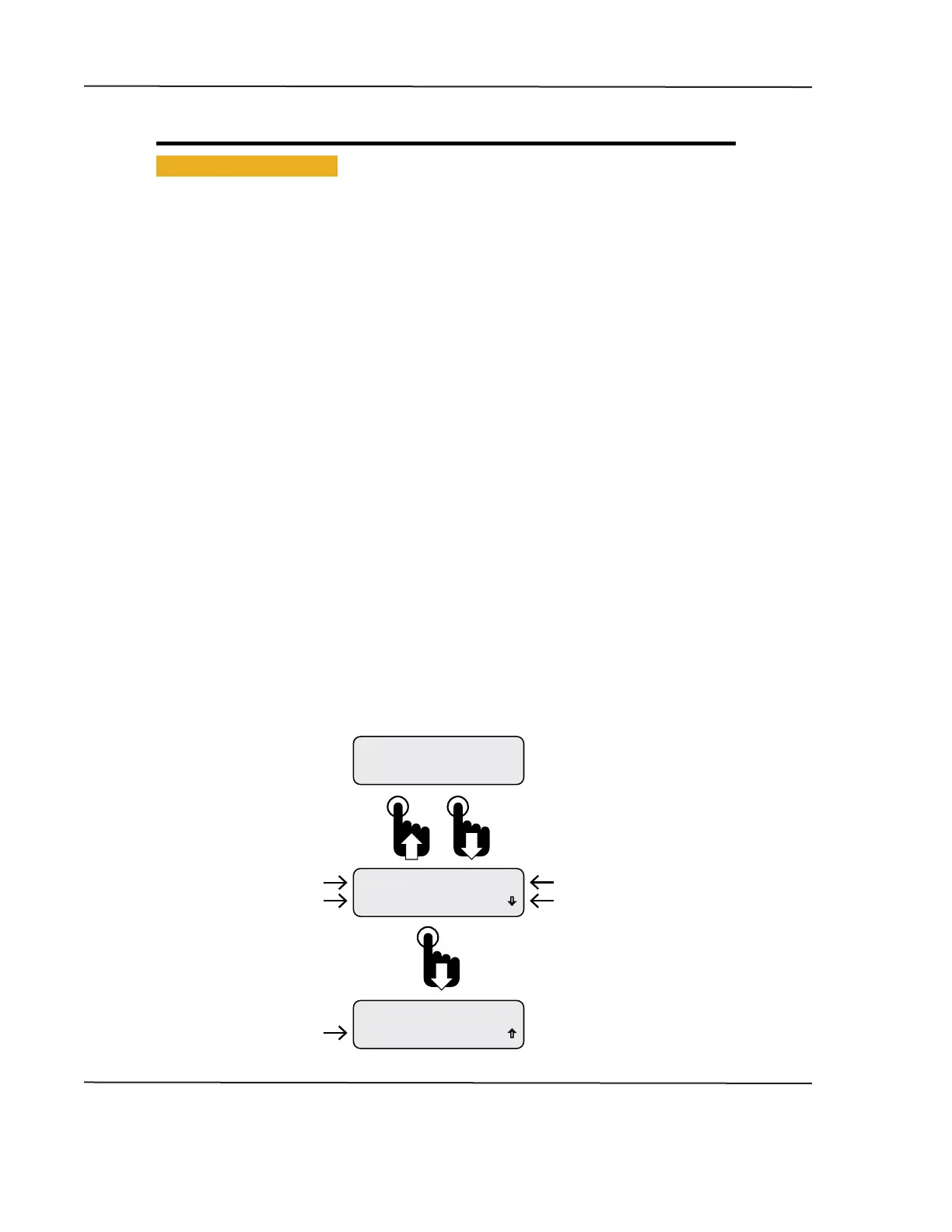
Figure 1-5: Fault Notication and Information Screens
Eng Oil Pressure
DM1 Fault 1 of 1
SPN 100 FMI 3
DM1 Fault 1 of 1
FAULT
Pressing the Down switch displays
the fault name instead of the
SPN number.
Fault Notication Screen Appears
if Popups are Enabled.
Refer to Setting Popups.
Pressing the Enter switch
clears the fault notication
and returns the last displayed
CAN parameter.
Failure Mode Indicator
Fault number of total faults
Suspect Parameter Number
Diagnostic Mode Number
Parameter Name
CAN DISPLAY MANUAL
OCTOBER 01, 2015



 To Next Page