NMC-WOLLARD 2021Truax Blvd., Eau Claire, WI 54703, Phone (715) 835-3151, Fax (715) 835-6625
M140 Tow Tractor Manual No. 46054
PAGE 5-96
CHAPTER 5 MANUFACTURER’S INFORMATION
4
NexSysLink
®
2" Stand-Alone CAN Display Operation Manual SAE J1939
© 2011 Beede Electrical Instrument Co., Inc.
• Start-up Routine
Upon Instrument start-up, the three alert LEDs will ash then the Beede logo followed by the SAE logo
appear for approximately three seconds�
• Default CAN Parameter Screen
After completion of the start-up routine, the Engine Hours CAN parameter appears� If power was
removed from the instrument with a dierent parameter displayed, Engine Hours will appear when
power is reapplied to the instrument�
• Viewing CAN Parameters
All actively broadcast SAE J1939 CAN parameters implemented by the instrument are available for
viewing� See "Implementation of SAE J1939 Parameters" on page 34� Press the Up or Down switch to
nd and view the desired parameter� The displayed parameter will not time out and remains displayed
until a dierent parameter is selected for viewing or power is removed from the instrument�
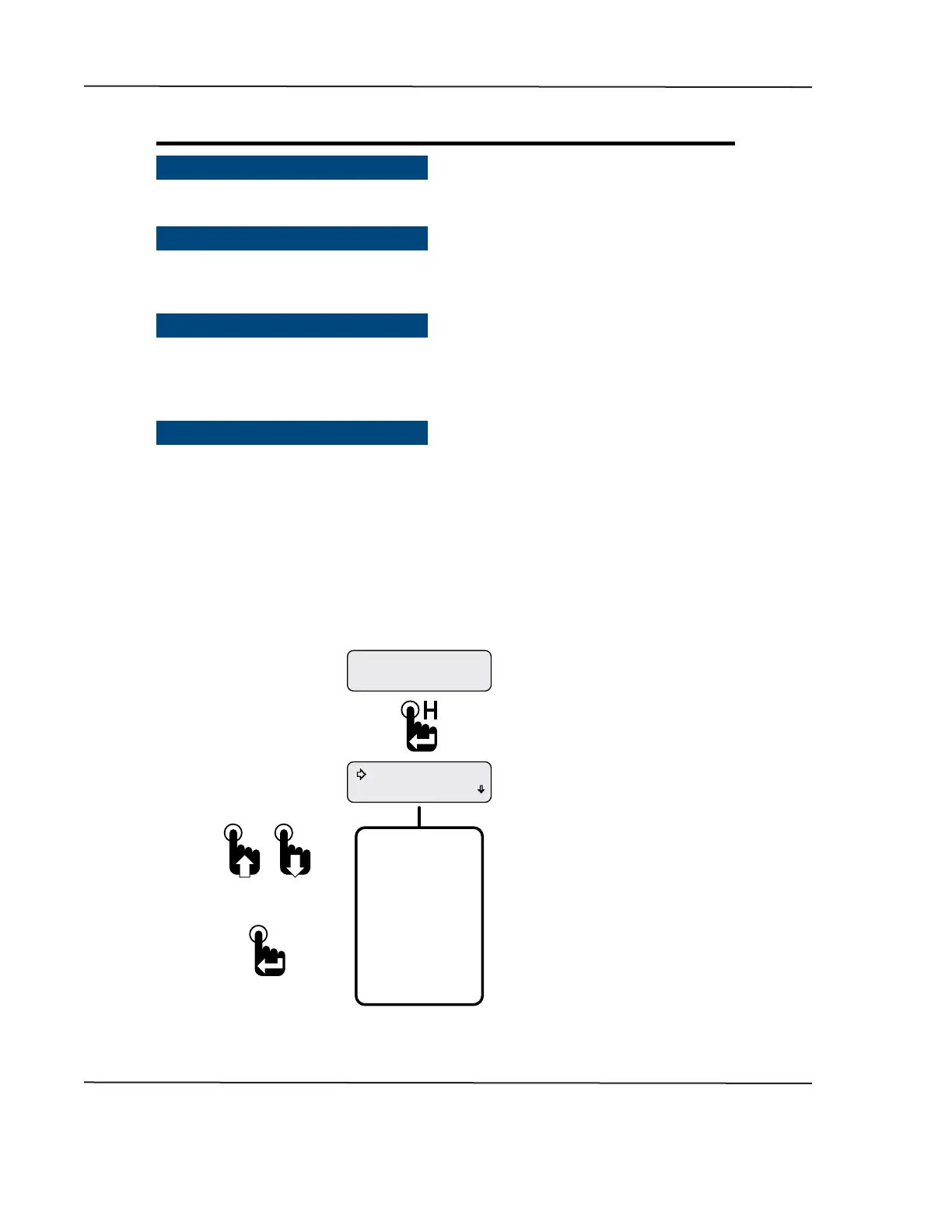
• Main Menu
The Main Menu contains functions to congure the LCD (Liquid Crystal Display), set alarms or view ECM
faults and warnings� Access the Main Menu by pressing and holding the Menu/Enter/Reset switch for
approximately three seconds while any CAN parameter screen is displayed�
Like all menus with multiple functions/options, only the rst two Main Menu functions/options appear
on the screen� Access the other functions/options by scrolling down the menu list using the Down
switch� Use the Up switch to scroll back up the Main Menu function/option list�
The Main Menu and all the functions within it except Maintenance Hours and Vehicle Trip functions will
display for approximately 30 seconds if no user activity is detected� The previously displayed parameter
reappears after 30 seconds of inactivity�
Figure 1-3: Accessing the Main Menu
Faults Active
Maintenance Hours
Engine Hours
1049.3
* Either Maintenance Hours or
Vehicle Trip appears as the rst
Main Menu function depending
upon the Main Menu-Setup-Trip Mode
conguration.
Main Menu-Setup-Trip-Hours
displays Maintenance Hours.
Main Menu-Setup-Trip-Distance
displays Vehicle Trip.
Complete Main Menu
Function List
*Maintenance Hours
Faults Active
Warnings Active
Faults Stored
Alarms
Mute Audio Alarm
Mute-Temporary
Setup
Information
Exit
To select a Main Menu
function adjacent to the
selection arrow cursor
To scroll up and down
the Main Menu list
First Main Menu Screen
Parameter Display Screen.
Engine Hours shown as an
example only.
CAN DISPLAY MANUAL
OCTOBER 01, 2015



 To Next Page